En esta sección
Modules
PortalRest displays the services contracted by the client in the modules section.
The client can contract different modules at different prices. We will see which services the client has contracted depending on whether a red cross is shown in the line corresponding to the module. X or a green tick ✓ .
These modules are configured from CloudLicense; you will need to contact your distributor to activate the desired ones.
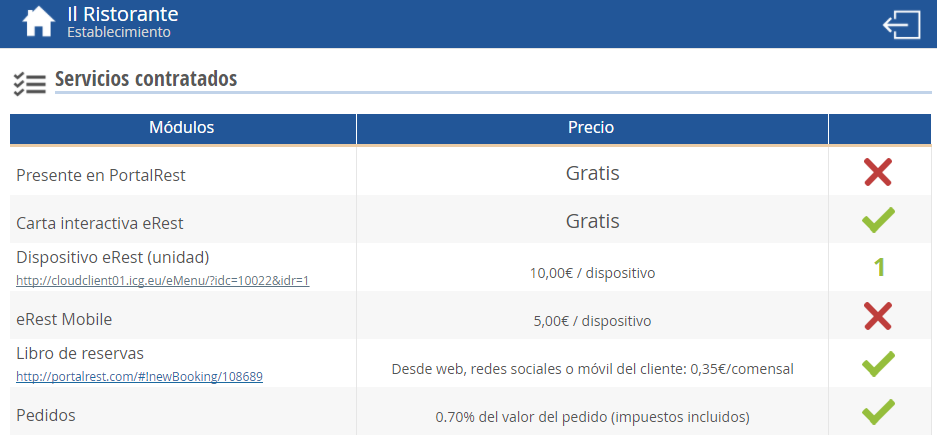
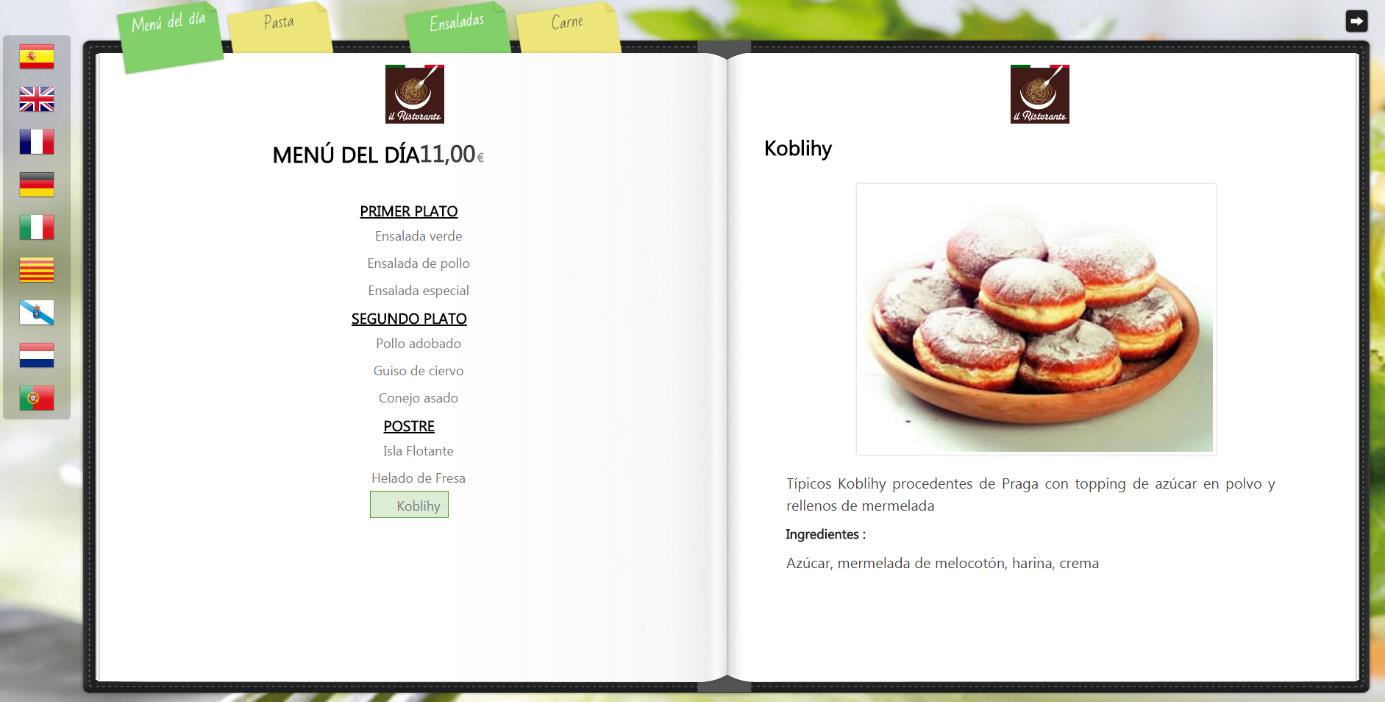
We will be able to view our eRest device (unit) by clicking on the link in its line.
On the line corresponding to the reservation book, we can make a new reservation by clicking the module's link.
Clicking on the booking settings will link us directly to the booking calendar, where if we select one of the days, we can view customer bookings, filtering by shifts (breakfast, lunch, and dinner) and by statuses (unconfirmed, confirmed, canceled, no-show, showed up, and not accepted).
If a customer wished to make another reservation during these hours, the available times would appear directly, but they would not be able to confirm the booking.
AI Assistant
Section summary
AI can generate inaccurate information; verify the results.