En esta sección
Modifiers
Modifiers are items or comments that complement the initial item, thereby customizing the item to which they are applied. These modifiers may or may not have a price supplement or increase, which would be added to the item's total.
To add modifiers, it is first necessary that they have been created in the section. Modifiers from the initial configuration. Modifiers are created in groups, so a group of modifiers will be added to an item instead of a single modifier.
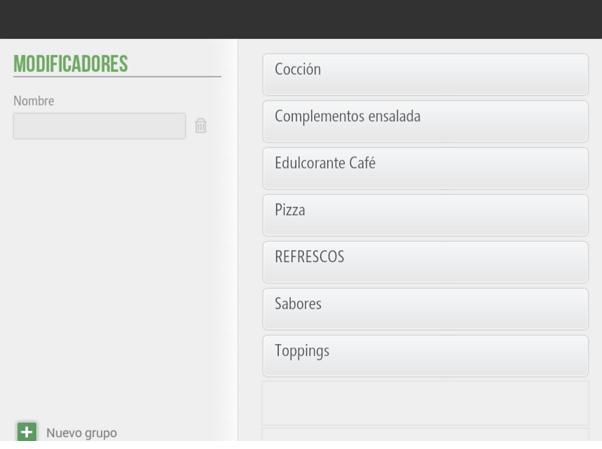
As many literals as desired can be added within a group of modifiers. They can be created using an article already created in the database or using a free comment.
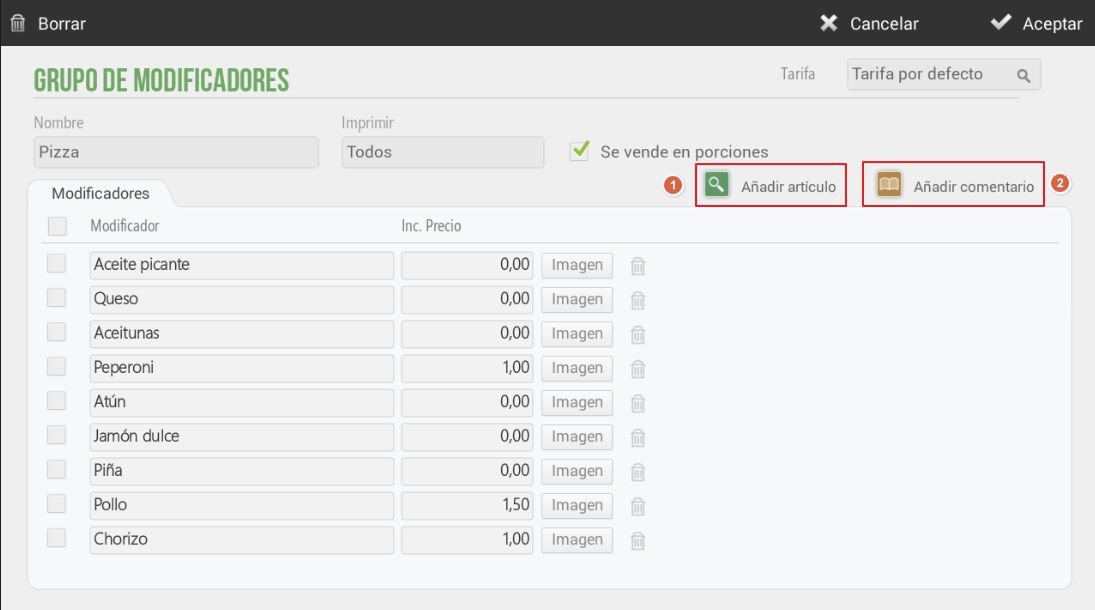
A modifier may include a price increase. An image can also be added to the item for display on the sales screen.
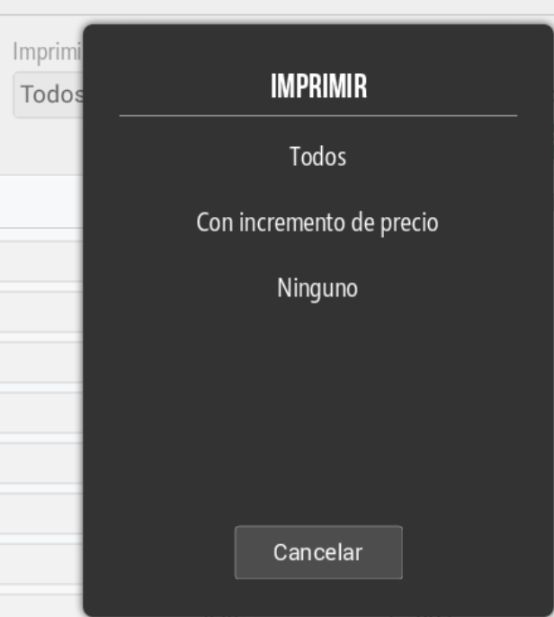
There is an option to select which modifiers you want to print so that they appear on the sales ticket: all, those with a price increase, or none, as can be seen in the following image:
The procedure for adding a group of modifiers to an item is as follows: select an item that does not have a group of modifiers and then select from the existing list of modifier groups the one you want to be applied to the item.
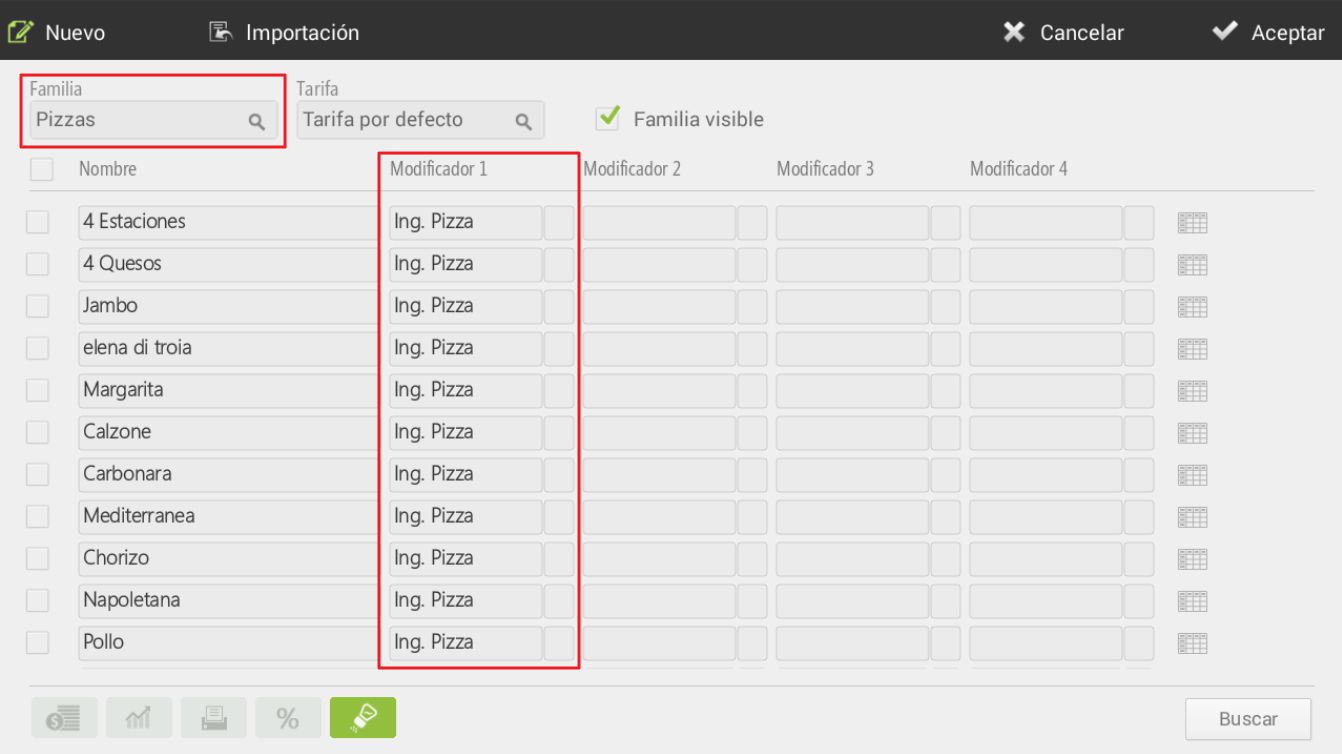
Every time that item is sold, it will give you a choice between the modifiers from the group you have added. Examples of modifiers:
Doneness: rare, medium, or well done
- Side dish: with potatoes, with vegetables...
- Pizza ingredients: extra cheese, anchovies, ham, olives…
Additionally, there is the possibility to create a group of modifiers that is sold in portions. This is very useful for making, for example, custom pizzas. As we see on the previous screen, in the Pizza modifier group, we have activated the "Sold by portions" option, therefore, we will have to assign this group of modifiers to the items in the Pizza family.
When we go to sell a pizza, the Ing. Pizza modifier group will automatically appear for selection.
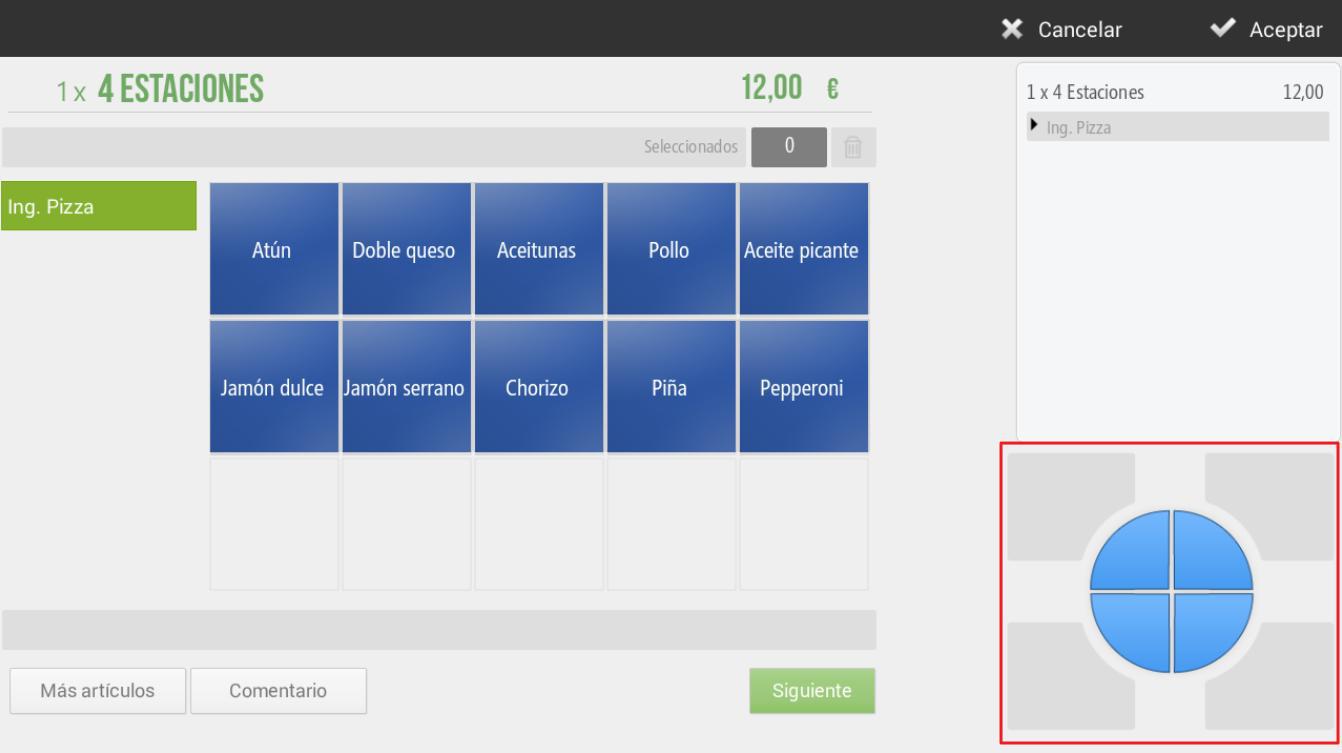
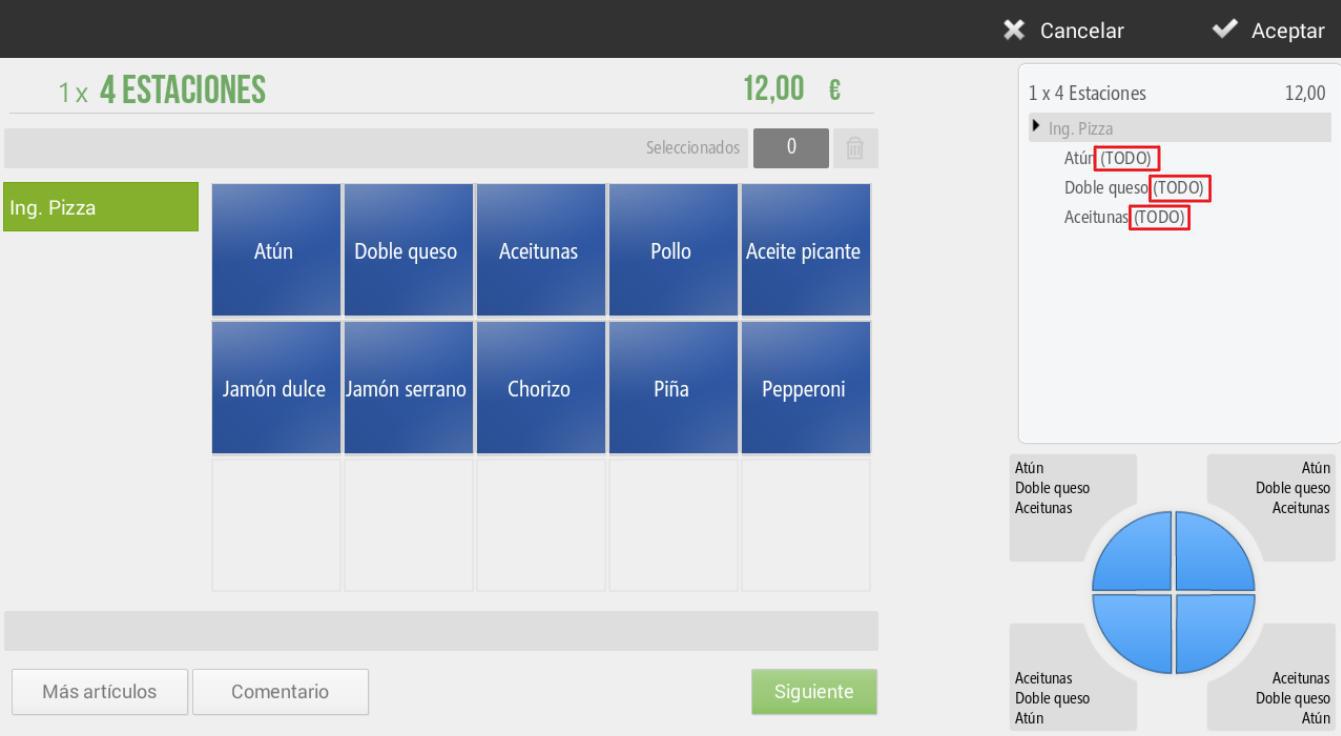
We can see in the lower right margin, that a circle divided into four portions appears. If we do not select any portion, any pizza ingredient we select will be added to the four portions, as shown below:
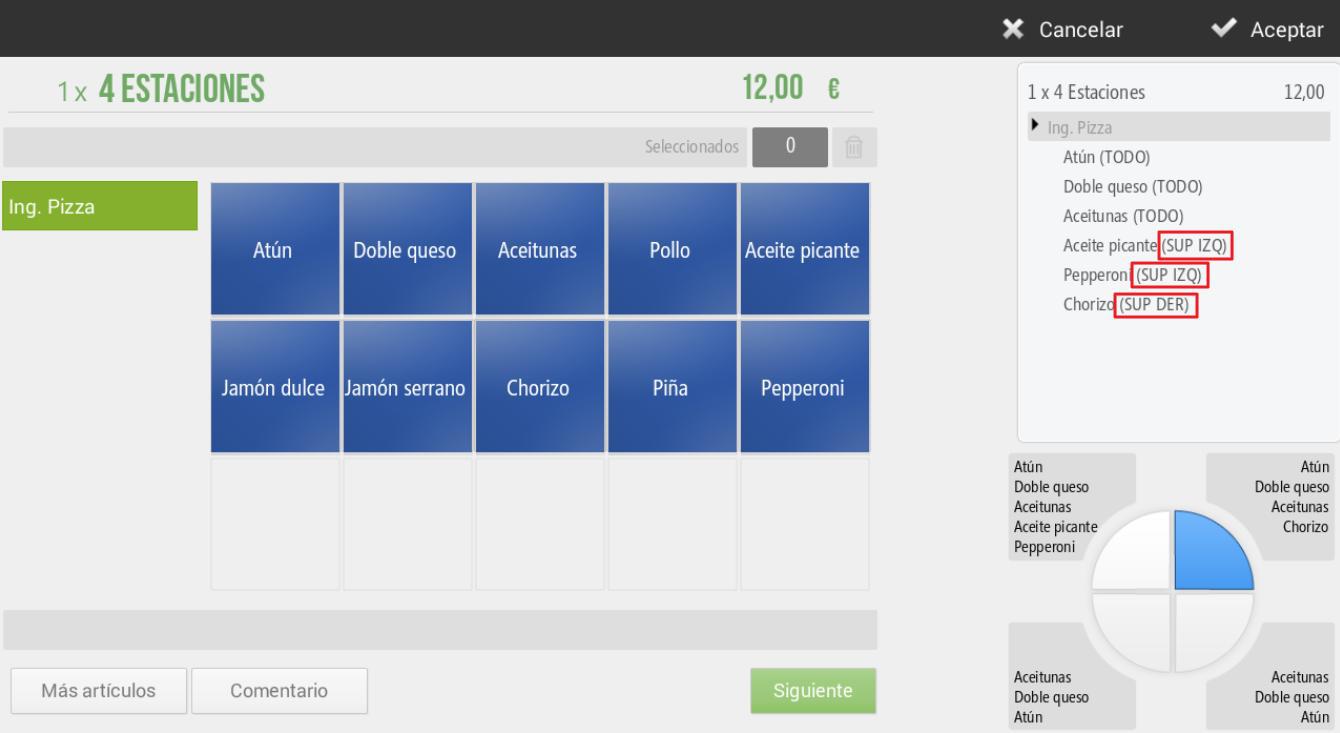
Alternatively, there is also the option to select only one of the portions to add specific ingredients to that portion. The following image shows how Spicy oil and Pepperoni have been added to the top left portion, and Chorizo to the top right.
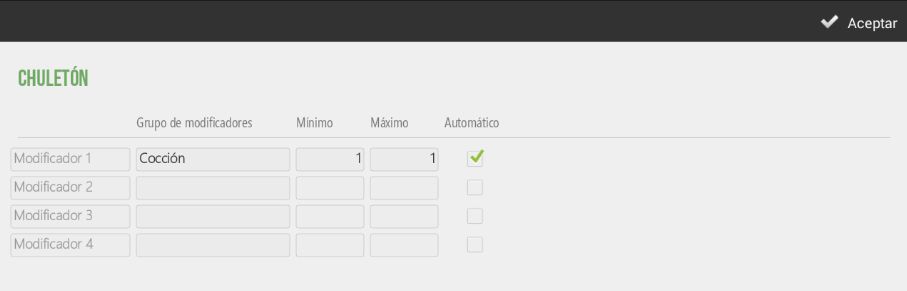
Finally, we will be able to configure a minimum and maximum number for our modifiers.
This way, we can configure it so that upon selecting a doneness level, it automatically returns to the sales screen. Because selecting a doneness level will be sufficient.
AI Assistant
Section summary
AI can generate inaccurate information; verify the results.