En esta sección
Cash inflows and outflows
The program features cash in and cash out functionality. Cash ins are an amount of money received by the establishment, and cash outs are amounts paid by the establishment.
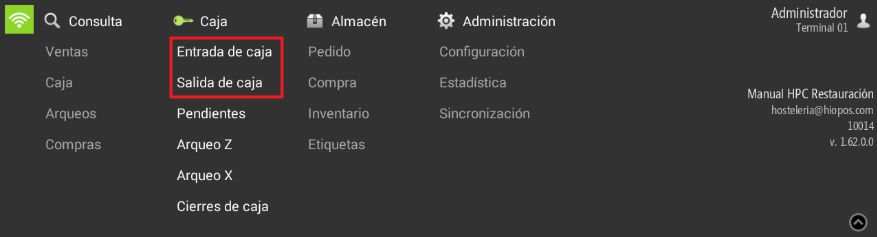
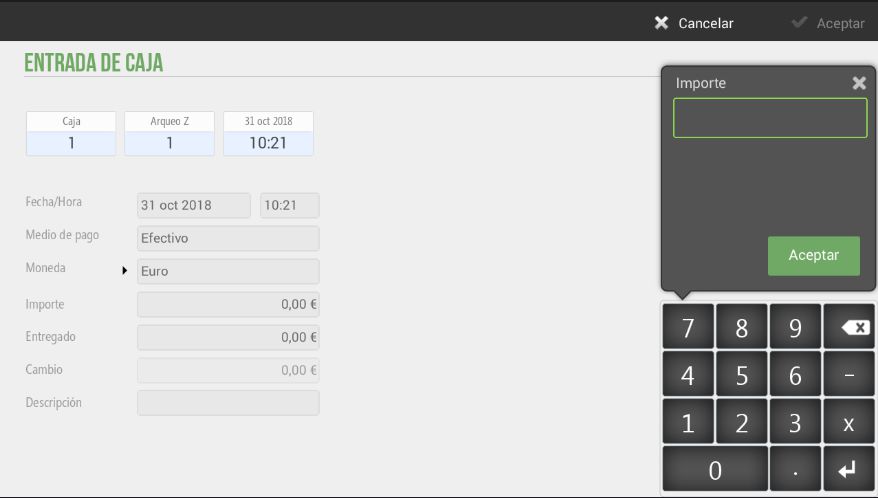
To record a cash entry, we will need to select Cash and the Cash Entry option. In it, we will enter the amount received.
If the amount entered does not match the actual amount in the 'amount' field, this will generate a difference that will be displayed in the 'Change' field.
In cash entries, the user can enter its description, that is, the concept for which said entry is received, for example, -cash load-.
We can also select the payment method, from those previously configured in the application, and configure the currency of the operation.
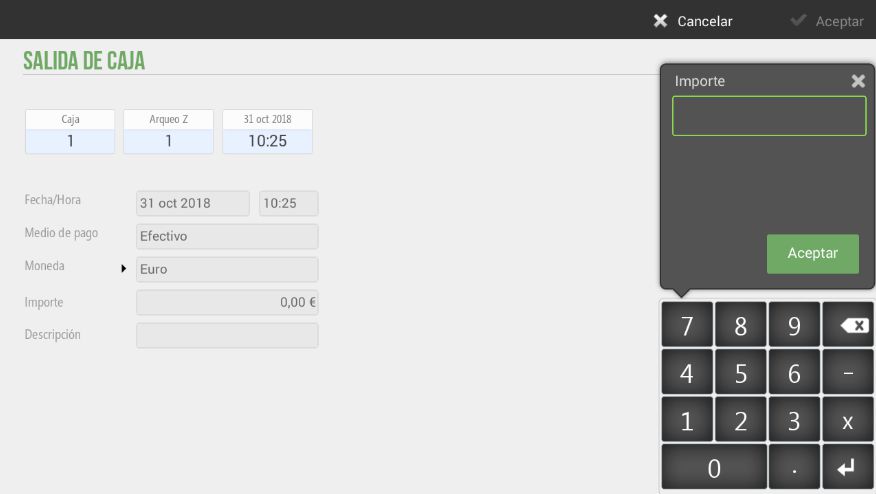
To record a cash outflow, we will need to select Cash and the Cash Outflow option. In it, we will enter the amount of the outflow and, in the description box, write the reason for it.
We can also select the payment method, from those previously configured in the application, and configure the Currency of the operation.
AI Assistant
Section summary
AI can generate inaccurate information; verify the results.