En esta sección
Assignment of Rate per Table
Rates can be assigned to a Table. This way, the entire price list for the items entered will apply at the Table level. This would be the case when creating a special Rate depending on the Table.
To assign a rate to a table, first we will have to create a new Rate or select an existing one. For the creation of new rates, see section; Rates of the manual, subsection; Creation of new price rates.
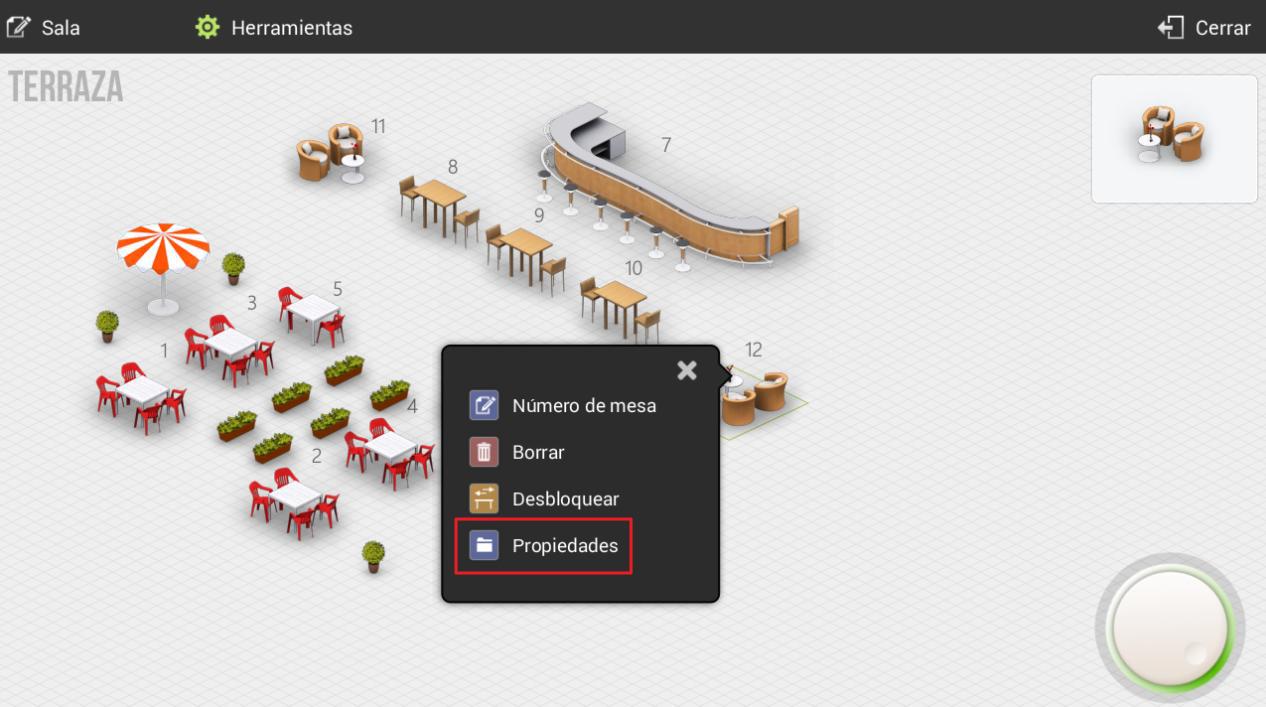
Secondly, we will select Administration, Configuration, Rooms, choose one of our rooms, and click on one of our tables. A dropdown menu will appear, and we will select the Properties option.
On the table properties screen, we will be able to assign it a default rate and a default number of diners. Selecting one of these options will display the following dropdown menu.
AI Assistant
Section summary
AI can generate inaccurate information; verify the results.