En esta sección
Last year's comparison
This statistical module allows comparing one year with the immediately preceding one.
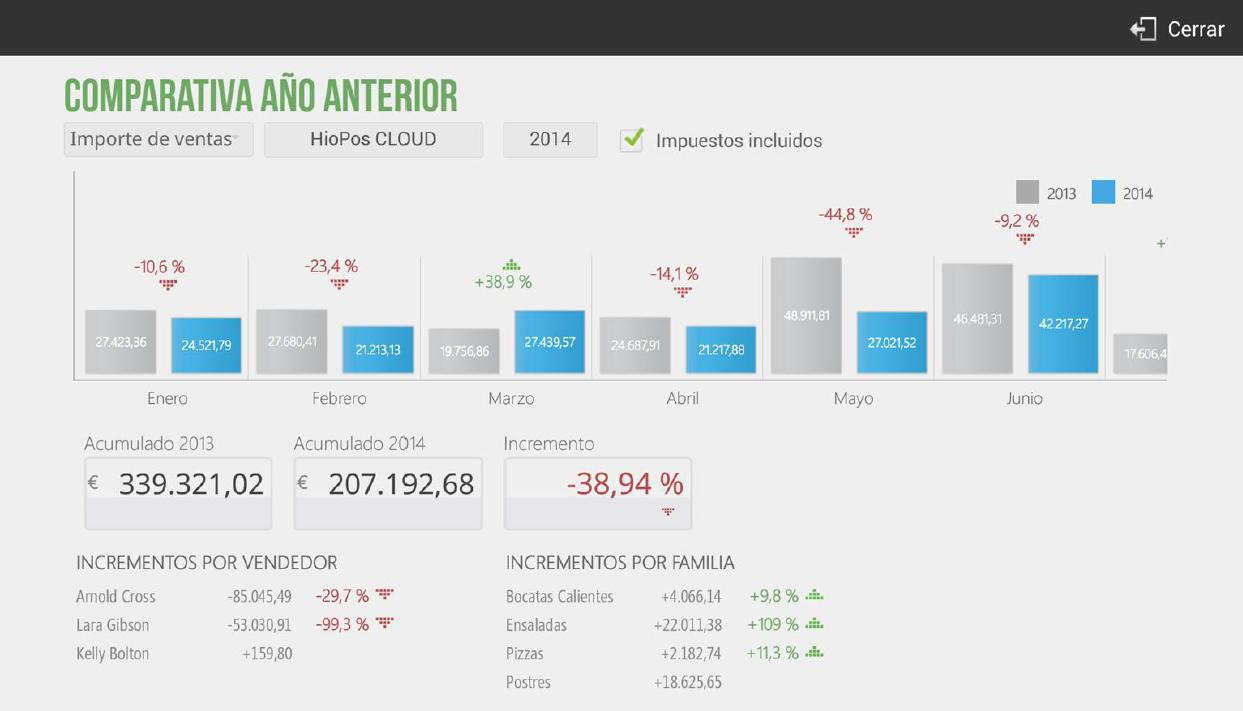
Select from the top menu if you wish to view the data by Sales amount, for Number of sales or by Average sales. You can also select the store you want to view and whether they will be displayed with Taxes included Oh no. In the box where the current year is displayed, select the year you want to be displayed; the comparison will be made between the selected year and the year prior to that.

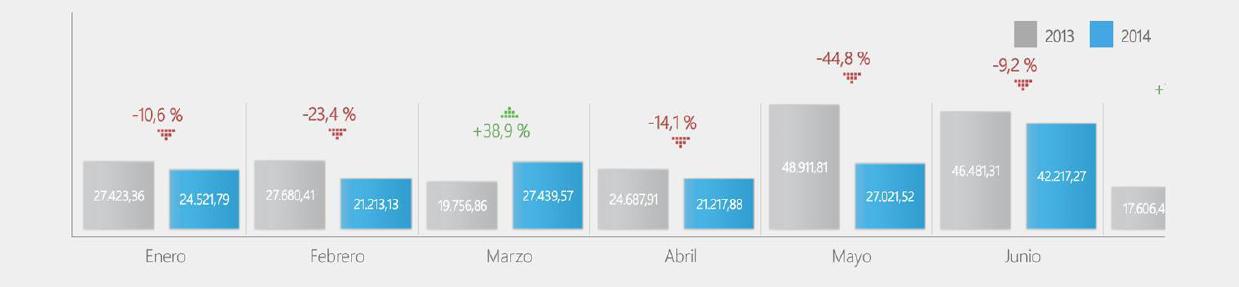
The cubes show the selected year in blue and the previous year in gray, offering a visual comparison based on their size, as well as the numerical value of each. Between two cubes of the same month, the percentage of variation that has occurred between one year and the other is displayed.
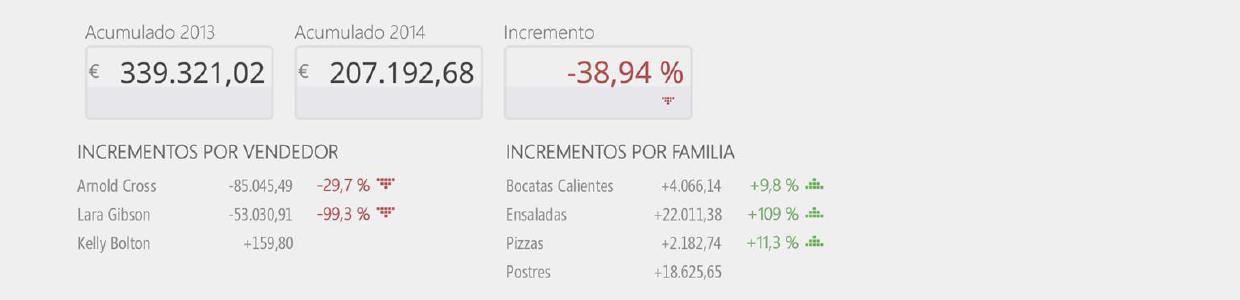
Right below, the total for the years and the variation from that total are displayed. Also included are this year's increases by salesperson and increases by family.
AI Assistant
Section summary
AI can generate inaccurate information; verify the results.