En esta sección
Program reset
The option Reset It allows the user to delete all the information that the program has stored on the device. It is used so that when the application is run again, it will be as if it had never been used. This way, it will ask us for the language, username, and password when we access the program, as if it were a new installation.
The button Reset is on the screen of Settings, in the upper left margin. When clicking on Reset, the application will ask us for confirmation to proceed with the process.

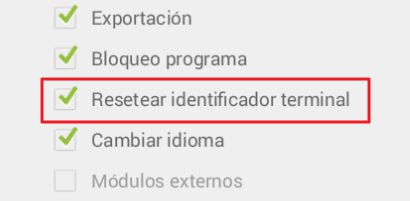
By default the option Reset is not available for any user or profile. If you wish to activate this button go to Profiles user within the menu Configuration.

The option to activate is Reset terminal identifier.
AI Assistant
Section summary
AI can generate inaccurate information; verify the results.