En esta sección
Account Statement
Premium*
Access to an account's Statement can be done from the Journal Entries by double-clicking on the desired account, and from the Accounting menu by accessing the tool of Account Statement.
Upon opening the module, an Accounting Account search field is displayed to locate the desired code. The fastest way to locate an account is to type the root followed by a period and the entity's registration number, so that when 'Enter' is pressed, it is padded with zeros until the twelve-digit account is displayed (i.e.: 430 + '.' + 1 → 430.1 → 430000000001).
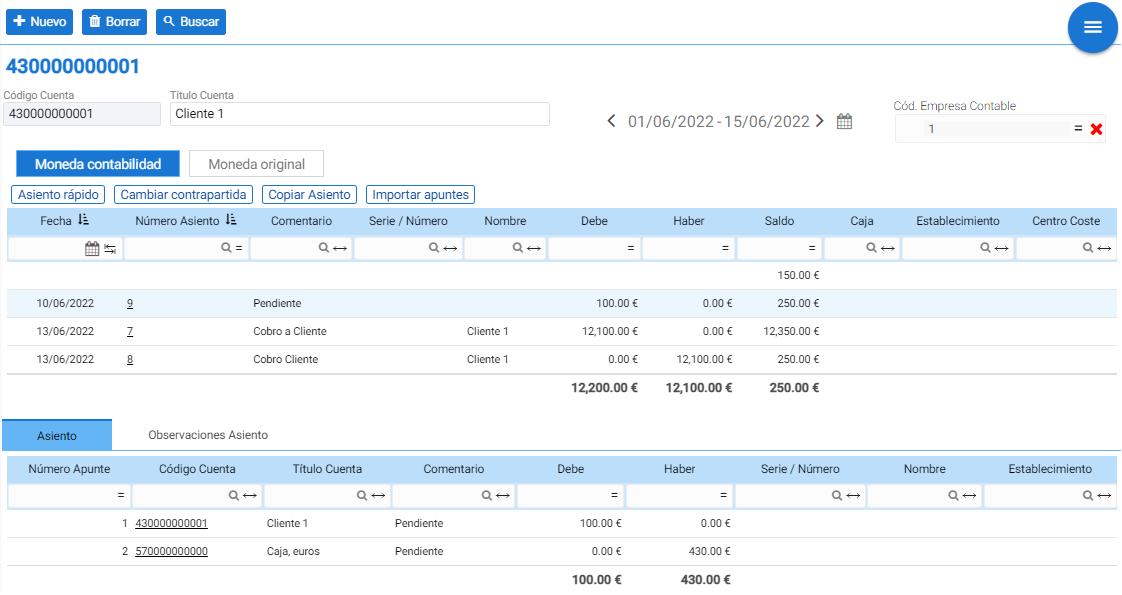
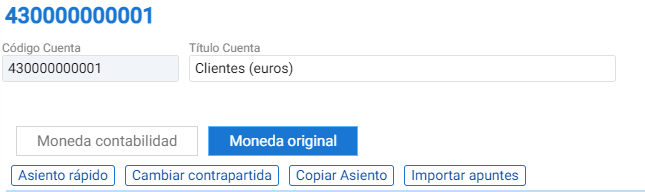
The statement is displayed ordered by date and entry number, in ascending order, and offers the possibility to view the statement in the main accounting currency or, by clicking the "Original Currency" option, to view entries that have been made in another currency.
At the bottom there is a tab that shows the detail of the entire entry that includes the record selected in the statement, as well as another tab with the entry's observations:

The actions that can be performed from the statement are:
• Quick seat: Just like the function that exists in the General Journal, with the difference that the source accounting account is the one from the current statement, and it proposes as the default destination the offsetting account 555 (Unapplied items according to the Spanish General Accounting Plan 2008).
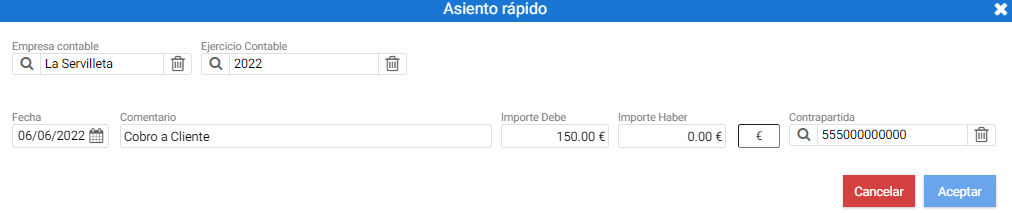
• Change counterparty: It allows changing the counterparty of the entry, provided that the entry is simple and the current counterparty is 555.
• Copy Entry: Allows copying a selected entry in the statement.
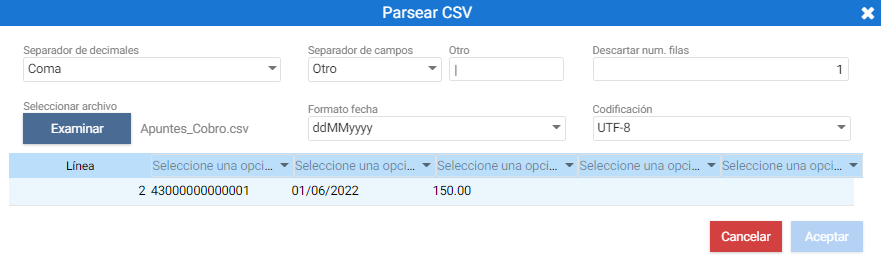
This mapping screen asks to select the file to import from the [Browse] button, and then the type of decimal separator must be configured (whether it's a comma or a period), the character used to separate fields within the file (if it's Other, it must be specified), which row should be discarded (if there is a header, the first one will be discarded), the date format used in the file, and the character encoding (by default UTF-8).
AI Assistant
Section summary
AI can generate inaccurate information; verify the results.