En esta sección
Quick article creation
HioPOS Cloud organizes items into three main levels, these are Family, Subfamily
and Item. To create new items, you must first have at least one New family.
To do this, we must go to the section Settings > Items and press the button New from the top of the screen.

Once the new has been created family and assigned a name, two other options are presented:
To create a NNew subfamily.
Create a New article.
Select the option New article.

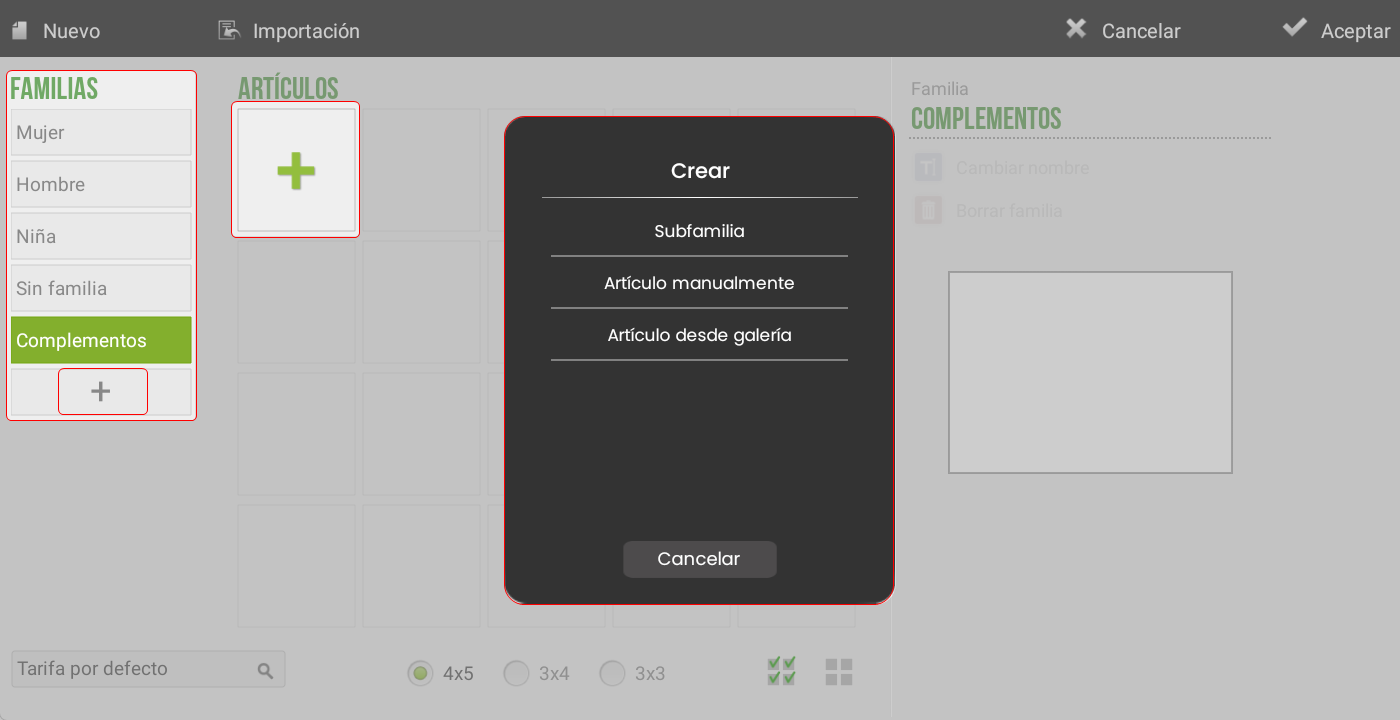
Another way to create new families is by pressing the + button at the bottom of the screen.
Once at least one family has been created, a '+' button will be enabled that will allow:
Create subfamily
Create article manually
Create article from gallery
AI Assistant
Section summary
AI can generate inaccurate information; verify the results.