En esta sección
Attendance control
By default, the Module of Attendance Control It is deactivated. Therefore, related options will not be visible until the module is activated.
Once activated:
Upon starting the POS, the employee screen will appear empty until the first entry is registered.
The profile Administrator, created by default, will have the password assigned 1. Upon activating the module, this will be the only user with permissions to configure or modify their own password or assign individual passwords to each employee in their salesperson's profile.
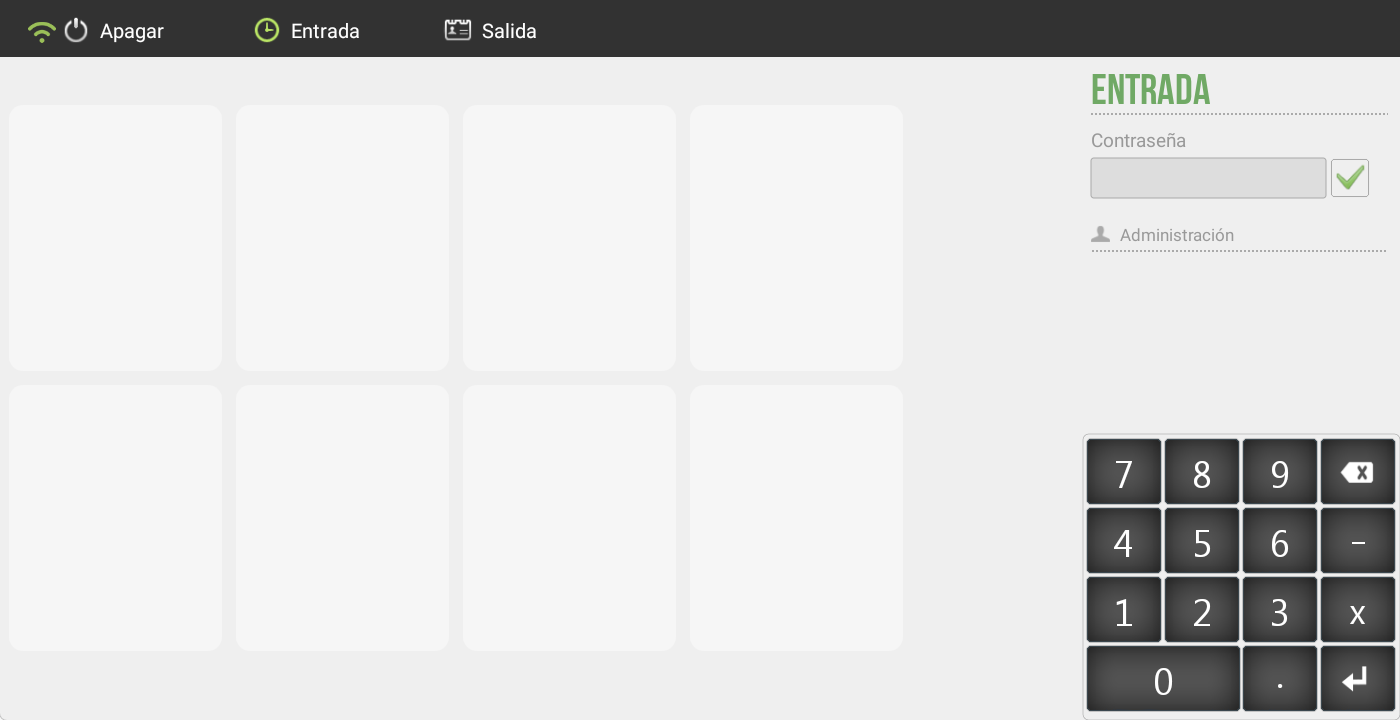
Registration of Entries and Exits
Start of shift:
The employee must press the button Entrance.
Enter your Presence Control password on the numeric keypad.
The message will be displayed on the keyboard.
Entry recorded along with the time and the employee's name.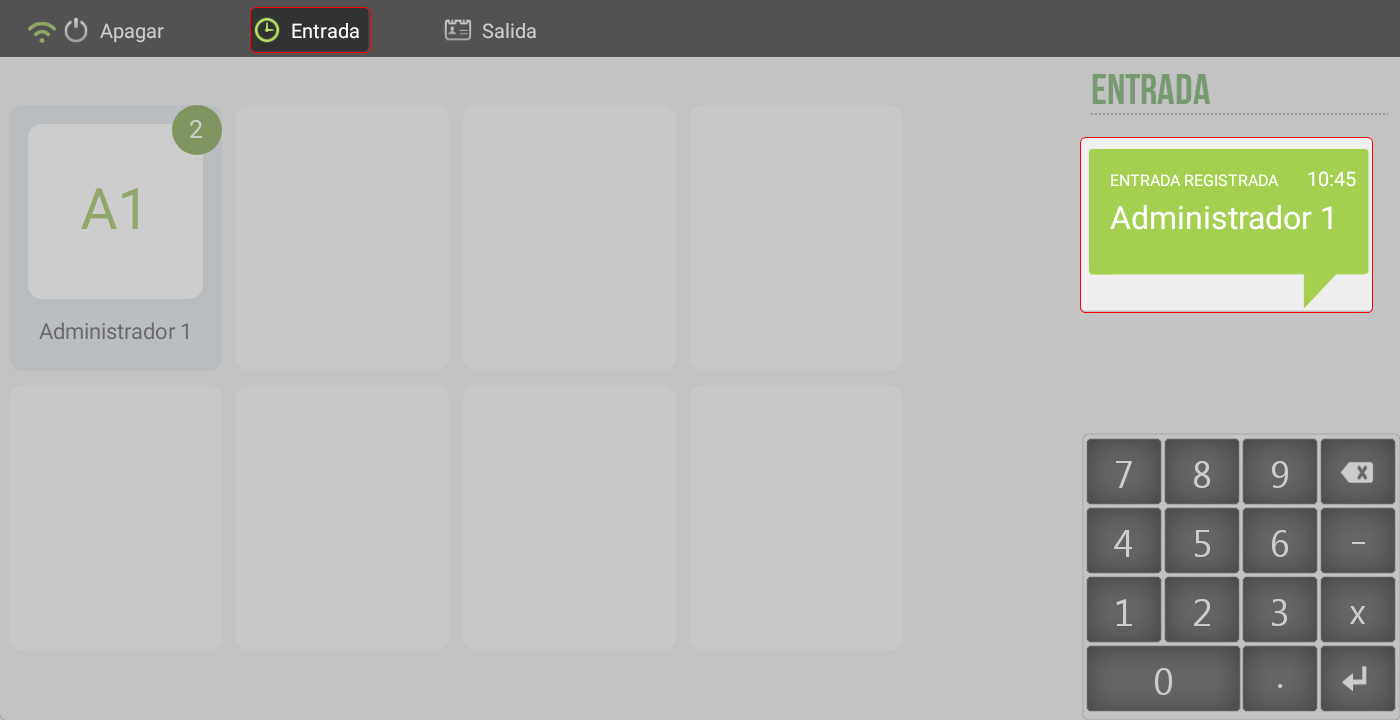
End of shift:
On the vendor screen, click the button Exit.
Re-enter the Presence Control password.
The system will display the message:
Exit recorded with the time and the name of the employee.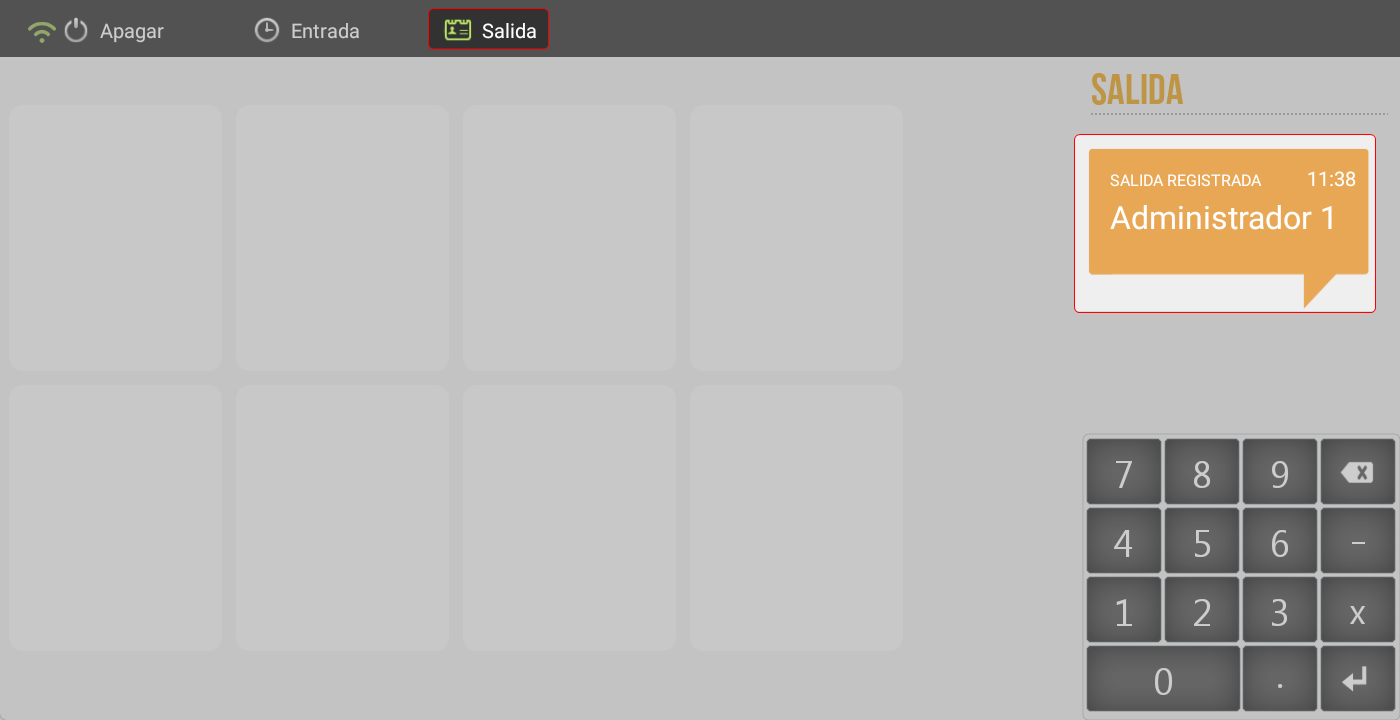
TIP: The Time and Attendance password may be different from the program login password. Therefore, using the POS will still require the usual login password, even if the time and attendance system is used.
Attendance Control Reports
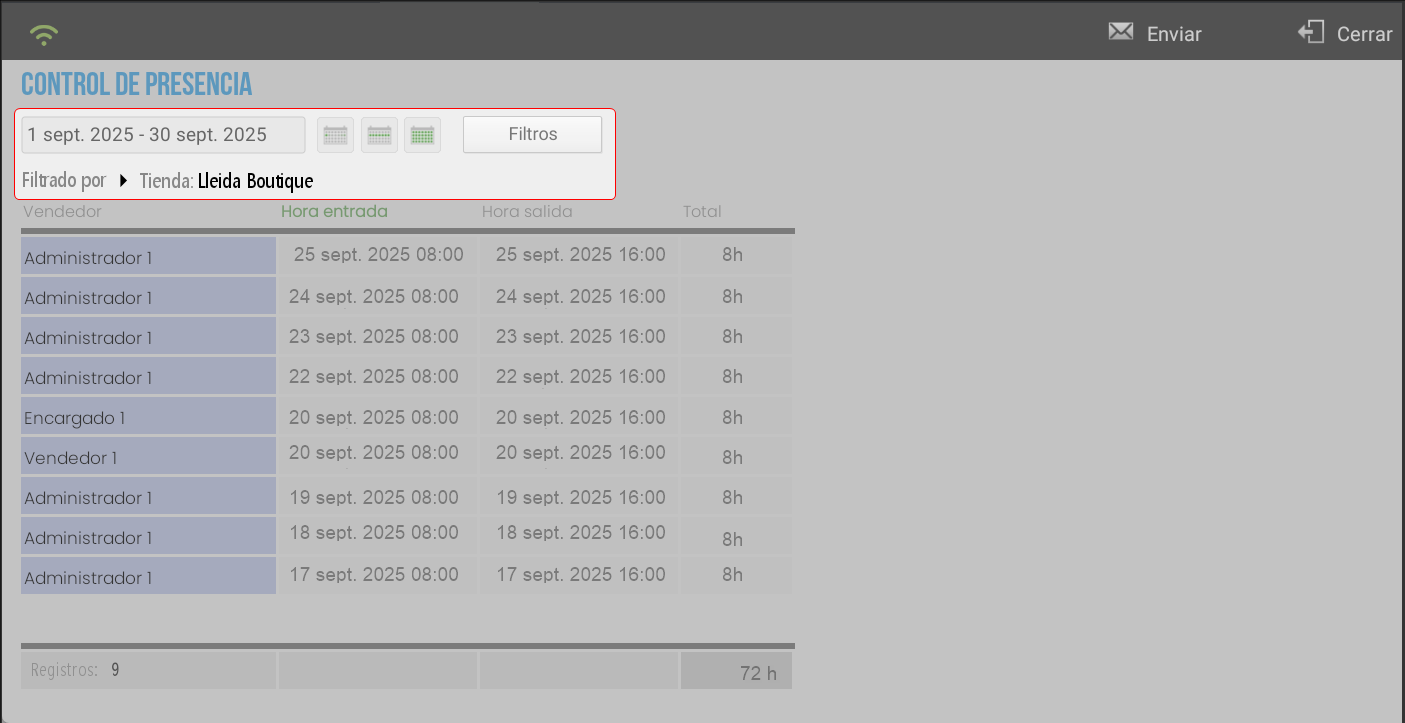
In Statistics > Audit > Attendance Control, a detailed report of employees' clock-in and clock-out times, as well as their total daily hours, can be consulted.
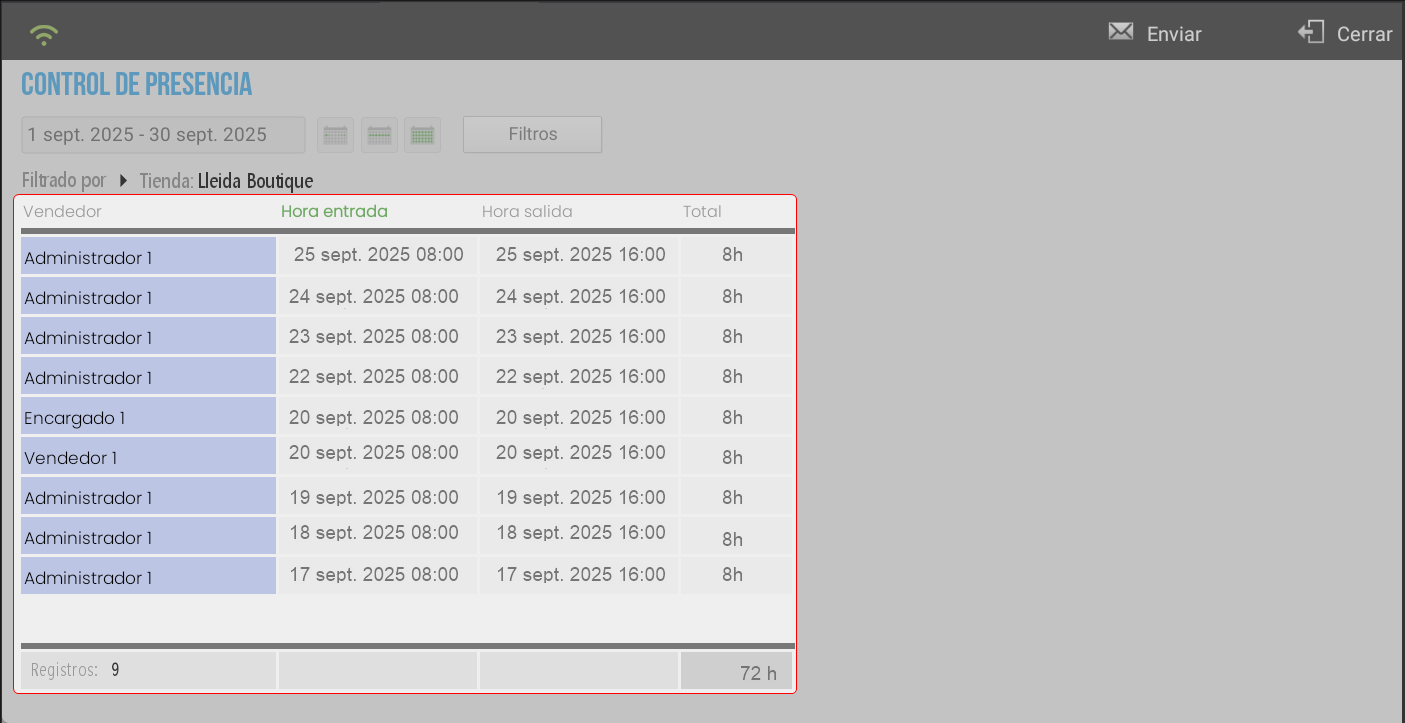
These reports can be:
Filter by Date, Store o Seller, showing only the necessary information.
Email the generated report based on the applied filters.
AI Assistant
Section summary
AI can generate inaccurate information; verify the results.