En esta sección
Employee shifts
In the third section, Employee Shift, the working hours of the employees will be taken into account, including the start and end time of their workday, and which days of the week they will work. To add them, select New.
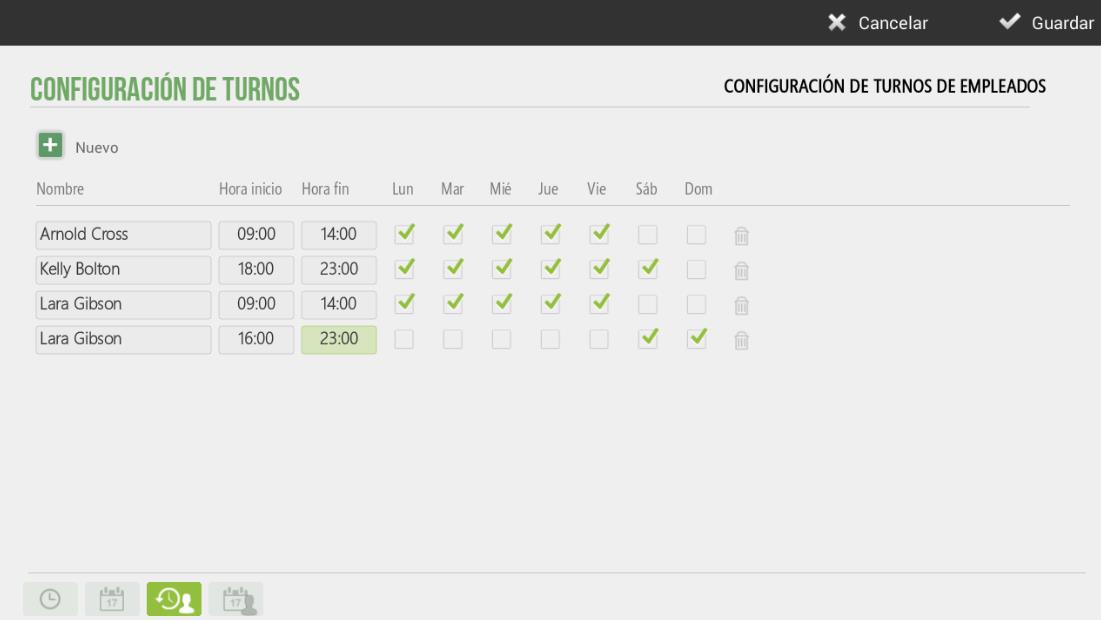
In the previous example, it can be seen how the employee Lara Gilbson will work morning and afternoon only on Saturdays and Sundays. Since there are two shifts, it will need to be created twice if there is a break in between.
This configuration will be very useful in the Hairdressing vertical, as employee shifts will be displayed on the Calendar screen, allowing you to see which days or hours each employee works.
AI Assistant
Section summary
AI can generate inaccurate information; verify the results.