En esta sección
Request for elaboration
Premium
The first step for the production of a composite item is the generation of the production order. This document serves as a manufacturing proposal for cost breakdowns.
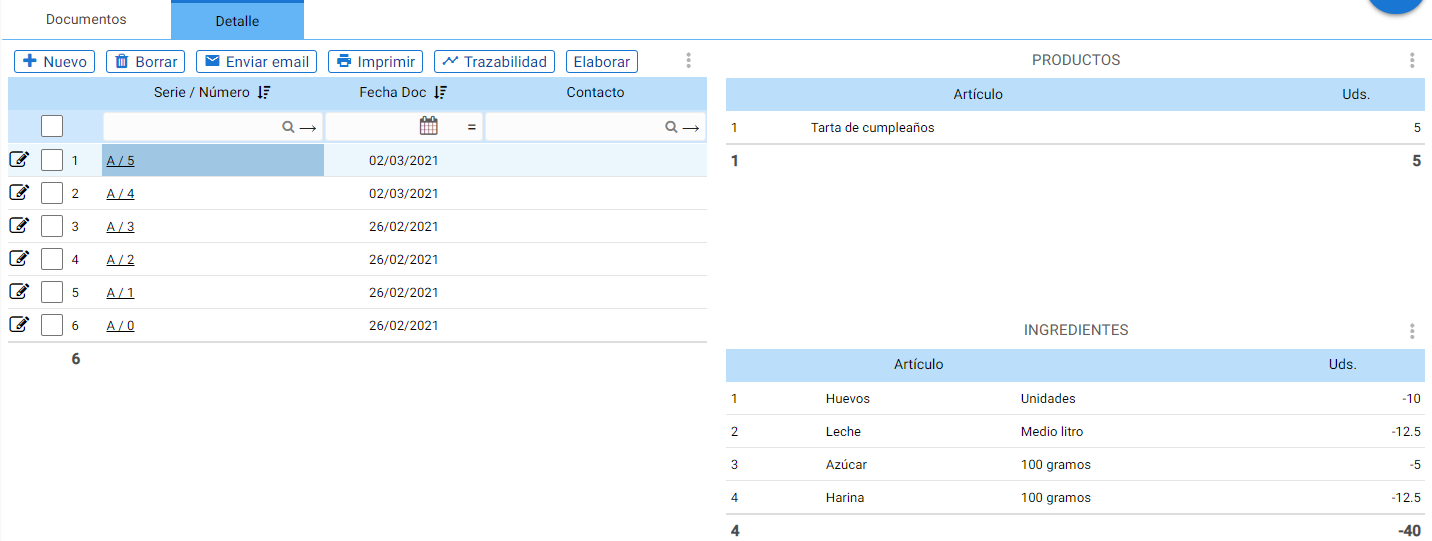
This type of document separates a Bill of Materials item into its components and shows the amount of stock that will be consumed for each ingredient based on the units produced.
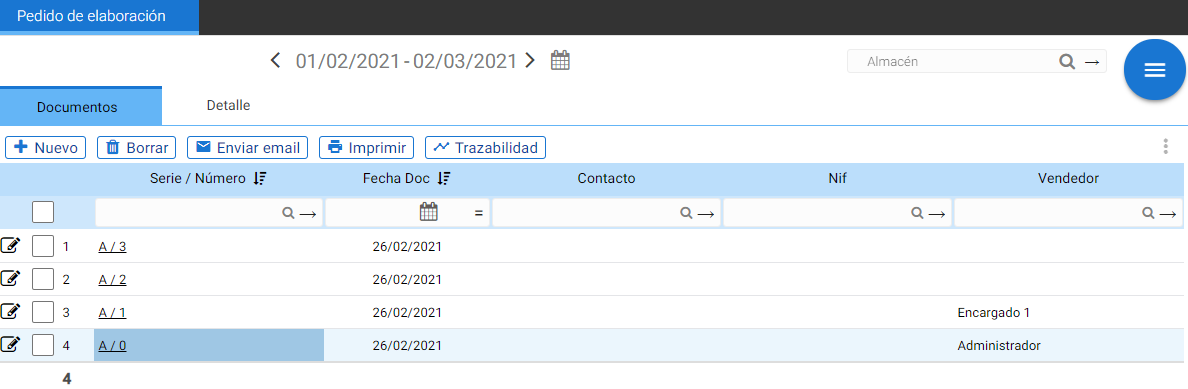
The main window shows the total number of production orders generated in the specified period.
The Detail shows the composition and units consumed:
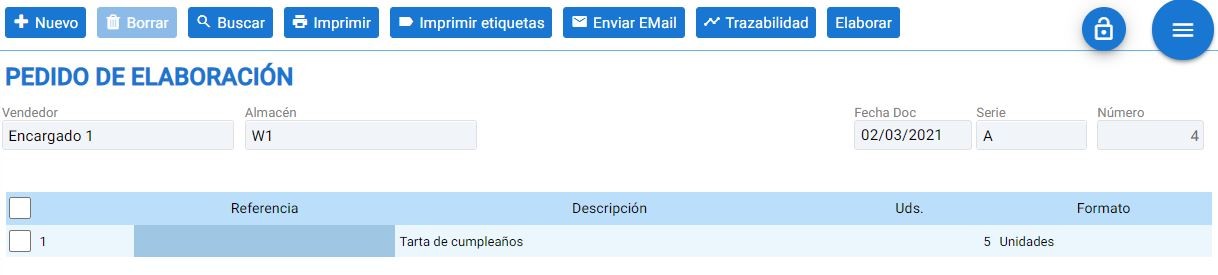
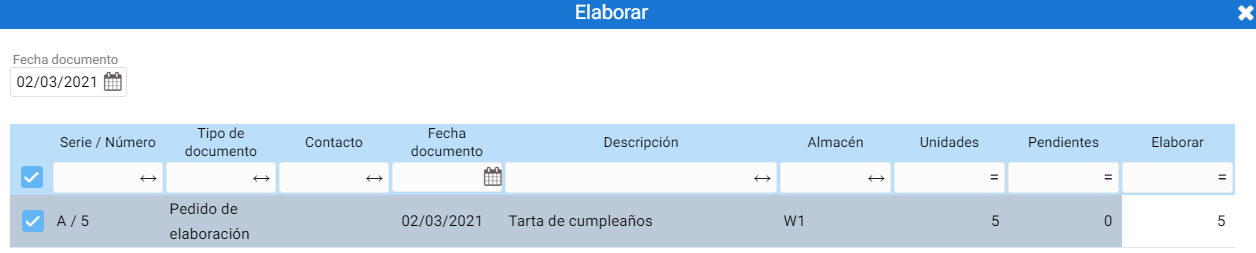
Once the order is finalized, it is moved to 'prepared' with the [Prepare] button. This button activates when the document is saved.
To do this, the units to be produced must be indicated, and upon acceptance, an Elaboration document will be generated.
As with all types of documents, the creation forms for the production order and the production document have the [+New], [Delete], [Search], [Print], [Print labels] for items, [Send Email], and [Traceability] buttons to view document changes.
Production orders do not affect stock.
AI Assistant
Section summary
AI can generate inaccurate information; verify the results.