En esta sección
Dashboard features
Premium*
Below are explained the different information display options available to this class of reports.
Block settings:
A tool that allows changing the date of the selected block, filtering information by a subset of data that meets certain criteria, modifying the visualization type and the metric (in tables or graphs), downloading the information by file type (CSV or PDF), and updating the information.
This option is accessed by selecting the three dots found in the top right corner.
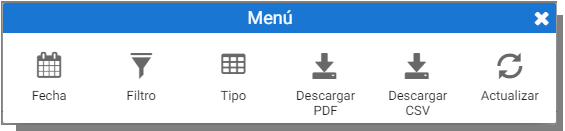
Column configuration:
Clicking the left button on a column defines the order; if the selected column originates from another, the column order is set for both.
Right-clicking on a column, you access in the Settings menu.
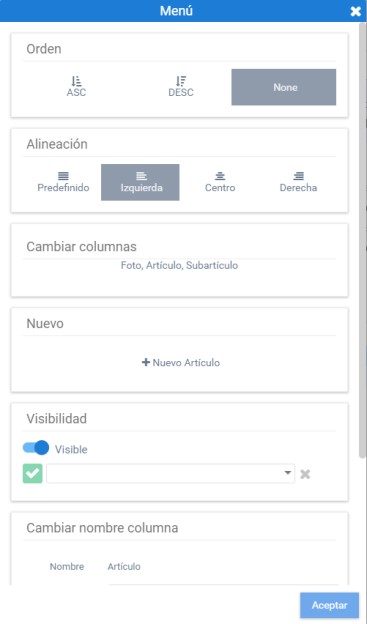
This option includes column order and its alignment. From here you can replace the attribute accessed with the tool of Change column, below this option is the one for [+ New] to create a new element of the selected entity, in the image example a new Article can be created.
The options of Allbility and Change name Column properties allow defining whether the column will be hidden and modifying its label, respectively. If you want to completely change the name, for example, if 'Article' is to be modified to Item description, it will have to be indicated in the text box of Subtitle.
Finally, there is the option to delete the selected column.
When the selected field is a Metric, the Menu shows two additional options:
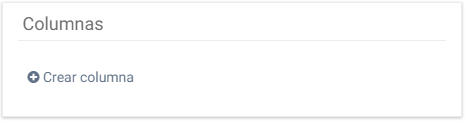
- Columns: For Generate a new metric based on the calculation of the selected one.
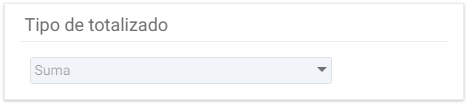
- Type of totalizationThis field shows the aggregation type for the column, it cannot be modified.
Filter by rows (in tables or in a chart's region):
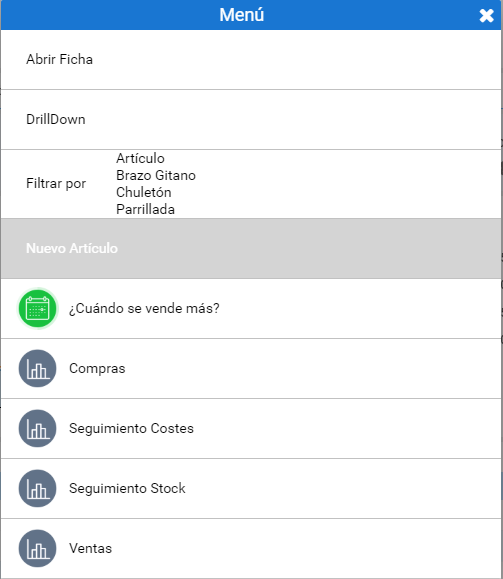
Filters by attributes or open other reports that take into account the row's characteristics. This option appears when right-clicking a row. Below, the functionality of each one is explained.
Open record:
It appears when an entity configured with its own dedicated record (for example, Item, Customer, Vendor...) is selected. The object's record can also be accessed by double-clicking on it.
Drilldown:
Change of variables of the selected field.
It is also a way to delve deeper into the selected variable to learn more about it.
The current information will not be replaced, but rather complemented.
Multi-selection filter:
Filters and reports that take into account the characteristics of multiple rows. You will be able to open different reports filtered by these selected attributes, or filter the existing dashboard by those characteristics.
Selection of reports:
Accessibility to reports related to the dimensions, attributes, and metrics associated with the row or column being selected.
AI Assistant
Section summary
AI can generate inaccurate information; verify the results.