En esta sección
Cost breakdowns without stock
Once we have seen the configuration of items that are bought in one format and sold in others, we are going to focus on the items that are part of a recipe that we prepare at the time of sale. That is, those components that are purchased and their consumption is generated when we sell the recipe item. In this case, we are selling a Cost analysis without stock:
The components that are part of a costed item are basic products, raw materials, which we generally buy by KILO, UNITS, or LITER, as these are the most standardized formats. It makes no sense to buy a 25 kg bag of potatoes using a 1-gram format when a kilogram format can be selected. Because if grams were used, we would be forcing the person in charge to convert to grams both the items and the prices in the purchase documents received from their supplier, and thus enter 25,000 grams. This makes no sense, and the only thing we would do is cause potential errors by the purchasing staff, generating situations where they could make mistakes, resulting in incorrect costs for purchases, sales, margins, cost tracking, cost breakdowns, etc.
The component that is part of a bill of materials is generally not sold by us, so simply associating the KILO format and checking the "is purchased" box will be sufficient.
Therefore, following the previous example, to configure the item "Potatoes" we will do so depending on how the supplier invoices me for this item. If the supplier sells me 25 kg bags, but the price is per kg, we will create the format 1 kg , we will mark it as "For Sale" = Yes and how reference format.
If the supplier sells potatoes in 25 kg bags and the price is per bag, a new format, '25 kg bag', can be created (which will not be a reference format). With this, in addition to the kg format, we will manage potato stock. Every time you buy a 25 kg sack, the stock of the 1 kg format will be increased by 25 units.
Did you know that? The reference format is the unit of measurement with which we control the item's stock. For example, if I assign the 1KG format as the reference format, I will be controlling the stock of this item in kg.
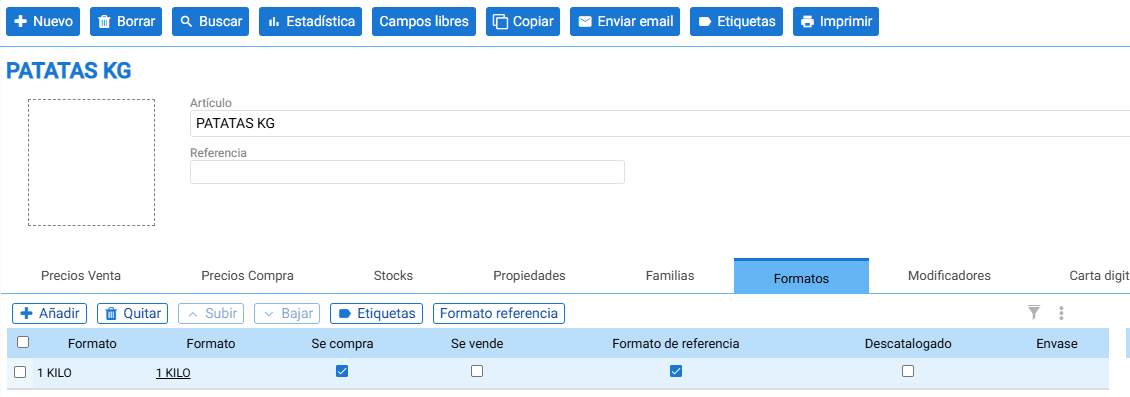
Once the "Potatoes" item has been created with KG as the reference format, we will add it as a component of what will be the sales item: The Spanish omelette.
In the following example, the tortilla will be a stockless item with a cost breakdown, as we do not have physical stock of this specific item in the warehouse and prepare it at the moment of sale.
To configure the item's bill of materials Spanish omelette We will use the following components:
- Potatoes
- Onion
- Extra virgin olive oil
- Sal
- Eggs
In this regard, from the "Properties" Tab, we will mark the item as "Is Bill of Materials" and uncheck the "Uses Stock" option. To add the components, we go to the "Bill of Materials" tab and, using the add button, we will select the items that are part of the bill of materials. Let's take the example of the item "Potatoes," where we will use 300g. When adding the item "Potatoes," it is added by default with the reference format "kg," so "kg" will appear in the "Unit of Measure" column. In this regard, we have two options:
- Configure the units as if they were Kg. In this case, if we need 300 g to prepare 1 tortilla, we will assign 0.3 kg. (This option forces the user to convert Kg to grams each time and requires working with decimals, so if the quantities are smaller, these increase)
- Change the unit of measurement from "kg" to "grams". Once the component has been added, go to the unit of measurement and select "g". (This option is the one we recommend to correctly configure this type of components, where we generally buy them by the Kg and then use them in grams to facilitate the recipe configuration)
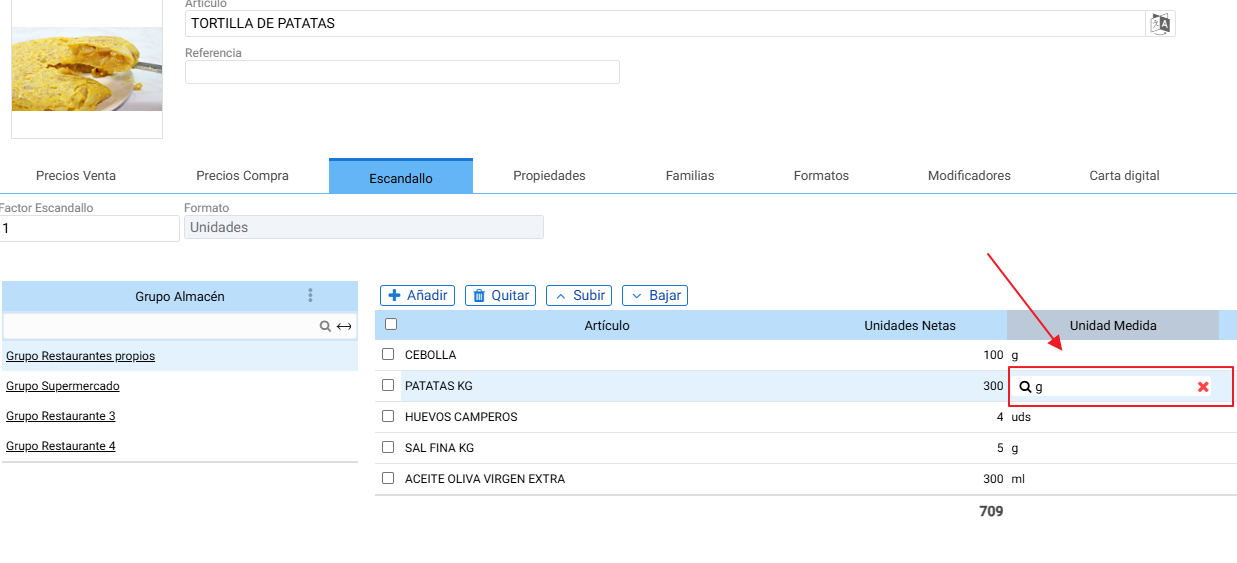
When we add the component within the bill of materials We allow changing the unit of measurement as long as it belongs to the same family. (In the previous image, we are changing from "Kg" to "grams", as both belong to the "WEIGHT" family).
In this way, when selling the main product "Potato Omelette" (which is a recipe without stock), a negative stock movement of 300g will be generated for the item "Potatoes", which, converting to the reference format "kg", will be equivalent to a consumption of -0.3 kg.
300g / 1000g (1kg) = 0.3kg
Example: We have 20 Kg of Potatoes in stock
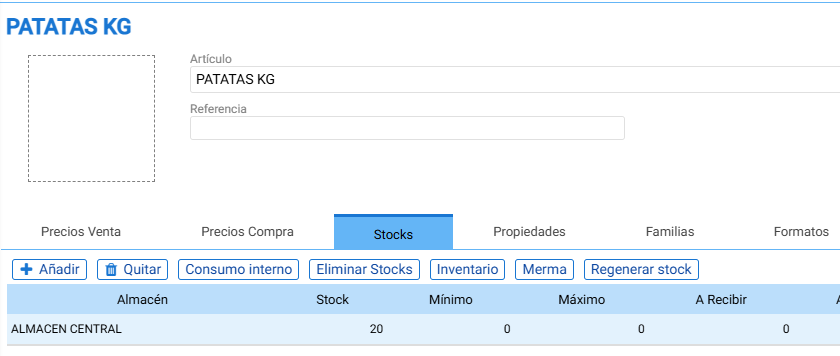
If we sell 1 potato omelette, the "potatoes" component will vary by -0.3kg (300 grams). Consequently, after this sale, we will have a final stock of 19.7 kg of potatoes.

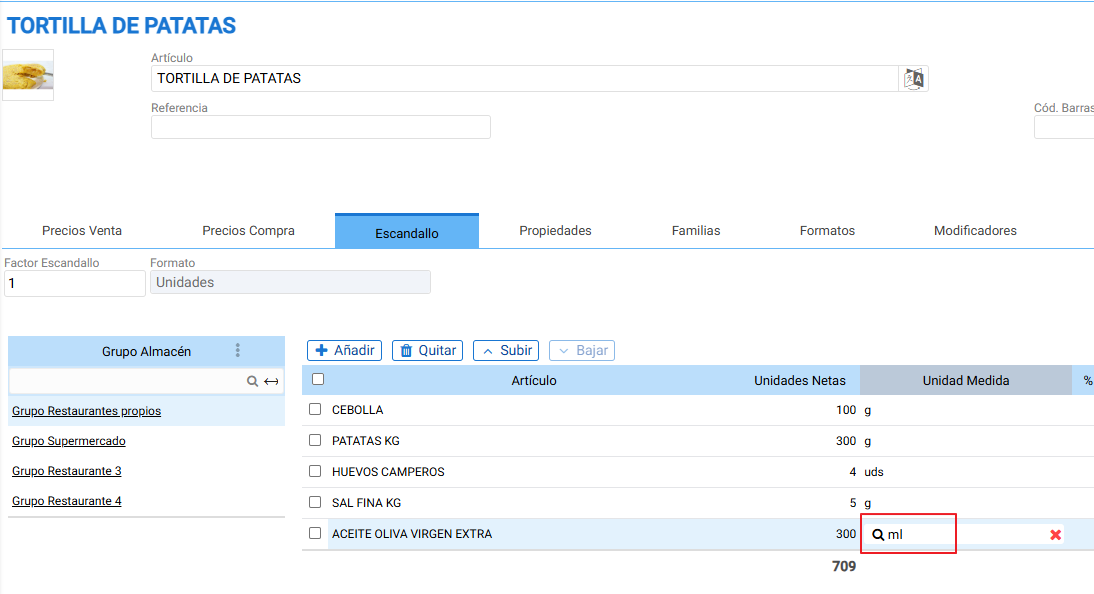
Another item that we will configure in the same way will be the component “Extra Virgin Olive Oil”, where, to make 1 Spanish omelette, we require 300 ml of oil. We buy this item in 5L containers, therefore, we will configure the item with the 5L container format and mark it as the reference format.
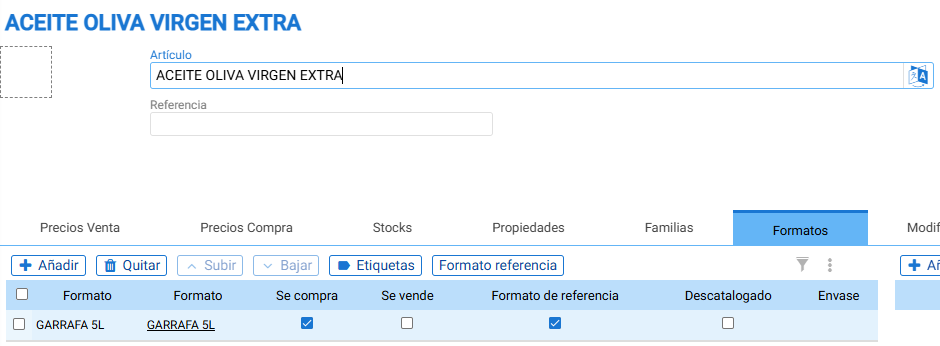
Once added as a component, it will be added with the reference format Liters and we will change the unit of measurement to ml.
Example of a Purchase stock movement for the item: We issue purchase delivery note AC/39 where we indicate that we bought 5 units of Extra virgin olive oil in the 5l jug format.

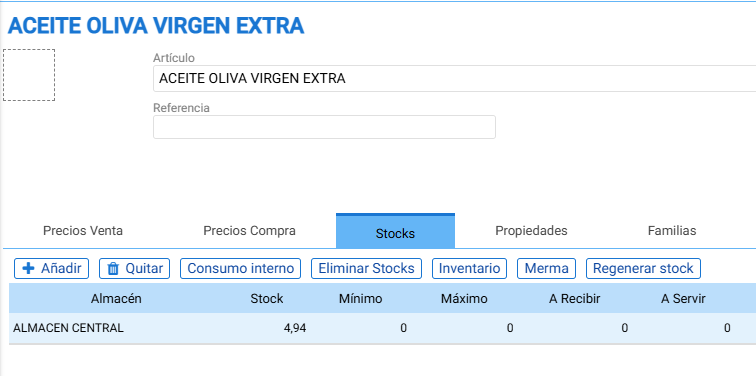
Once the purchase is made, our stock will be 5 five-liter jerry cans. If we now sell a potato omelette, the stock variation will be -0.06 (as it is the proportional part of the units needed to prepare an omelette (300ml) divided by the 5L format size: 300ml / 5000ml (5L reference format) = -0.06)
Therefore, we will have a consumption of 0.06 5-liter bottles.

So, after this sale, the oil stock will be 4.94 5L jugs.
For the rest of the items that make up the cost breakdown, such as “onion” and “salt,” we will configure them in the same way, since they are items we buy by the kg (it is essential to mark the kg format as the reference format in their item master) and we configure them in grams as components of the tortilla. Therefore, once added to the cost breakdown, we will change their unit of measure to grams.
For the eggs, their format will be units, and we will add them in the 'uds' format:
To view stock in "units" (uds), we will configure a reference format (uds) and then the other possible purchase formats that we can buy, such as ½ dozen eggs or 1 dozen.
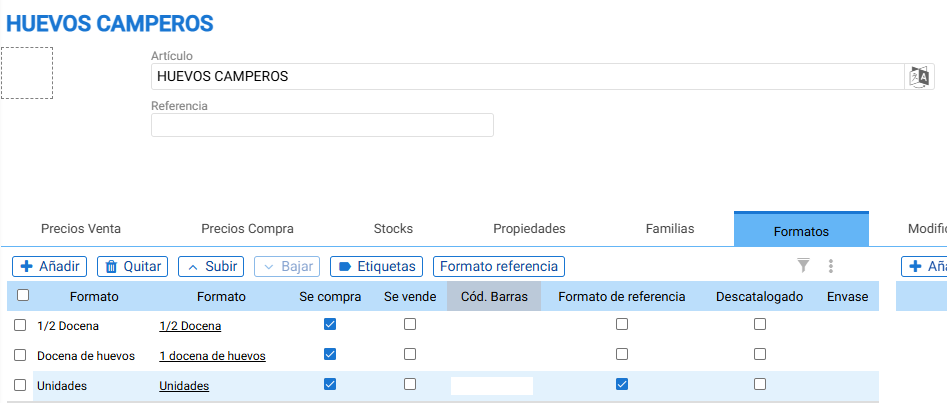
This way, our stock will always be in units. So, if we buy 1 unit of the dozen eggs format, our stock will be 12 eggs. If we buy 4 units of the ½ dozen format, our stock will be 24 eggs = 4 units * 6 units (½ dozen). Thus, when adding it as a component, if we assign 4 eggs, for each sale of 1 unit of omelet, we will be consuming 4 eggs.
Another important point in the configuration of bill of materials type items, is to understand how the cost breakdown factor.
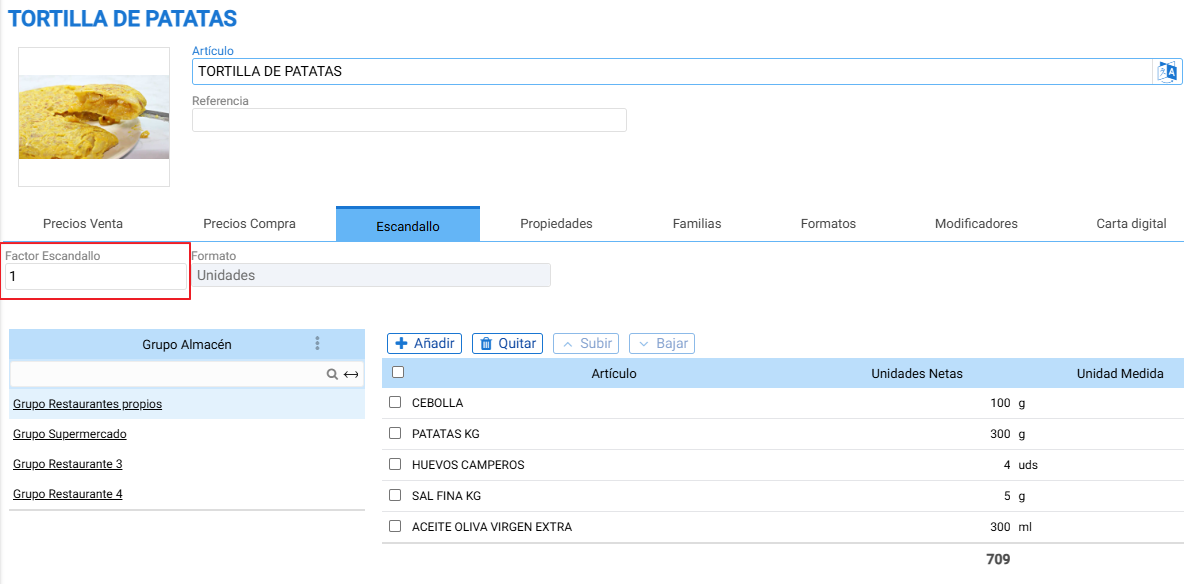
In this example, the value is set to 1, so we are indicating that for 1 unit of sale from the bill of materials, it will consume 300 grams of potatoes or 0.3 Kg. We can see the stock decrease in the reference units of our components. If value = 8, it means that the quantities of the components are those necessary to prepare 8 servings of potato omelet, so when selling 1 serving, one-eighth of the ingredients defined in the bill of materials or recipe will be deducted from stock.
We recommend avoiding inconsistent costing factors, particularly when working with multiple levels of costing, as insufficient analysis will lead to discrepancies in costs and stock.
AI Assistant
Section summary
AI can generate inaccurate information; verify the results.