En esta sección
Buying process
In HiOffice Premium, the entire procurement process can be managed, in this way it is possible to generate and maintain the different types of purchase documents.
Although each type of document has its own interaction buttons, all document creation windows have the same structure: A header with the document's base fields, a detail section in the center with the record of contracted goods or services, the totals tab, and the tax calculation tab. Final documents, such as the purchase invoice, also have the due dates tab at the bottom.
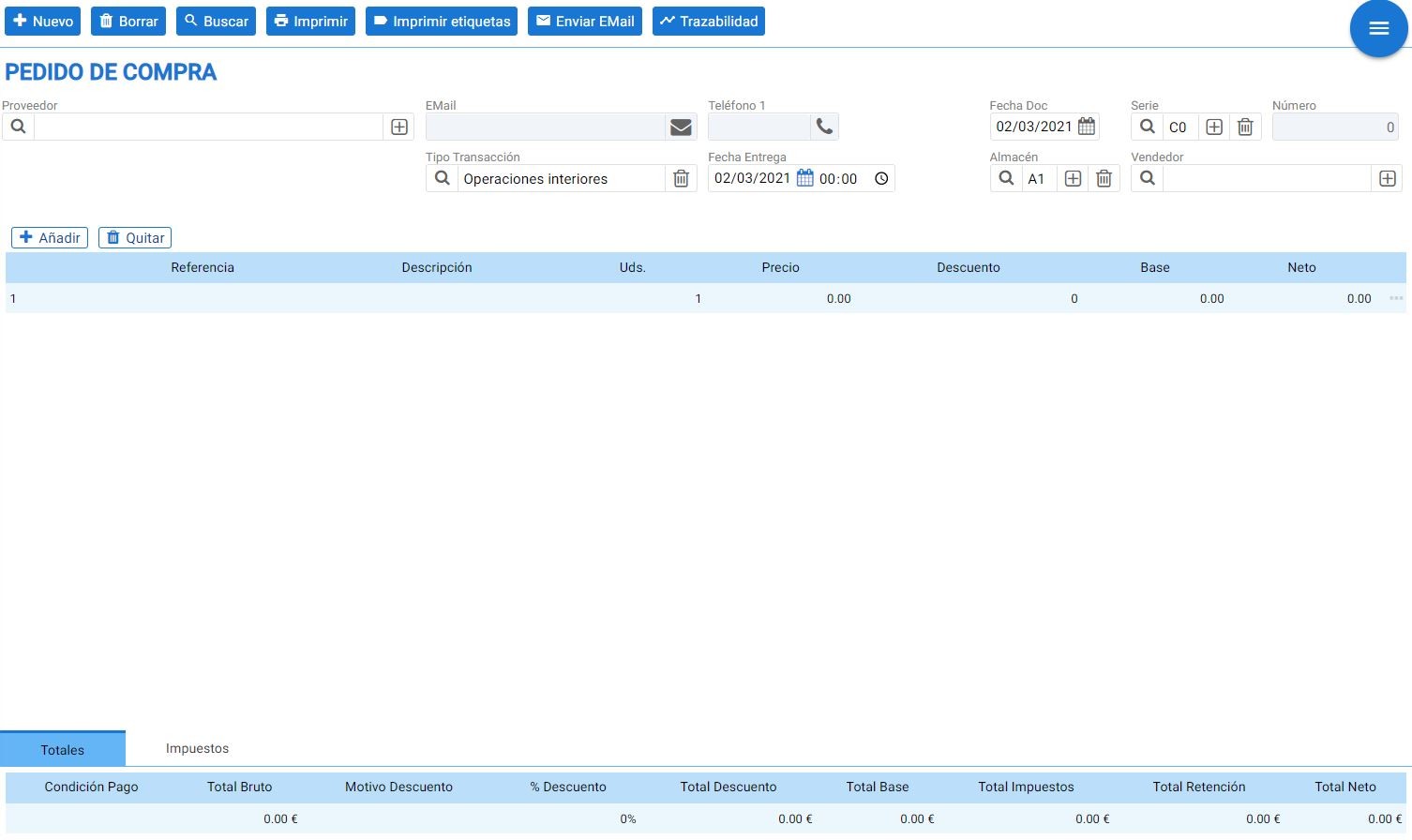
Totals tab:

Taxes Tab:

Due Dates Tab (invoices only):

NOTE: In the document details, you can see a three-dot icon button to the right of each line.
If this option is selected, you access tax maintenance. From here, a tax can be assigned to the item in question, and once this is done, the document's tax fields will be activated.
Below is indicated the price, the measurement, the price per unit, and the seller performing the transaction.
AI Assistant
Section summary
AI can generate inaccurate information; verify the results.