En esta sección
HIOFFICE
Purchase invoices
To consult or create new purchase invoices, you must access the section for Purchase invoices. Once selected, a list of invoices appears. From the same list, it is possible to create new invoices or credit existing invoices.
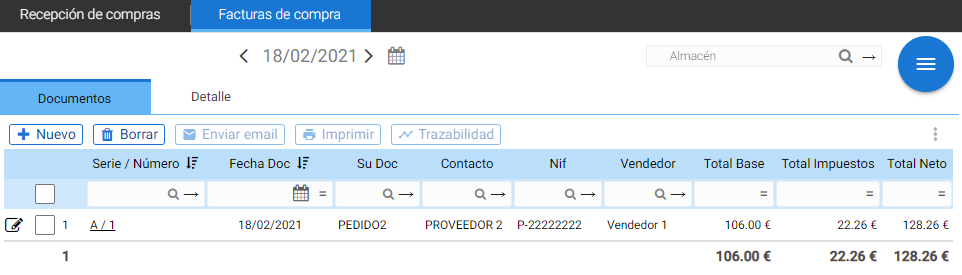
To pay an invoice, simply select it and click the "Pay Purchase Invoice" button. Once selected, a window will open where you can choose the lines to pay and the units.
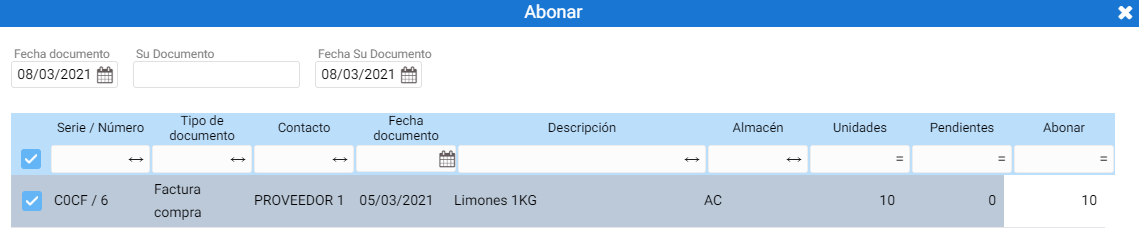
Upon selecting Accept A credit note will be automatically generated. Invoice credits can be consulted in the invoices section.
AI Assistant
Section summary
AI can generate inaccurate information; verify the results.