En esta sección
Data Export
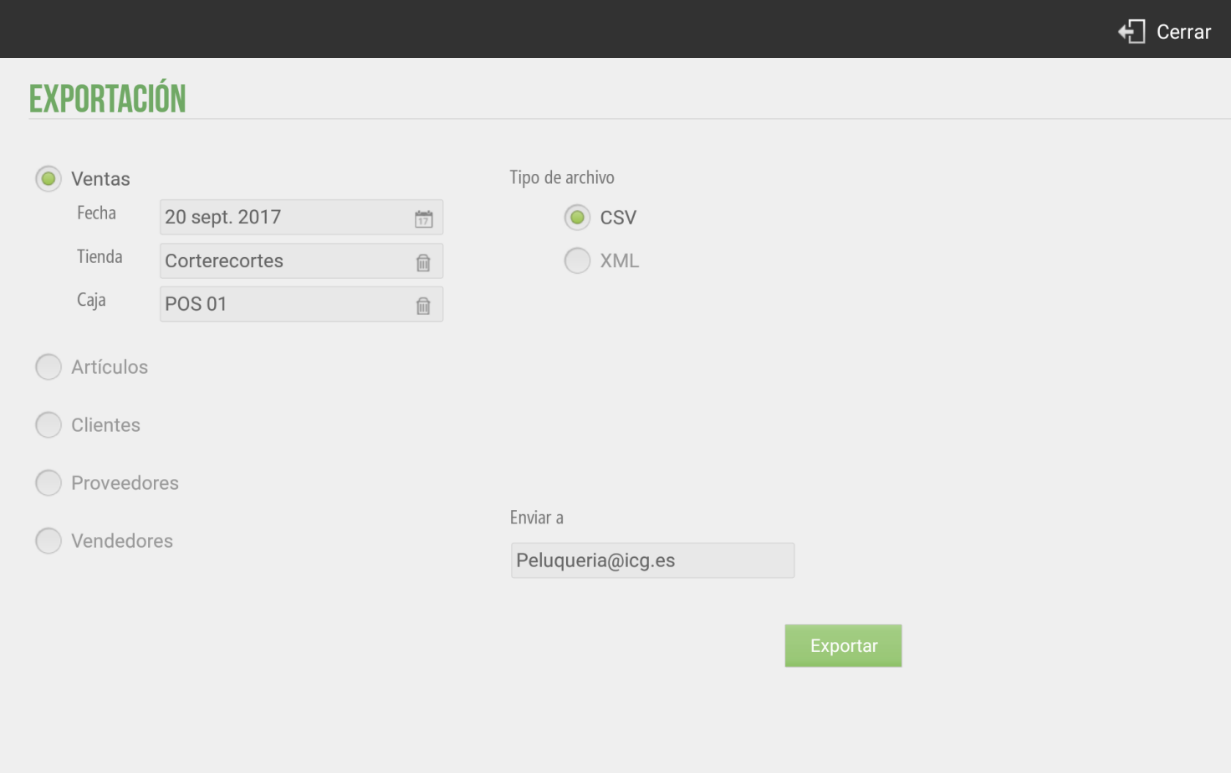
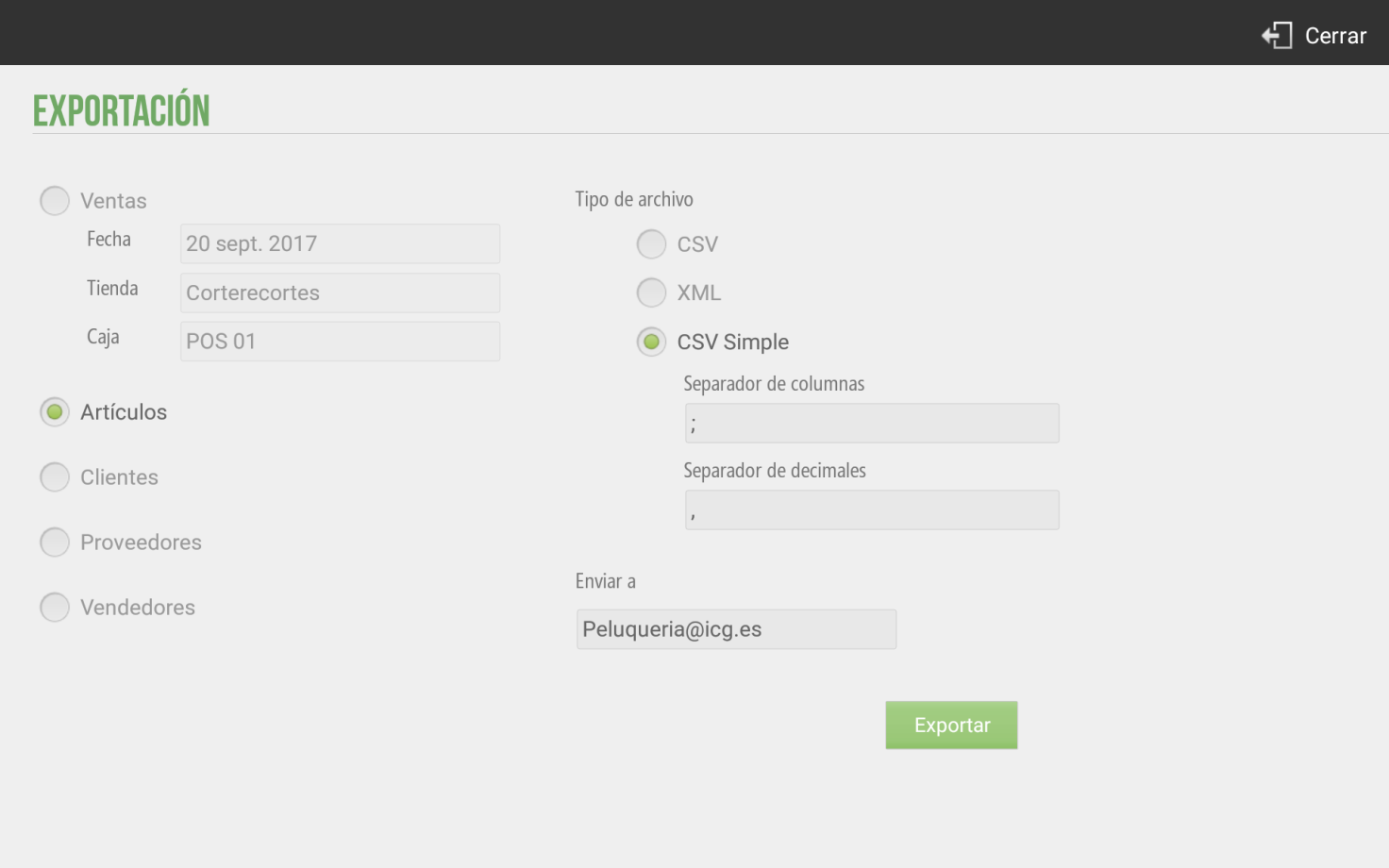
HioPOS Cloud allows you to export sales, item, and customer data via email in CSV or XML format. For item export, HioPOS Cloud allows exporting them with a Simple CSV file, to facilitate and make data processing more intuitive for the end-user. To do this, go to the Export section of the screen. Settings.
If you wish to contract the periodic and automated export of sales data for its subsequent import into your ERP or other data exploitation system, contact your distributor.
.HioPOS Cloud allows exporting sales, filtering them by date, store, and till. For sales, customer, supplier, and vendor exports, we can select whether we want to export it as a CSV file or as a file XML.
HioPOS Cloud also allows exporting the items in the file type CSV Simple. This type of file allows the client greater compression of the exported data. The data exported using a CSV Simple They are focused on the end-user. To export the articles with this file, we will simply have to select this option from the various alternatives that the application presents to us.
AI Assistant
Section summary
AI can generate inaccurate information; verify the results.