En esta sección
Introduction
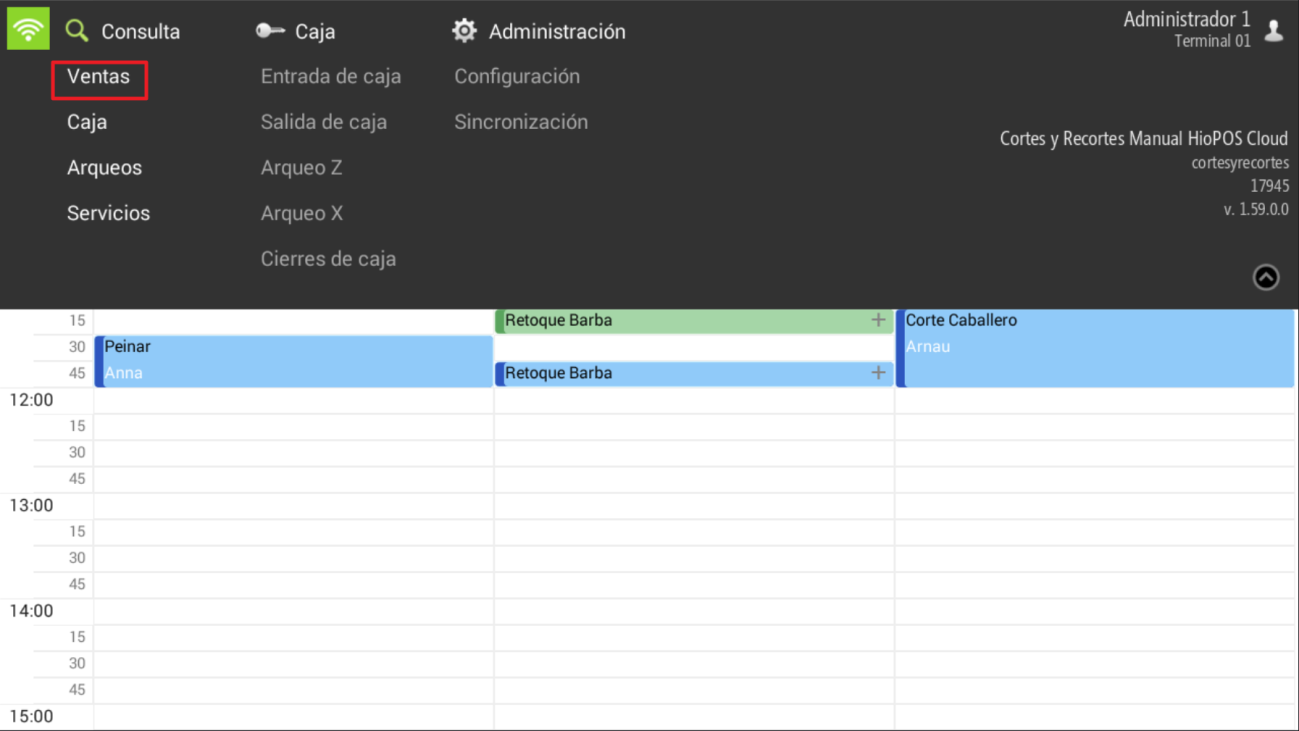
To view the tickets that have been issued, we need to perform a sales query. Click the button Consultation and select Sales
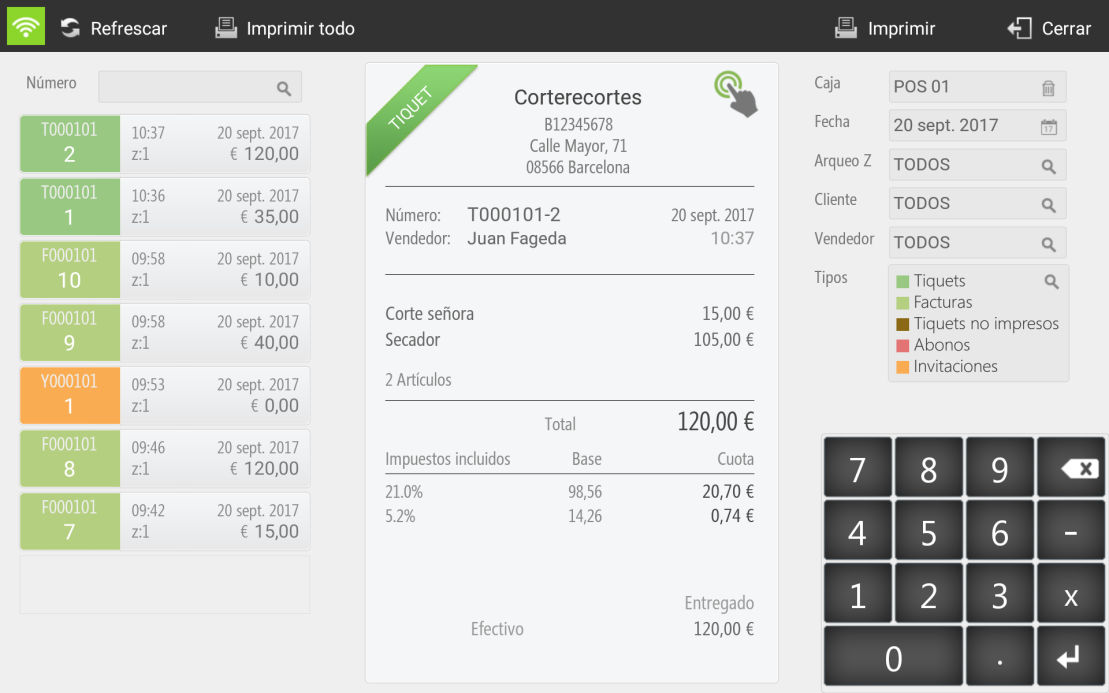
You can enter the sale number in the top left field to access it, or filter by Register, Date, Z-Report, Customer, Salesperson or Sales Typein the top right panel.
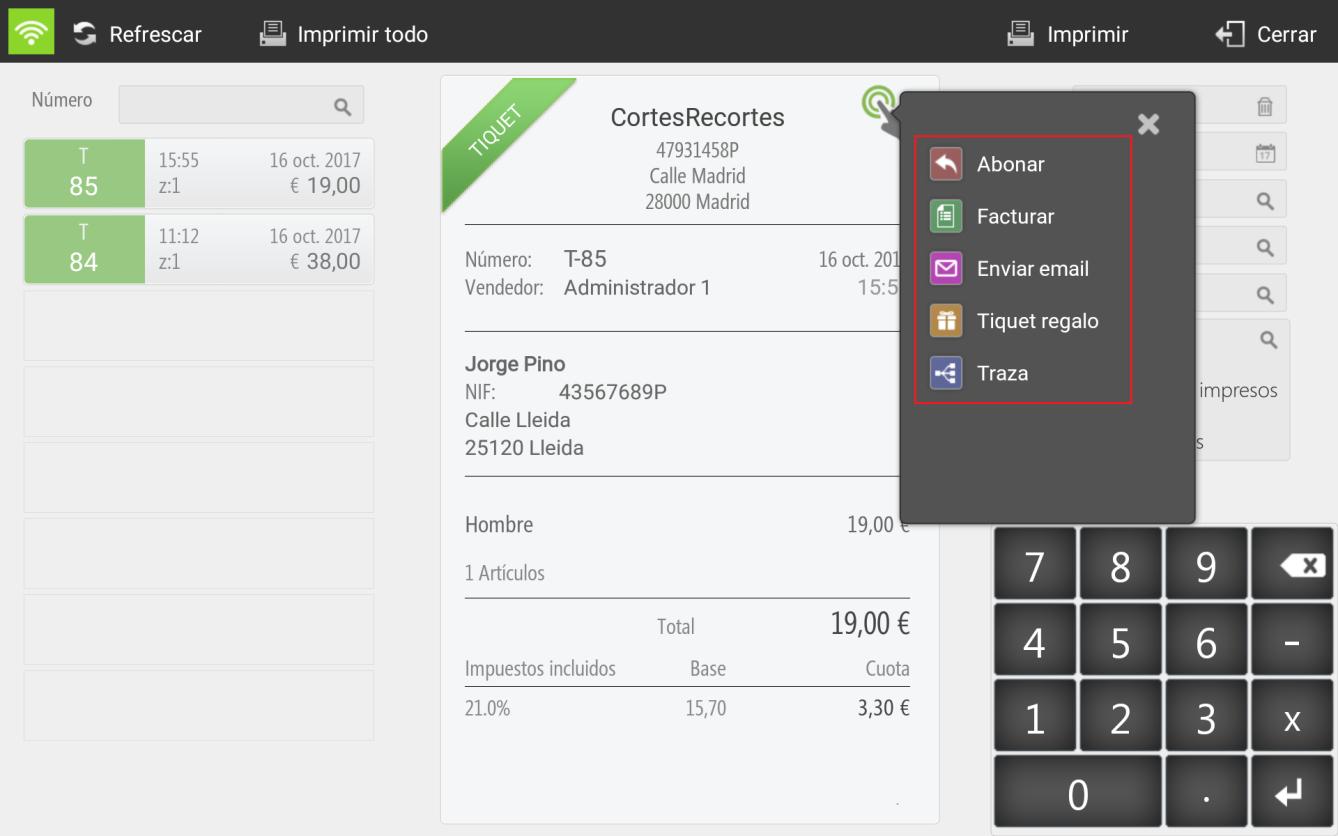
Upon selecting the ticket, there are the different options.
- To pay: You can pay line by line or all lines directly.
- InvoiceThis option always requires selecting a client. You can create a new one or select an existing one. Next, the ticket and invoice will be settled automatically.
- Send email: you must write the email address to which you want to send the ticket.
- Gift receipt: print the receipt without sales amount.
- Trace: you will be able to see the tracking of this ticket, to check if there is a credit note or invoice.
AI Assistant
Section summary
AI can generate inaccurate information; verify the results.