En esta sección
The cash payment method
Each payment method can be configured independently of the others.
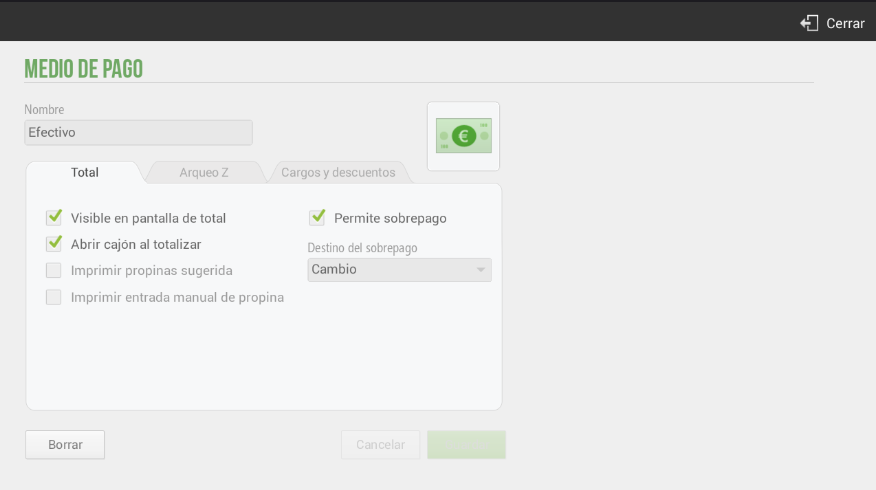
- Visible on the screen of totalThe payment method will appear on the ticket checkout screen, so it can be selected as the payment method for that transaction.
- Open drawer upon totaling: Once the sale is complete, the drawer will open (requires having a cash drawer connected, configure it in the section Configuration Devices).
- Print suggested tips: If we have the suggested tip configured on the terminal, the tip description will be printed on the ticket.
- Allows overpayment: If you accept overpayments, you can select how to apply this amount (Change, Tip, or Remainder), so that it is reflected on the ticket.
- Overpayment destination: We will be able to configure several overpayment destinations: Change, Tip, or Remainder.
You can also configure whether the payment method must be declared in the Z-Report (top tab). Select whether the payment method is required to be declared, if it is optional, or if it is never declared.
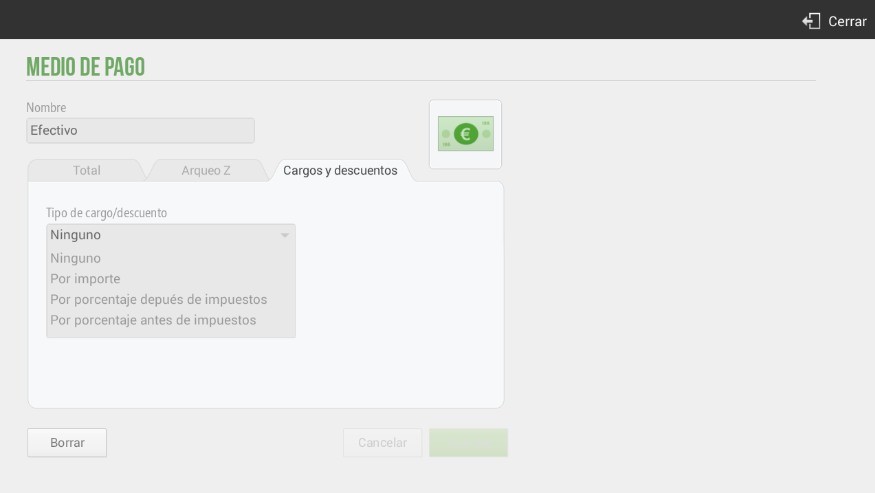
Finally, there is the option to apply a Cargo o Discount For the payment method. This functionality is available for all payment methods.
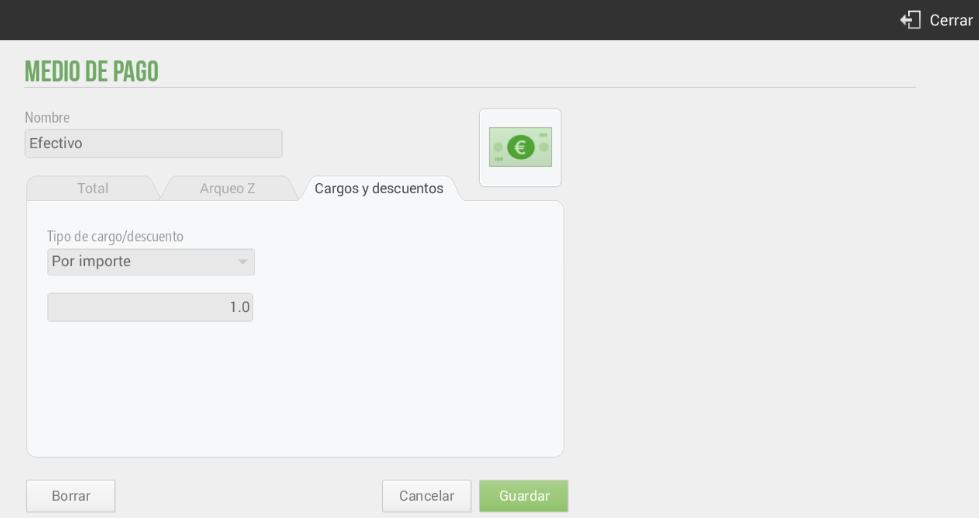
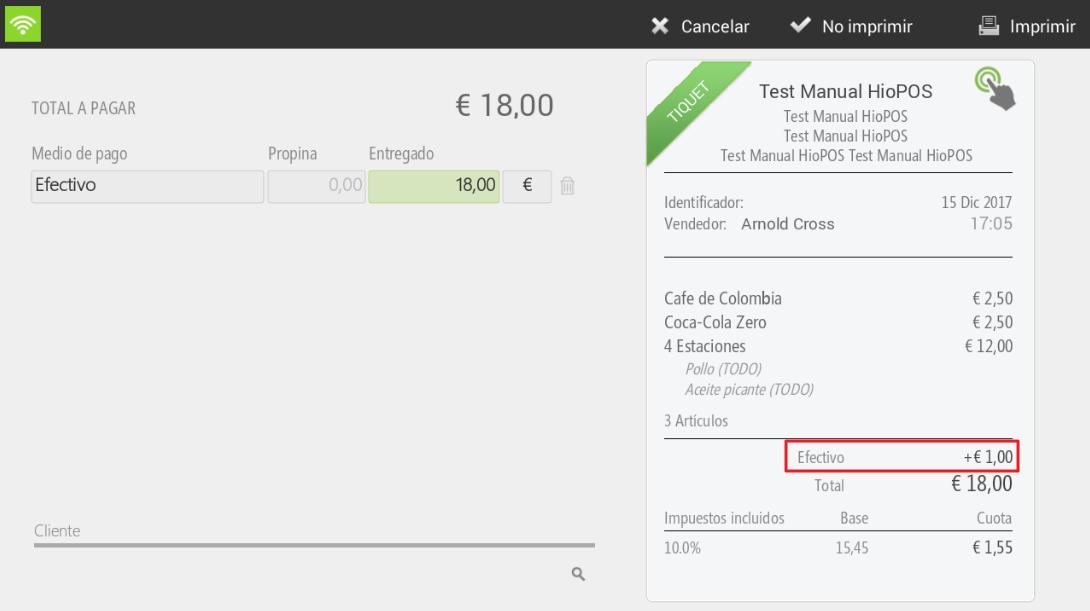
For example, let's imagine that for the Cash payment method we add a charge of €1. Therefore, this increase will be shown on the ticket in the total amount due, as shown below:
When selecting the payment method Cash, the price increase is added to the ticket:
AI Assistant
Section summary
AI can generate inaccurate information; verify the results.