En esta sección
Creation of new price rates
Go to the Rates menu and select New rate. All the items and services will appear, grouped by categories. In the top menu, enter the Name of the new rate and select whether prices include taxes or not. Also at the same level, you can select the category of items that will be displayed below.
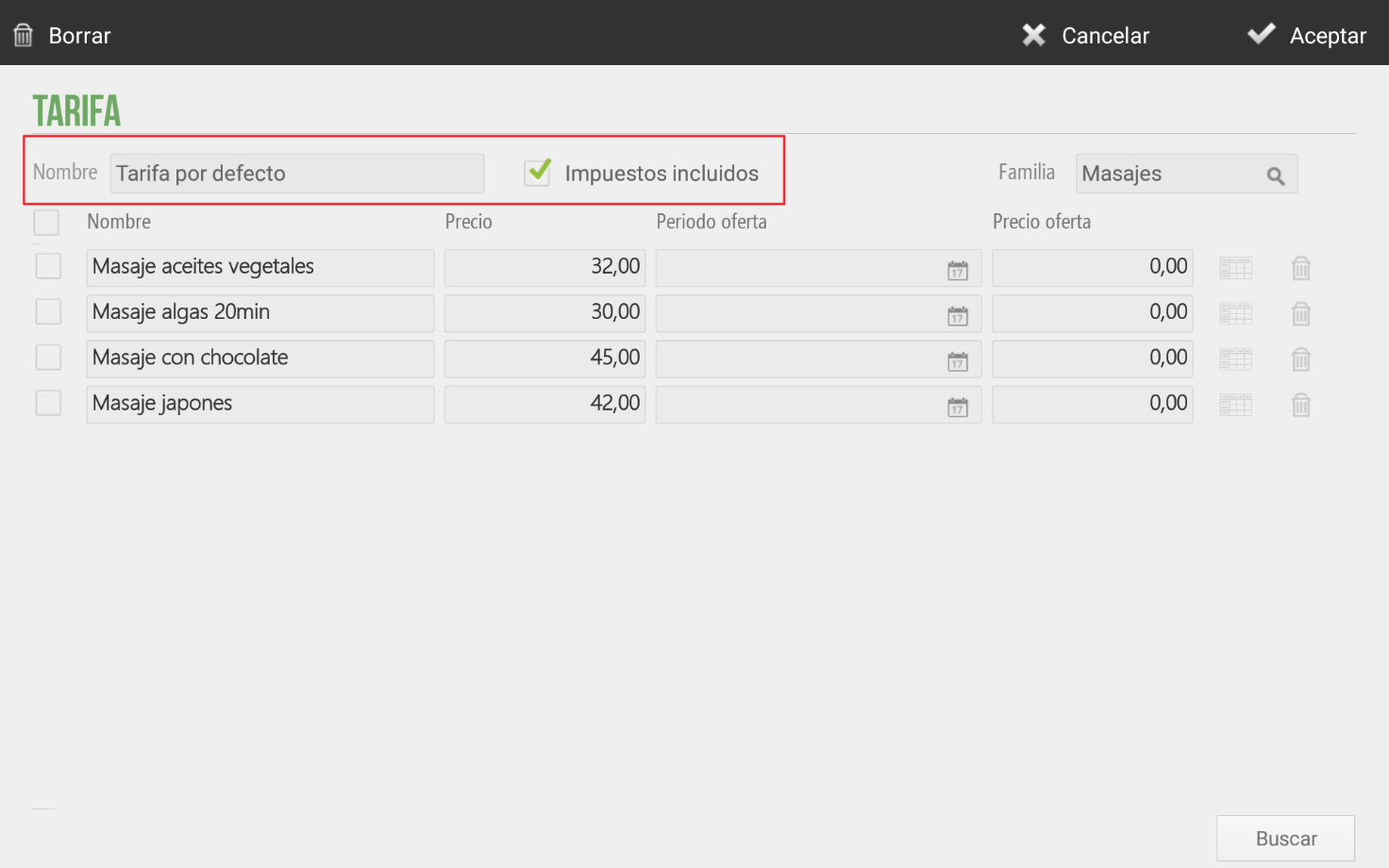
Enter a price for each item. If several items have the same price, you can select the checkboxes at the beginning of each item's line, then click on the price field, to add the same price for all selected items.
If you already have a rate created and want to create a new one, you will have the option to select a base rate and a percentage and/or amount for price increase or decrease.
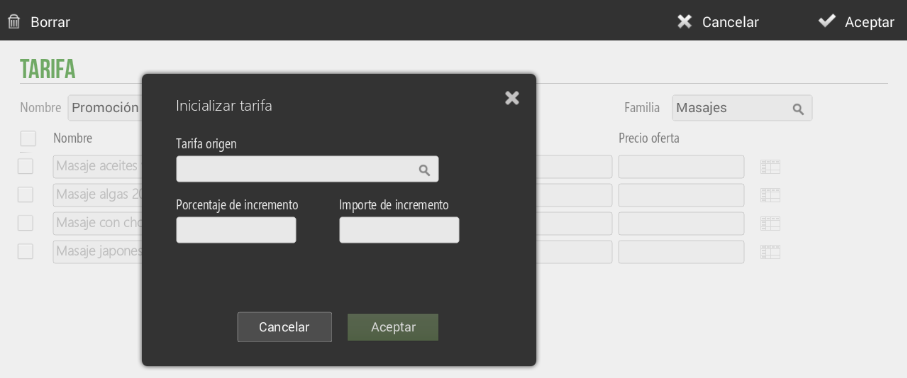
If an origin rate is not selected, all items and prices will appear in gray until that item is activated to be visible for the rate.
AI Assistant
Section summary
AI can generate inaccurate information; verify the results.