En esta sección
Profit and Loss Statement
Premium*
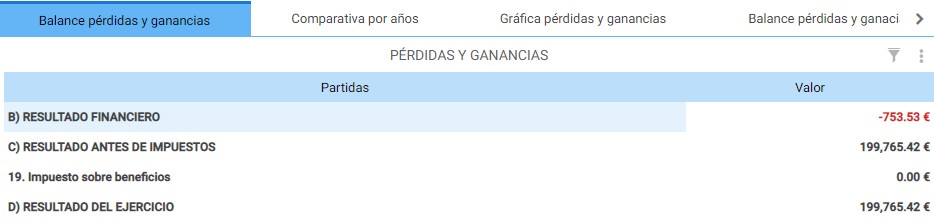
The Profit and Loss Statement (P&L) is the summary of all income and expenses an organization generates during an accounting period. By default, this report first shows the current year's statement, with the period's result in the last section.
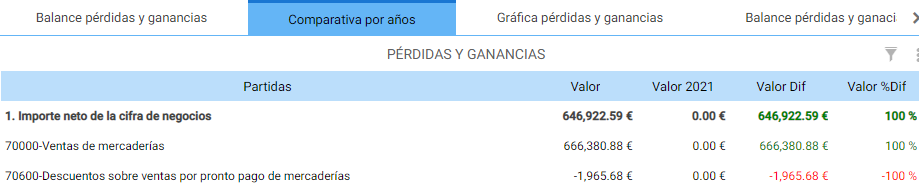
The next tab, with the literal Year-by-year comparison contains the same Profit and Loss balance compared to the previous year.
The Profit and Loss Chart tab:
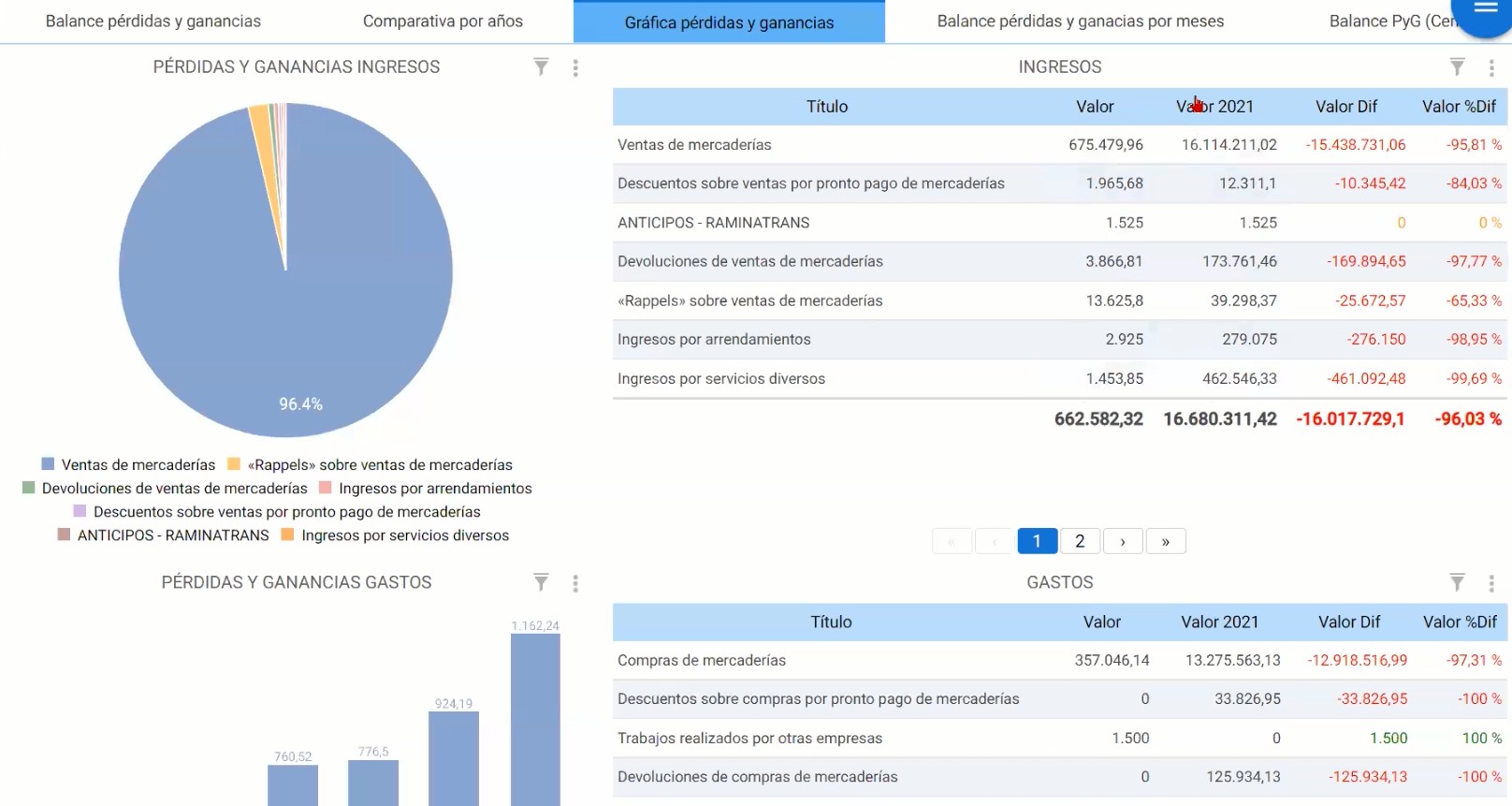
Displays the revenue items represented in a pie chart and the expense items represented in a bar chart; to the right are the previous year's comparative values.
The monthly Profit and Loss statement shows a column for each month for which there are records, where the year's progress can be seen.

The following tabs on the Profit and Loss Statement screen contain the information filtered by Cost Center.
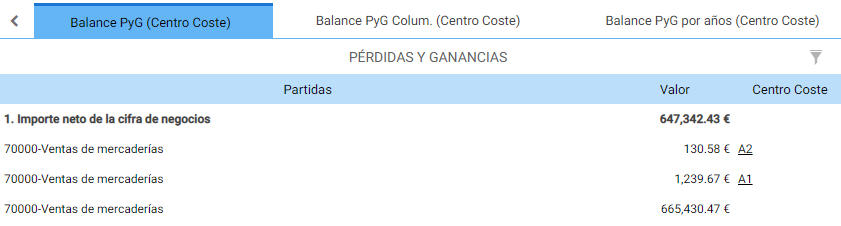
The P&L Statement (Cost Center) shows the information at a detailed level, separated by lines:
The following tab shows the filtered information in Columns:
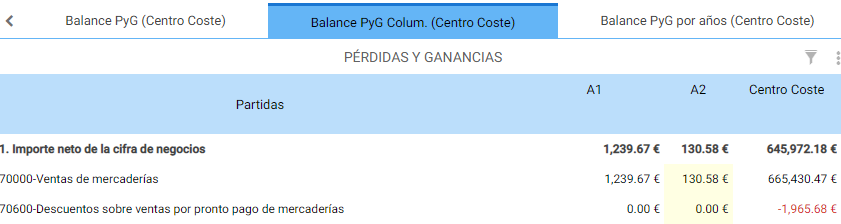
And finally, the last tab compares the information by cost center with last year's:

In the screen header, in addition to the date filter, the Accounting Firm filter, and the Grouping Type, there is the Global Cost Center filter, to be able to show only the information for a single Cost Center.

AI Assistant
Section summary
AI can generate inaccurate information; verify the results.