En esta sección
Batch Traceability
Batch Traceability
Hioffice has an easy and intuitive system for reviewing an item's traceability, very useful for companies that require this option for managing ISO9001, which demands that the organization use a method to identify and trace products and services, ISO22005 traceability in the Food chain, among others...
We can find this option in the MANUFACTURING menu → Traceability
Upon opening the screen, it will prompt us for certain information about the ITEM, which will help us to better review the movements of a specific batch.
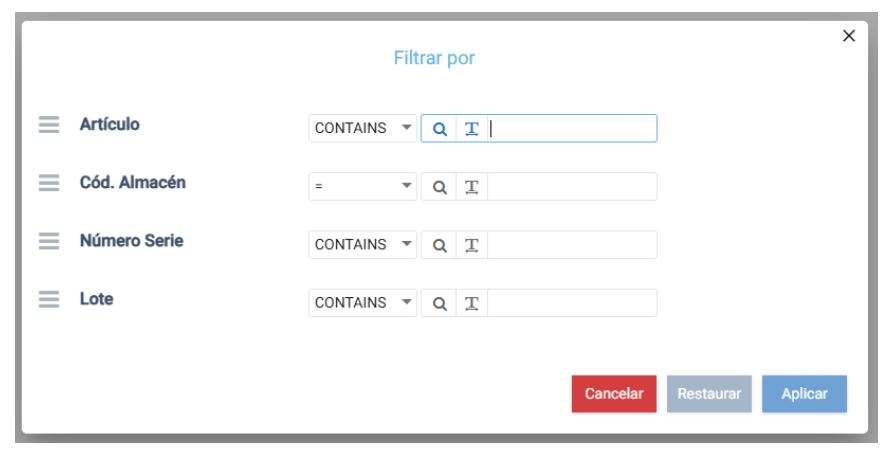
As we can observe, it proposes 4 filtering options: Item; Warehouse; Serial Number; and Lot. It proposes these filters because it's possible to have the same item in multiple warehouses and with the same lot number, which would allow for a more precise filter.
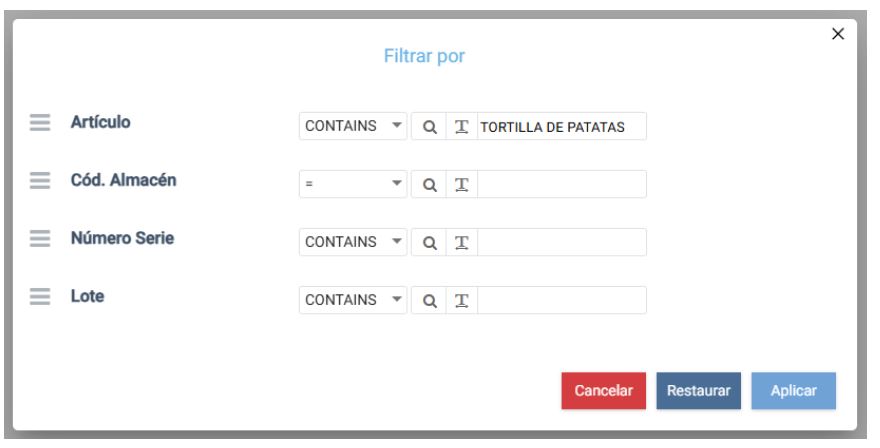
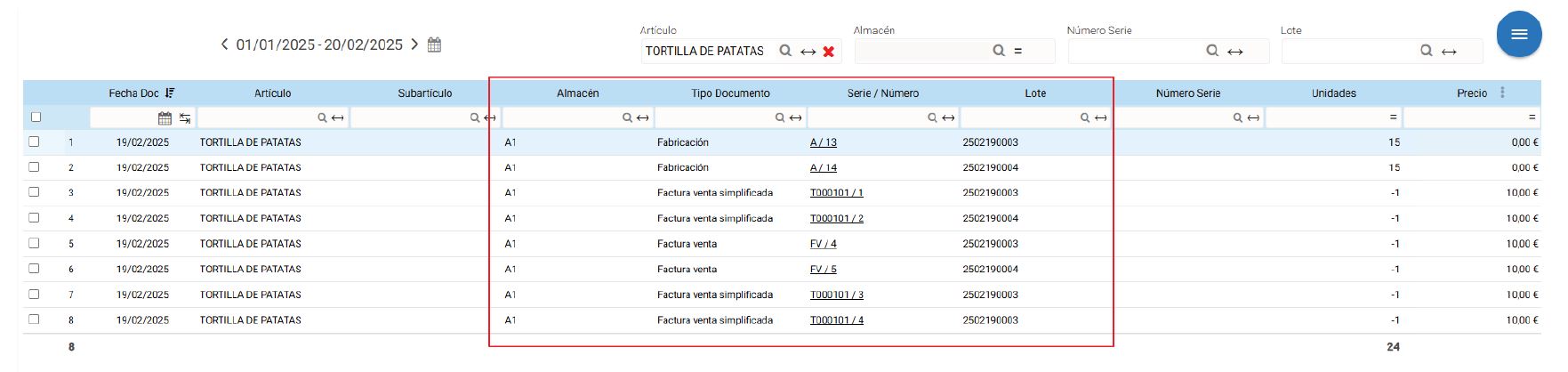
We will test with the item Potato Omelette and Free-Range Eggs. We will only specify the Item, as we want to see all its movements; upon applying, we will see the batch movements of this Item according to the examples we have performed throughout this documentation.
As we can observe, it indicates all lot movements for this item, starting with manufacturing and sales.
If we want to focus on a specific lot, for example "2502190004", there's no problem. We have the appropriate filters at the top of the screen, thus showing us the following information:

Now let's review the free-range eggs
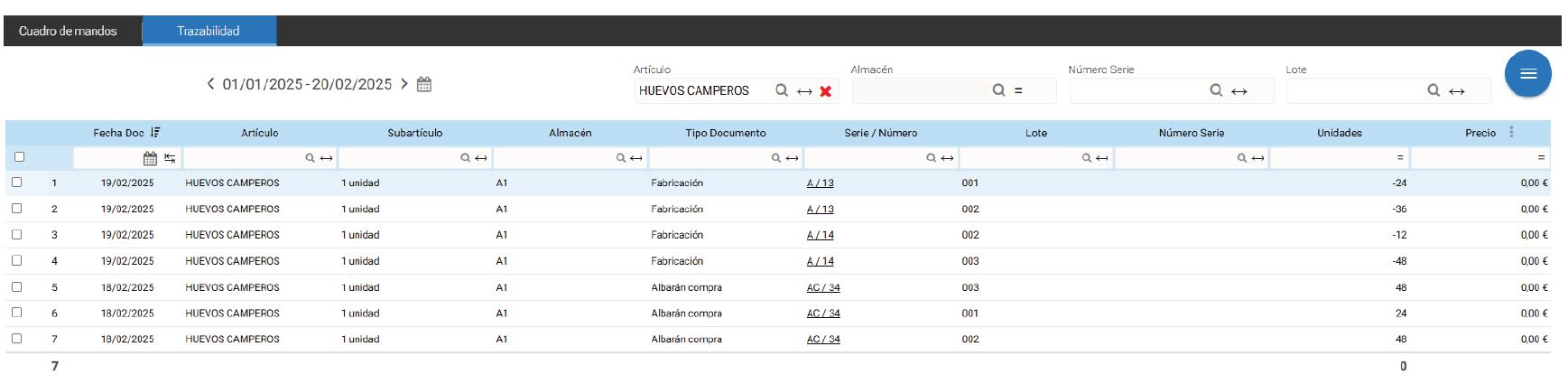
In this article, we can observe its purchases and the expenditure of each lot in its exact manufacturing.
AI Assistant
Section summary
AI can generate inaccurate information; verify the results.