Configuration of formats
Working with formats will allow us to sell an item in different formats from the purchase format and manage the stock of this item.
First of all, we will have to create the purchase and/or sale format for the item. In Settings, Formats, we will be able to configure the new formats.
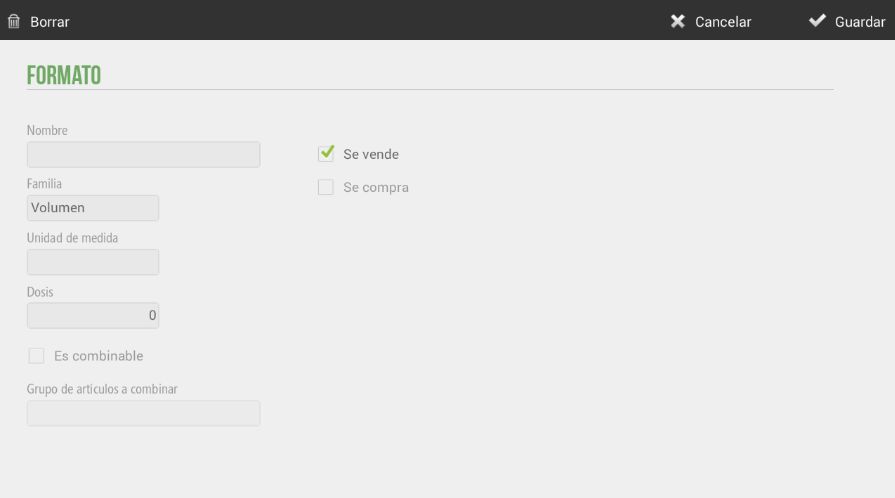
We can configure Volume, Weight, and/or Length formats, as well as set the unit for each of them. The 'Is combinable' option allows combining this format with another item. For example, an item with a combinable format would be a mixed drink, where we would sell one part alcohol with a soft drink.
Once the format has been created, we will have to return to the item configuration screen and assign the format to the selected item.
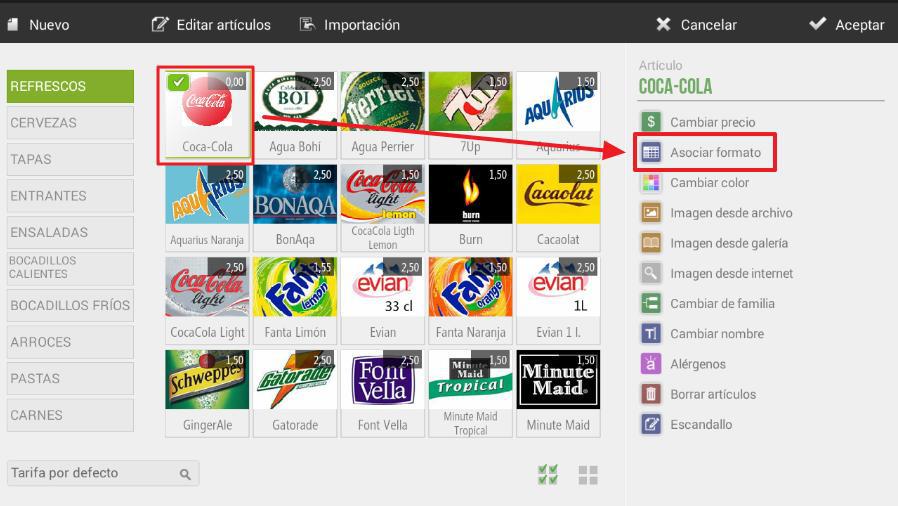
First, we will have to select the purchase format for the selected item.
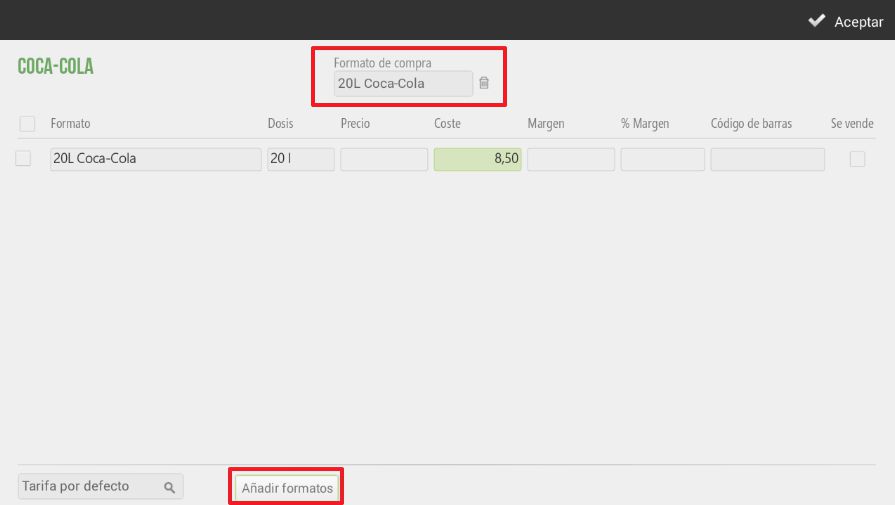
Once the purchase format is selected, we will need to add the new sales formats so that we can properly manage our items.
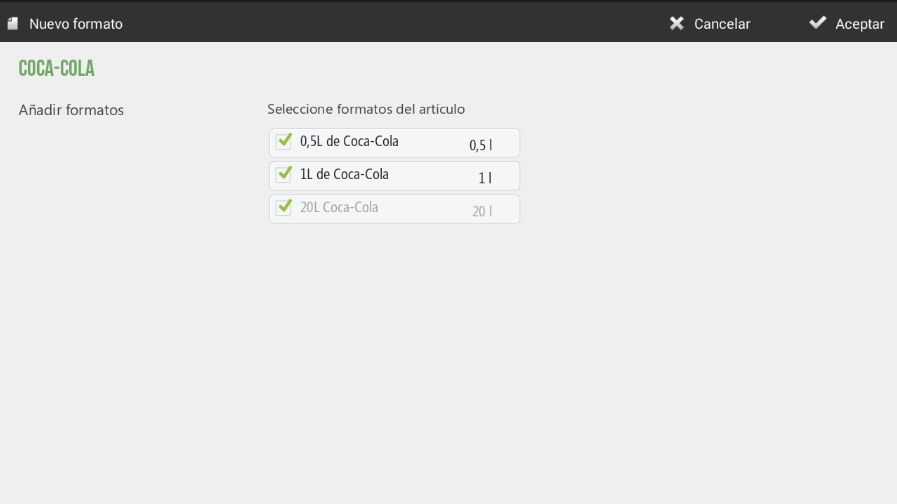
Once configured, it should look like this.
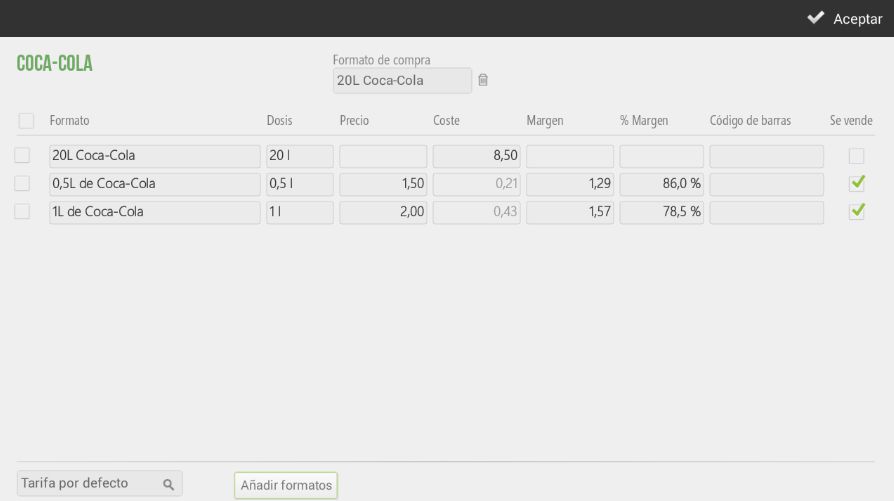
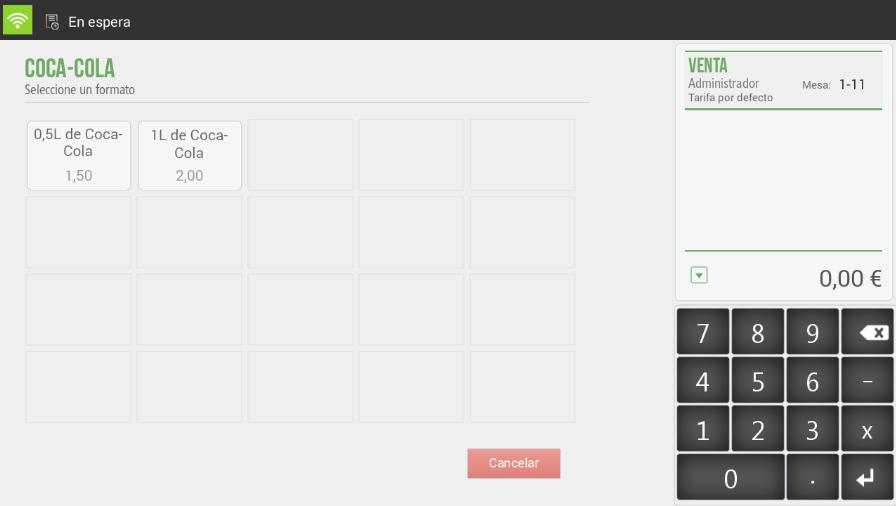
Once we have configured the sales items, our item will already be set up with formats. When selling this item, the HioPOS Cloud software itself will ask us which format we are selling, in case there are multiple.
Combined format
This functionality of the formats will also allow us to sell combined items. A very typical example is the combination of one part alcohol with a soft drink.
First of all, we will have to create the purchase format for our bottle of alcohol.
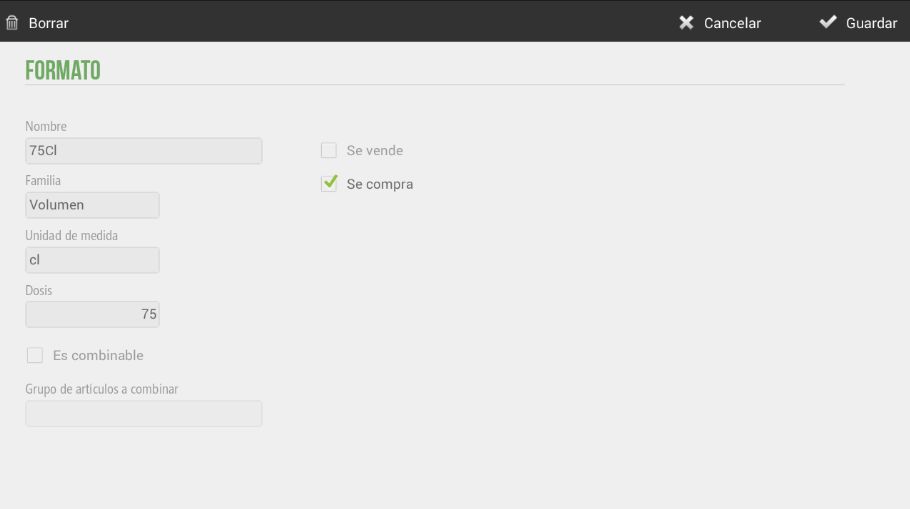
Next, we will create the different sales formats. We will create the shot, the drink, and the mixed drink.
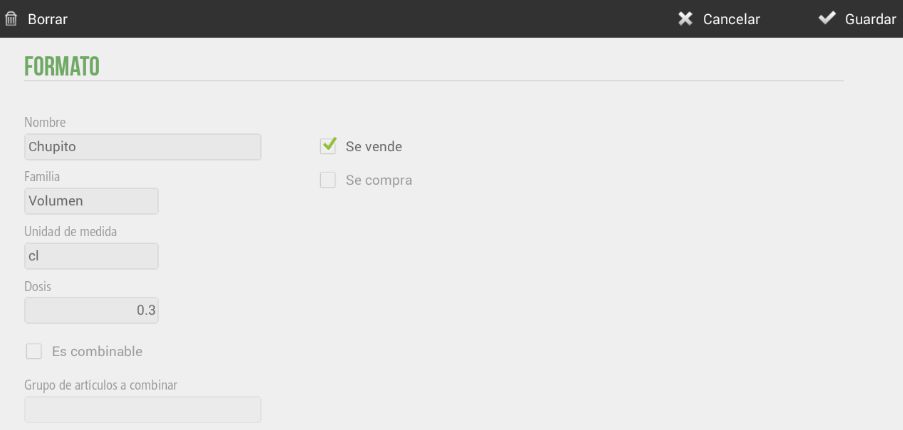
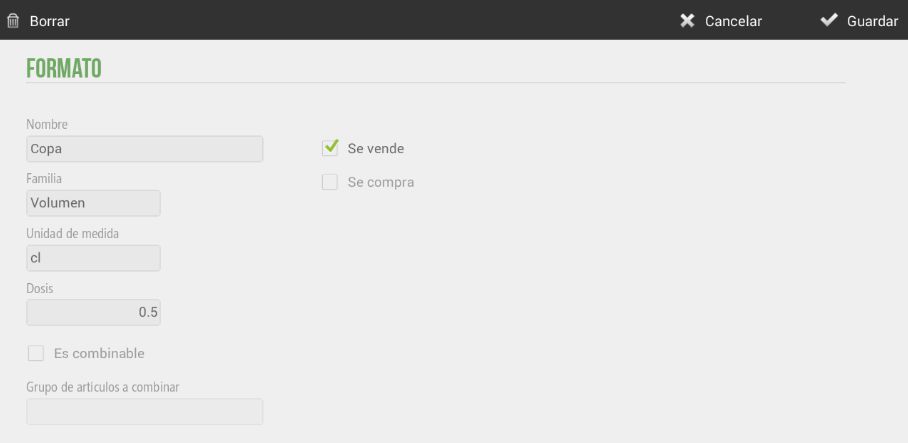
Finally, we will create the combined sales format. It will be important to configure the 'Is combinable' checkbox and choose the group of items to combine.
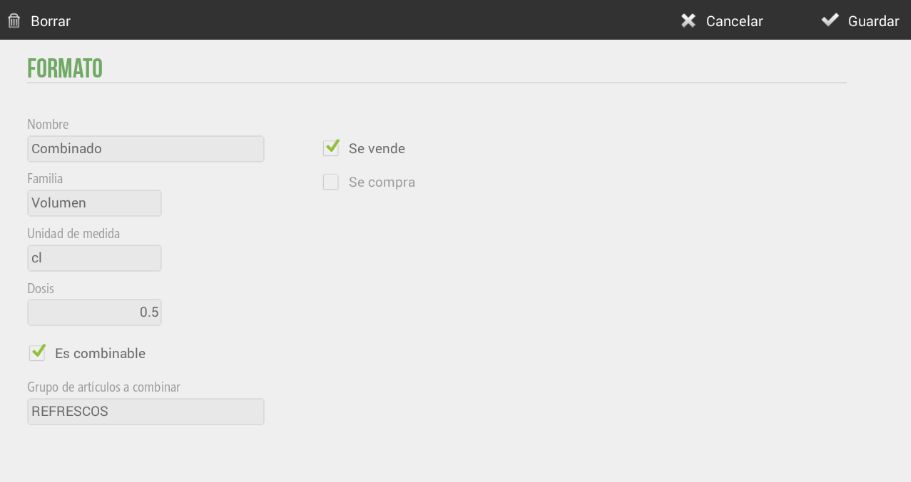
Once we have configured the purchase format and the sales formats, we will create the new item and associate the formats with it.
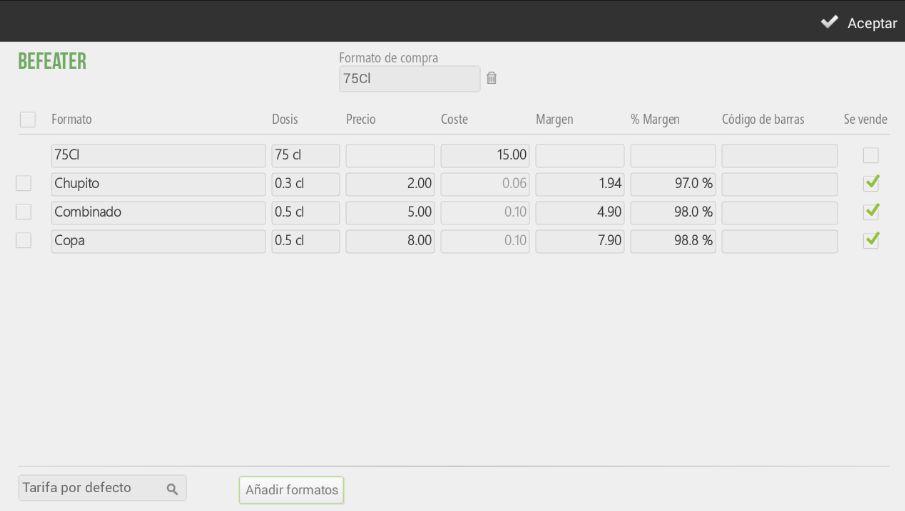
We will also have to configure the selling prices as well as the cost of the 75cl bottle. The percentage monetary margin of our sales formats is automatically calculated.
To proceed with the sale of this item, we will first need to make the purchase. Once the purchase has been made, we can now sell our item with formats.
When making the sale, it will then ask us which sales format we are going to sell. We will select the combination.
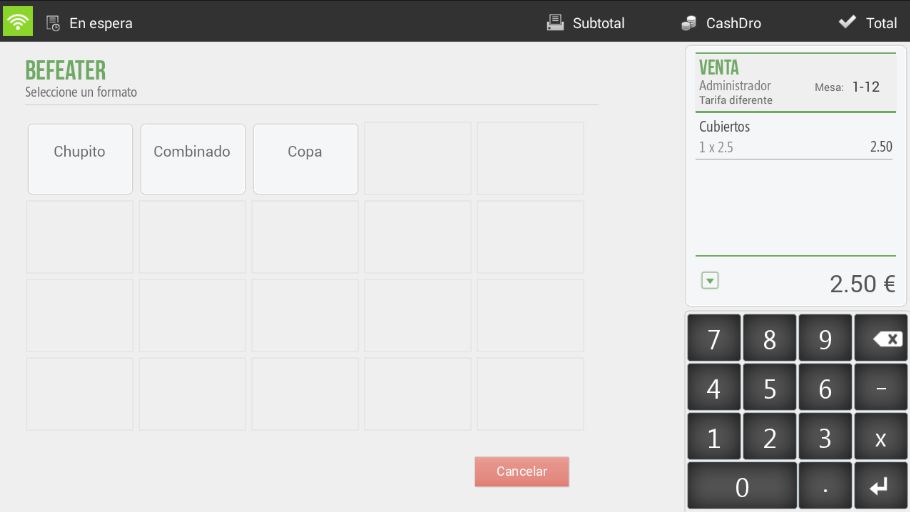
Automatically, it already asks us what soft drink we want to accompany our alcohol with.
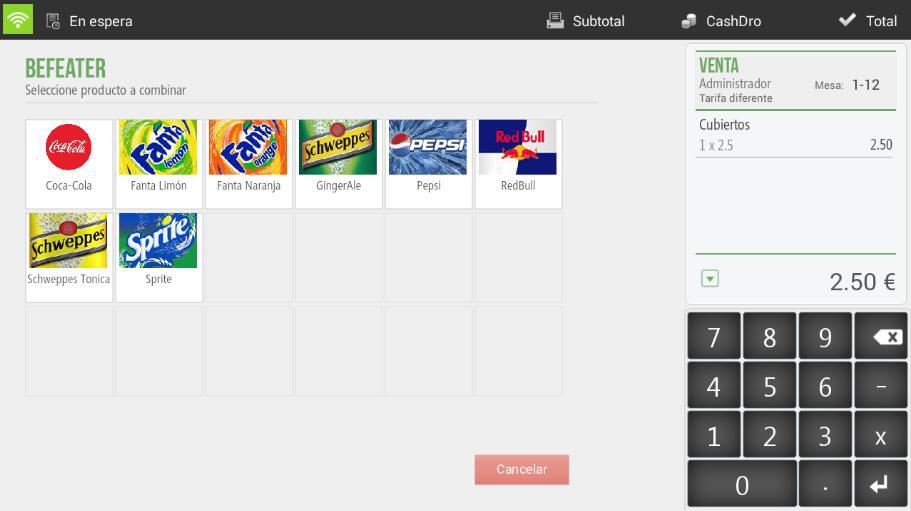
This way, on the sales receipt, the alcoholic drink will already appear with its accompanying soft drink.
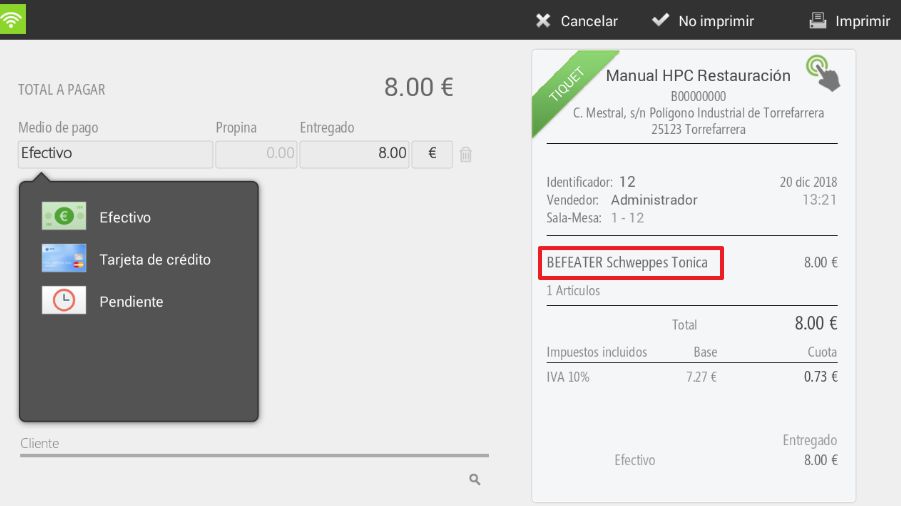
Once the sale has been made, we will check that the stock of our bottle of alcohol has been correctly managed. To do this, we will need to view the Stock report in Statistics.
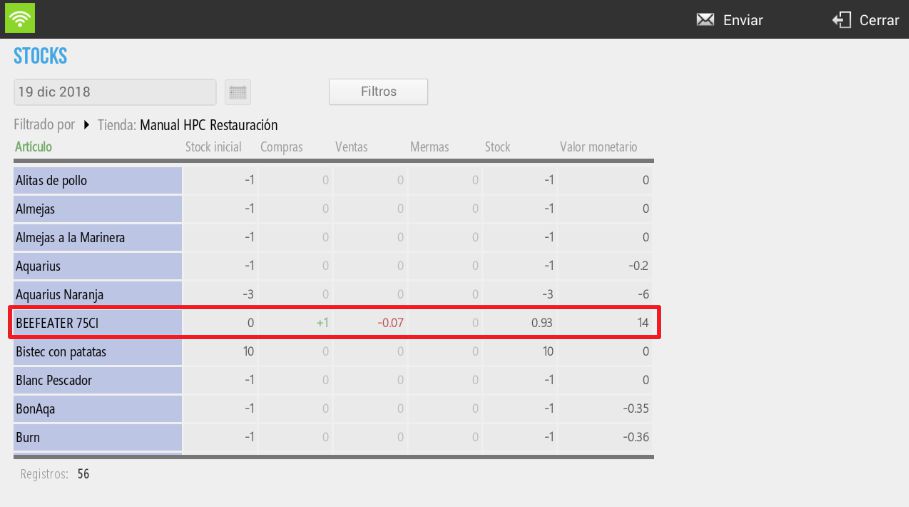
As we can see, the purchase we made of a bottle of "Beefeater" is reflected, as well as the sale of the mixed drink, which is 5cl. The 5cl represents a sale of €0.07 from the total bottle value, therefore we have a stock of €0.93 remaining from the total bottle value.
AI Assistant
Section summary
AI can generate inaccurate information; verify the results.