En esta sección
Cost breakdown settings
The cost sheet is a tool that helps us determine the total cost of a dish (per person) through the raw materials involved in its preparation, with which we control what price to set for our dishes so that they are profitable, as well as to control and optimize our expenses and inventories.
For example, if we want to sell a Spanish omelette, we are going to need its ingredients: Oil, Eggs, Onions and Potatoes. First, we must create the items and assign them the purchase formats for each of them. In this example, we are going to configure the following purchase formats.
- Potatoes: We will buy 5kg for €10
- Oil: We will buy 20 L at a price of €20
- Onions: We will buy 2kg at a price of €5
- Eggs: We will buy the eggs unpackaged, we will buy 12 units.
Next, we will have to purchase the mentioned ingredients. Therefore, we will go to Shopping:
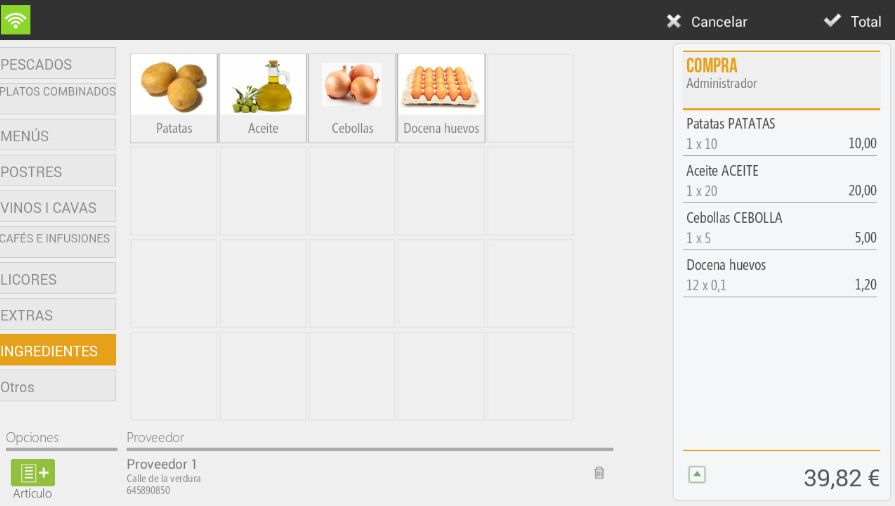
Once the ingredients have been purchased, we can create the item and configure the cost breakdown. Once the item has been created, we will have to go to the section for Costing.
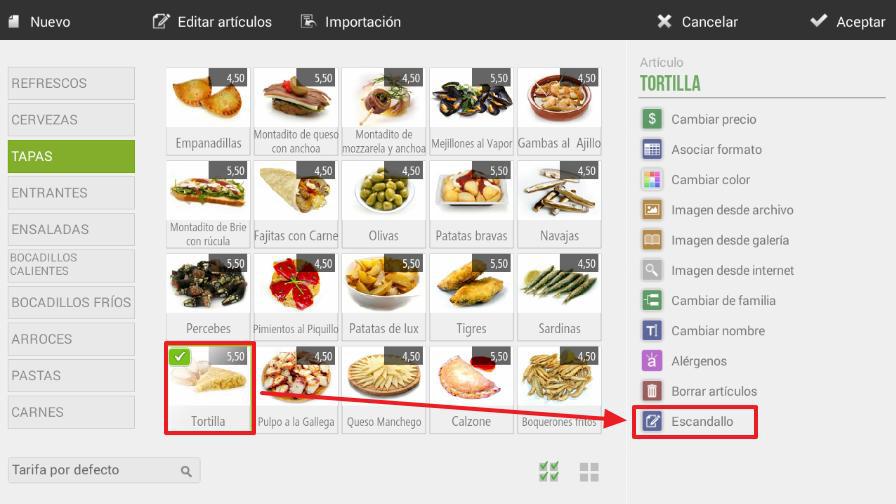
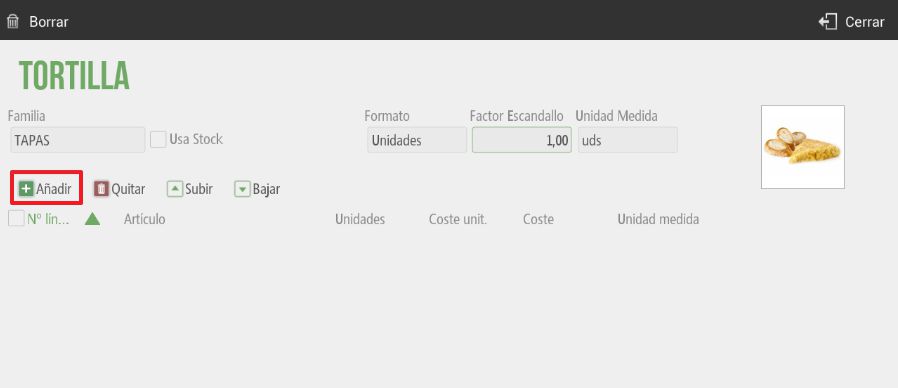
We will select the option of 'Add' in such a way that we can add the ingredients to our article.
Finally, we will select the units taking into account the unit of measurement for each of our ingredients.
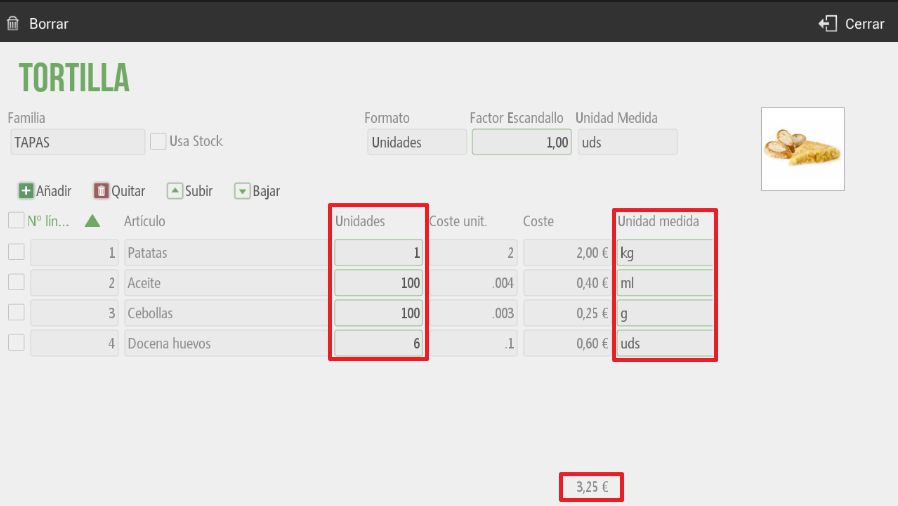
Once the costing sheet is configured, we will see the total price of the item, as well as the cost of each of the ingredients.
It is important not to check the 'Use Stock' option, since we will not have stock of tortillas, we will have stock of their ingredients. Also, if we want to sell the item in portions or servings, we will have to configure in 'Cost Factorthe portions we are going to sell from a single unit of the item. If activated, the cost of the ingredients will be calculated based on the units indicated in the costing factor.
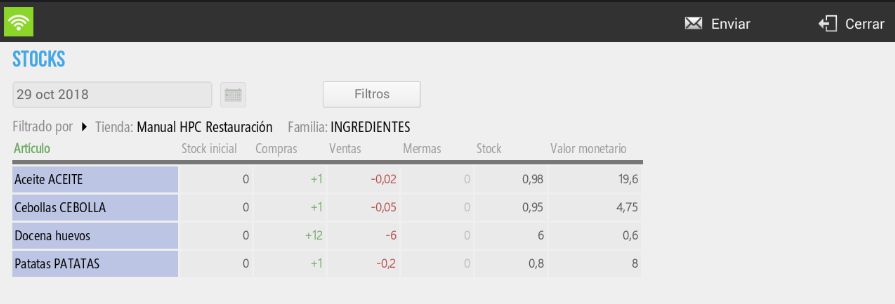
Finally, when we sell an item with a bill of materials, the stock of its ingredients will be correctly managed.
AI Assistant
Section summary
AI can generate inaccurate information; verify the results.