En esta sección
1.1
HIOPOS Point of Sale
The cash sale
HioPOS Cloud includes a quick method for cash sales. This feature eliminates the need to select the payment method and automatically prints the receipt.
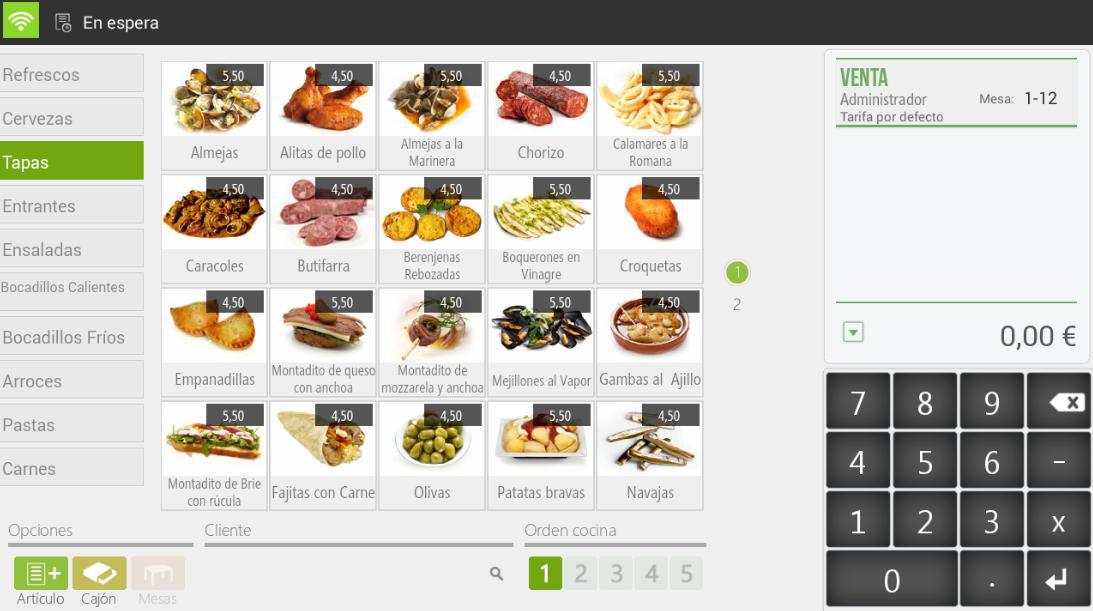
- First select the items to sell.
- When the items are on the ticket, the Cash button will appear in the top menu. Select it and enter the amount the customer gives to the cashier, and HioPOS Cloud will show you the change to be returned.

- Click Accept to finalize the sale and print the ticket.
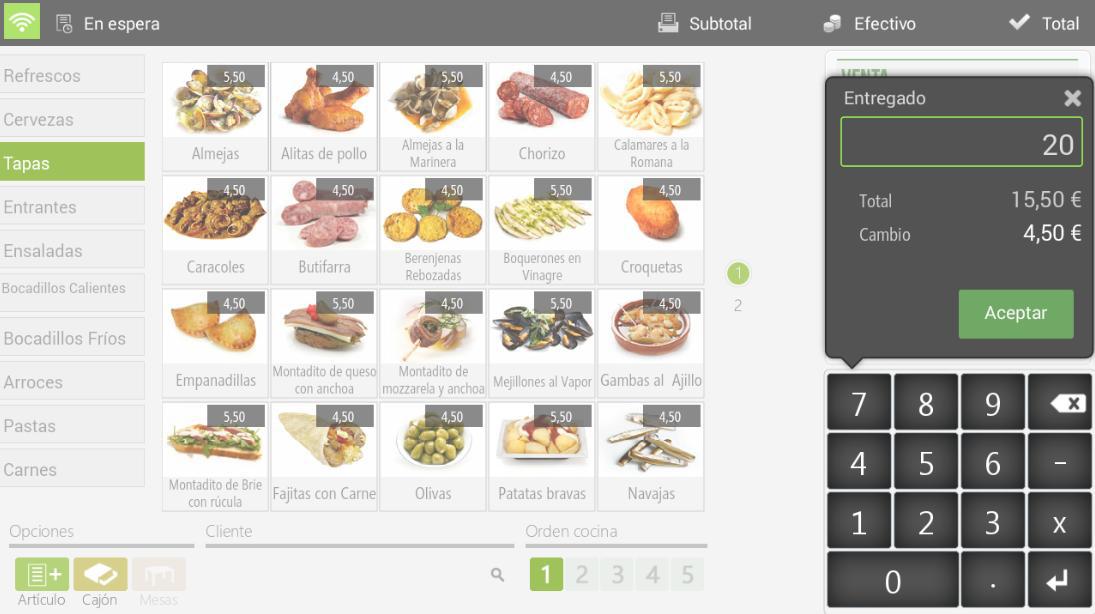
In the event that a configured CashDro was present, instead of Cash would appear CashDro.

AI Assistant
Section summary
AI can generate inaccurate information; verify the results.