En esta sección
HIOPOS Point of Sale
The sale with different payment methods
If you work with different payment methods, you can select any of those you have available before finalizing the sale.
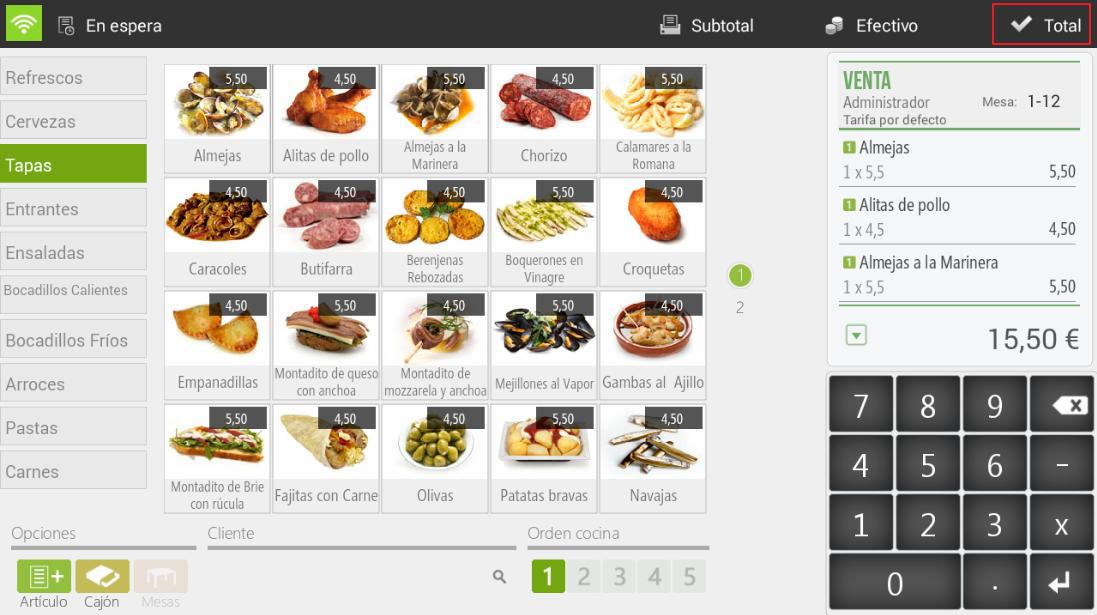
First, select the items to sell and press Total.
HioPOS Cloud already automatically displays the available payment methods. Select the one you want to use, as well as the amount tendered.
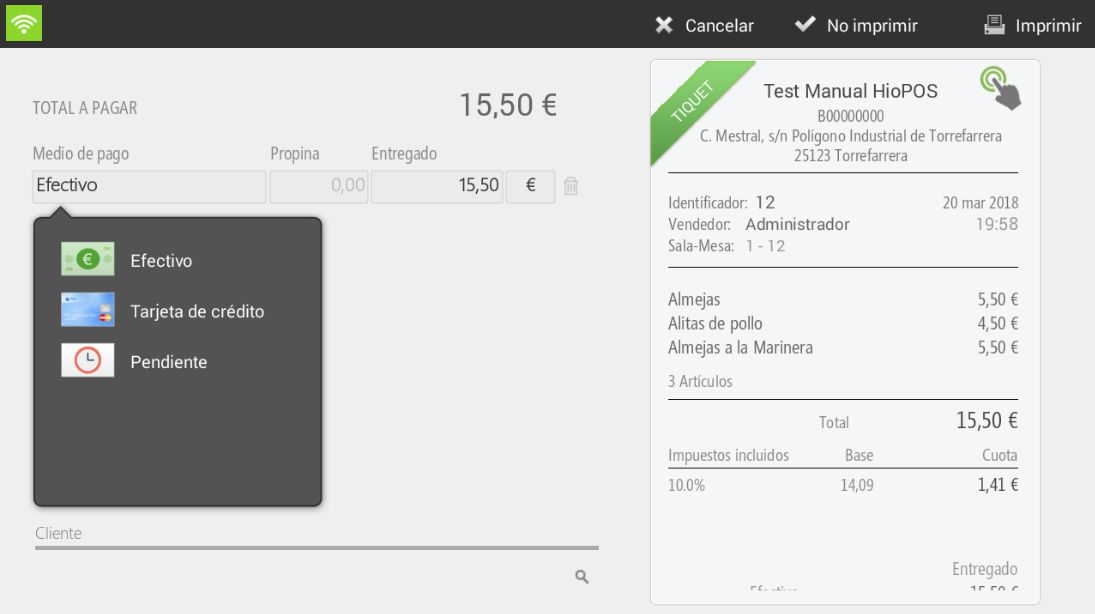
To finalize the sale, press the 'No print' or 'Print' button, depending on whether you want to print the ticket or not.

Do not print will be visible if the option is enabled in Settings, Type of terminal.
AI Assistant
Section summary
AI can generate inaccurate information; verify the results.