En esta sección
Pending sales
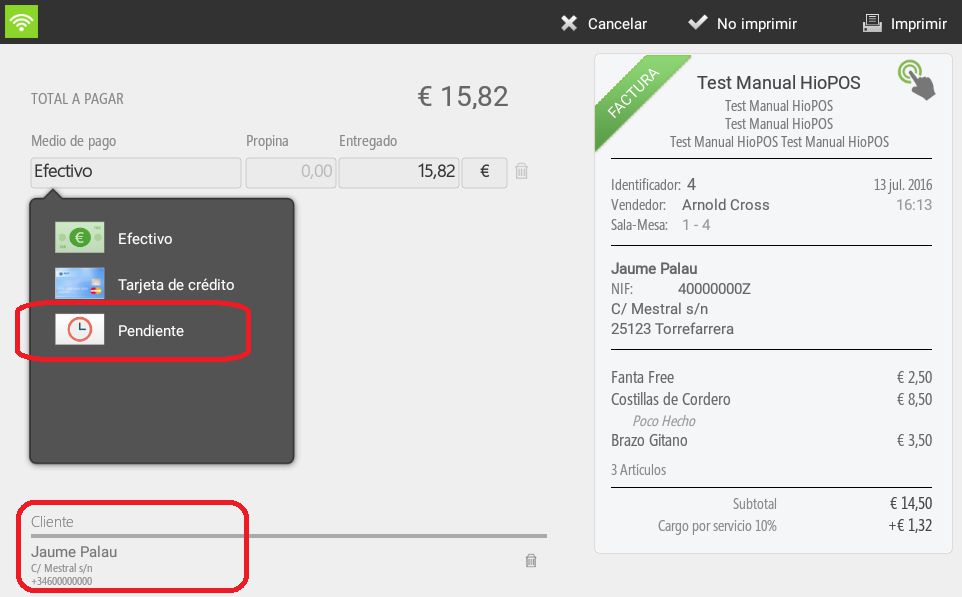
HioPOS Cloud allows you to select the 'Pending' payment method when finalizing a sale. In these cases, it will always be mandatory to assign the sale to a customer so that collection can be tracked.
For the management of outstanding collections, HioPOS offers a couple of options. The first is to view clients with outstanding collections, and the second, to consult, in the statistics section, the report of outstanding collections to be settled.
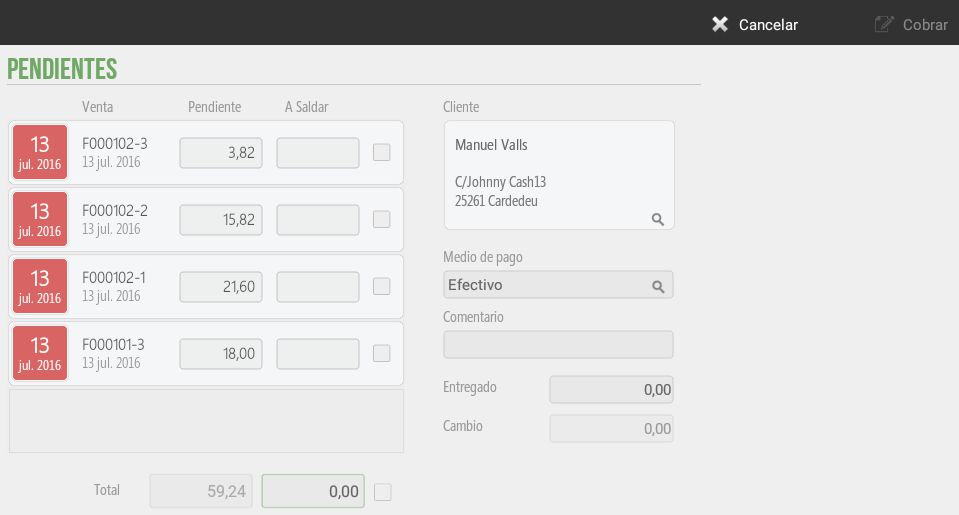
To view those customers who have outstanding payments, we will need to go to Box, Earrings and select the client the user wants. To speed up the client search, HioPOS Cloud offers the possibility to search by phone number.
On this screen, we will be able to view the numbers of outstanding invoices, the outstanding amount of each invoice, and the amount to be settled. We can also consult the total outstanding amounts and the client's preferred payment method. On the right margin of the screen, the Comment field is displayed, specially designed for client management and to provide supplementary information that can be very useful in future operations.
The second option for controlling pending items is through the pending items report. The user can consult this information from Administration, Statistics, Audit, and Accounts Receivable.
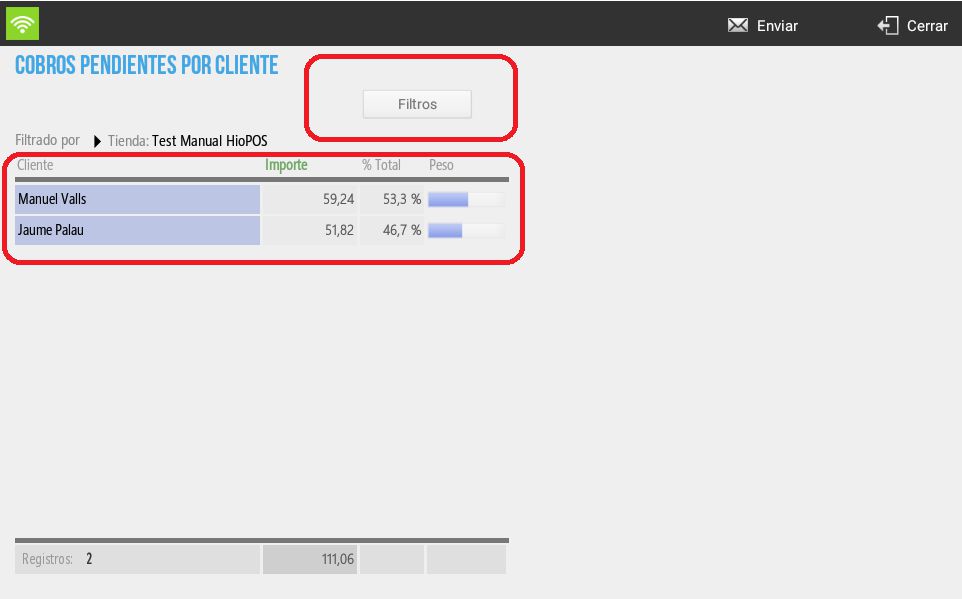
On this screen of Outstanding payments For the client, the user can filter by store, till, and cash count. We will visualize outstanding payments per client using a four-column table with the fields: client name, total outstanding amount, % this total represents of all outstanding clients, and graphical weight this client represents of the total.
AI Assistant
Section summary
AI can generate inaccurate information; verify the results.