En esta sección
Takeaway sales - “Take Away”
Takeaway food or the term Take away generally refer to food served in a restaurant to be consumed outside of it. The restaurant may not offer table service.
In the tax settings, we can configure different tax rates depending on whether items are consumed inside or outside the restaurant.
HioPOS Cloud allows for the sale of takeaway items. To close a "Takeaway" sale, we simply need to start a regular sale. More information about the item sales procedure can be found in section 2 of this document. To transform a regular sale into a "Takeaway" sale, we must position the cursor over the ticket header and select the "Takeaway" option, as shown in the following image.
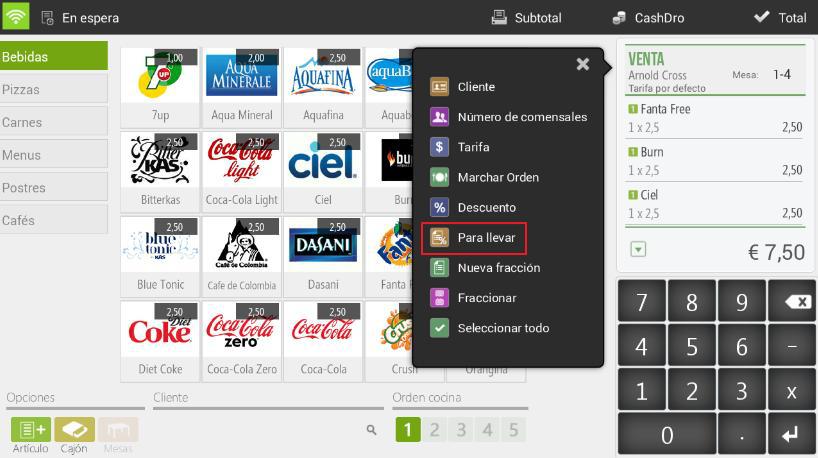
HioPOS Cloud will directly apply to the document items the tax rate that corresponds to them in accordance with the country's legislation and the type of item.
To configure different tax rates for the sale of “Take Away” items, you will need to go to the item settings in the tax section.
AI Assistant
Section summary
AI can generate inaccurate information; verify the results.