The tip and the service charge
Both the tip, whether it is accepted or not, and the service charge options can be configured from the section Terminal type in the Settings the HioPOS Cloud.
The tip
The tip is an amount that is freely modified at the end of the sale, so the amount of the tip is not subject to a percentage or value based on the sale.
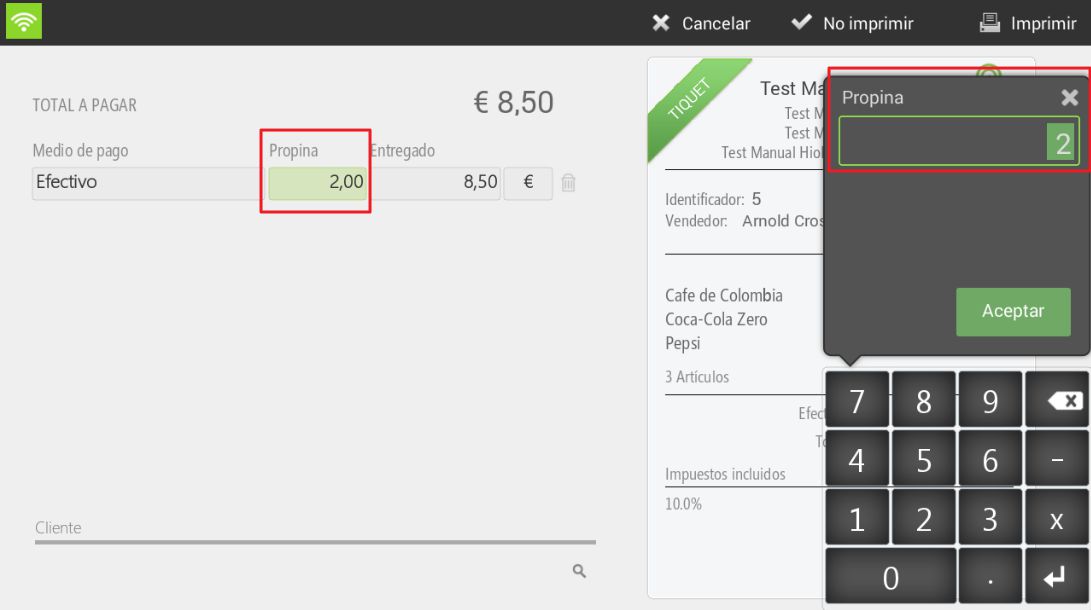
To add a tip, we must be on the payment method selection screen, once the receipt has been totaled. We select the Tip box next to the chosen payment method and add the corresponding amount. We finalize the sale with or without printing.
This option will be selectable if the option to has been activated in the payment method Allow Overpayment (and purpose: Tip), in the section of Payment methods English Settings.
We will find its main configuration in the section of Configuration, Terminal type, Tip.
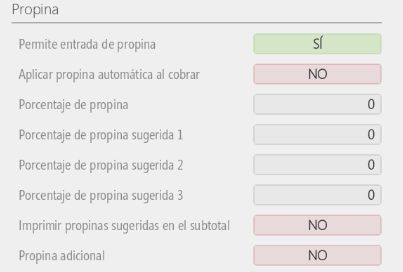
Even if the 'Allow overpayment for Tip' option is activated in the payment method, if tip entry is not allowed in the Terminal Type configuration, when going to finalize a sale, we will not be able to add a tip manually. The reason for this is that the configuration reflected in the Terminal Type takes precedence over the configuration of the Means of payment.
If desired, the tip can be automatically applied at checkout and a percentage set for it.
The service charge
The service charge is always applied to the total sale.
In Type of terminal, from the menu of Settings, we select whether we want to automatically apply a charge to the sale and what percentage to apply. It is advisable to determine whether to apply it before discounts and if it includes a tax.
Additionally, there is the option that, starting from a certain number of diners, a second percentage is applied as a service charge, an option that can also be configured from Type of terminal.
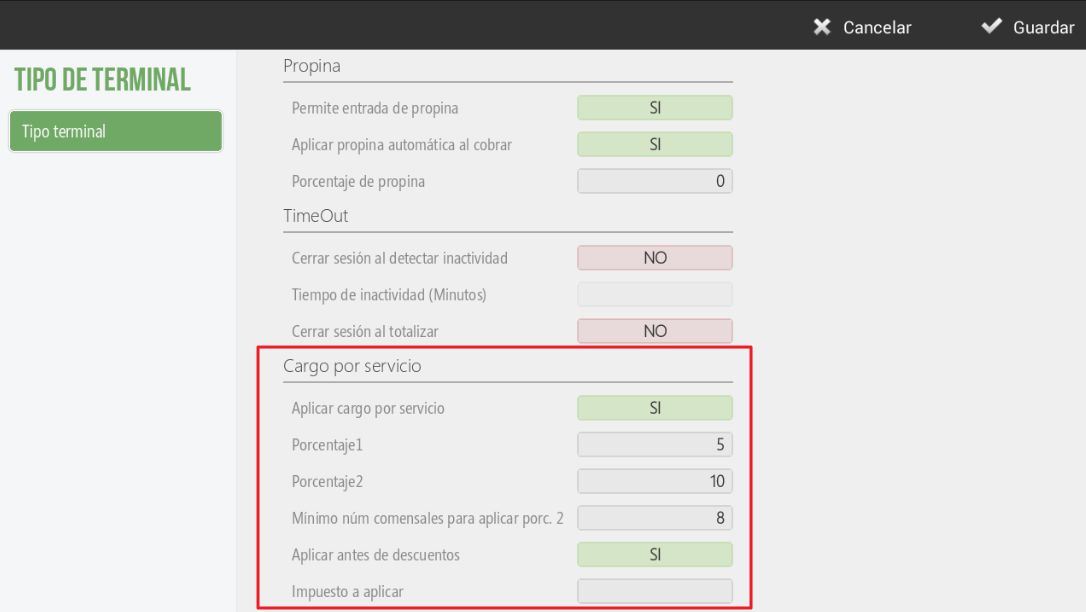
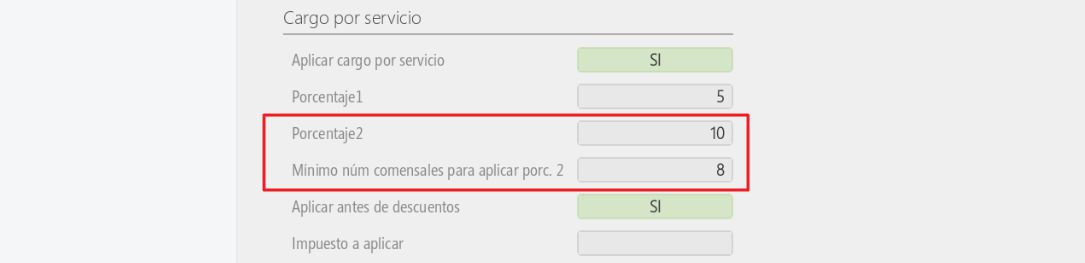
This second service charge replaces the first type, with only the second applying.
AI Assistant
Section summary
AI can generate inaccurate information; verify the results.