Delivery Control
Delivery control will allow us to deliver a part or the whole ticket by scanning a QR code. This QR code will be printed on the ticket. If we enable the "Print QR" option in the terminal type settings, it will then be printed.
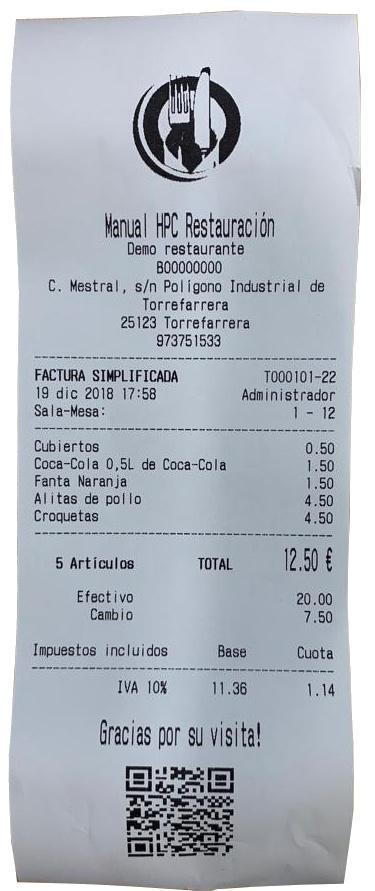
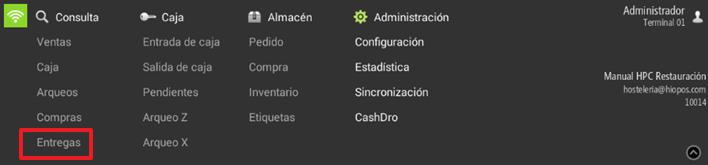
When we have the ticket, we'll have to go to the menu of Consultation, Deliverys and read the QR code from the ticket.
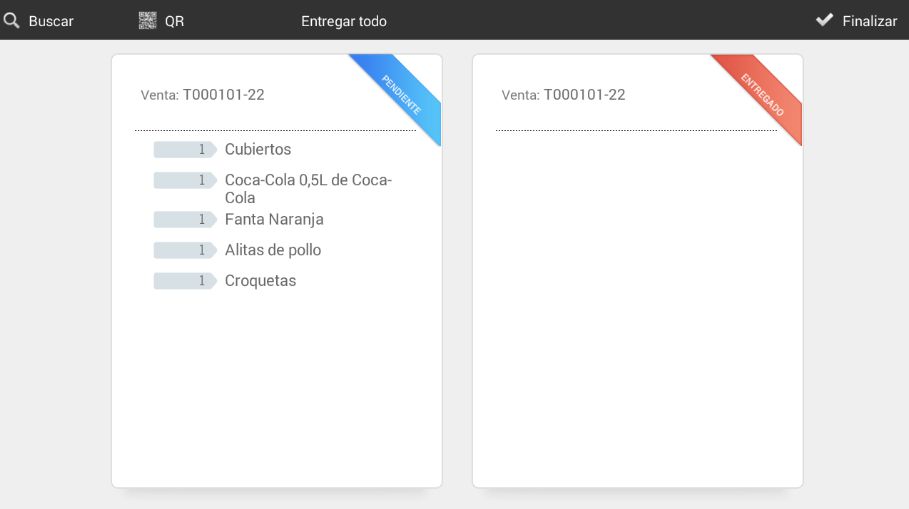
Once the ticket's QR code has been read, the following screen will appear, where we can process one or all of the lines on the ticket.
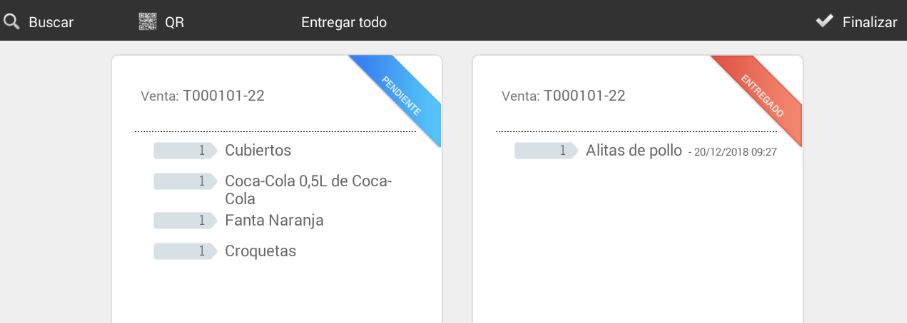
Using the Search option, we can search through our sales tickets and configure filters. Also, using the QR button, the camera of our HiOrder will be activated to make the delivery. Finally, we will have an option to deliver everything and another option for finish
This functionality can be very useful for establishments where orders are placed from one location and items are delivered to different bars or sections. For example, fast food restaurants, nightclubs...
Example of delivery control
Let's imagine an amusement park where we have a global HIOPOS solution. In this venue, we have T-Quiosks installed for in-person sales and PortalRest for online sales.
Within the venue, we have various bars with HIOPOS terminals. At each of them, we can collect orders placed from T-Quiosk and PortalRest. Let's imagine that the customer makes a purchase from T-Quiosk or PortalRest for 5 drinks for the whole day. If they do it from T-Quiosk, a sales ticket with a QR code will be printed for them; if they do it from PortalRest, the same ticket will be sent electronically to their email.
Once you have your ticket, you can head to any of the venue's bars and order your drinks. Through the delivery control system, we will read the QR code and mark the drinks requested by the customer as delivered. When the QR code is scanned again at this or another bar, we will be informed of the items delivered and those still pending delivery.
AI Assistant
Section summary
AI can generate inaccurate information; verify the results.