En esta sección
Pending sales
During the sales process, there is the possibility of dropping it Waiting and retrieve it later. Once at least one item has been listed for sale, the button will be activated. Waiting on the top left of the screen.
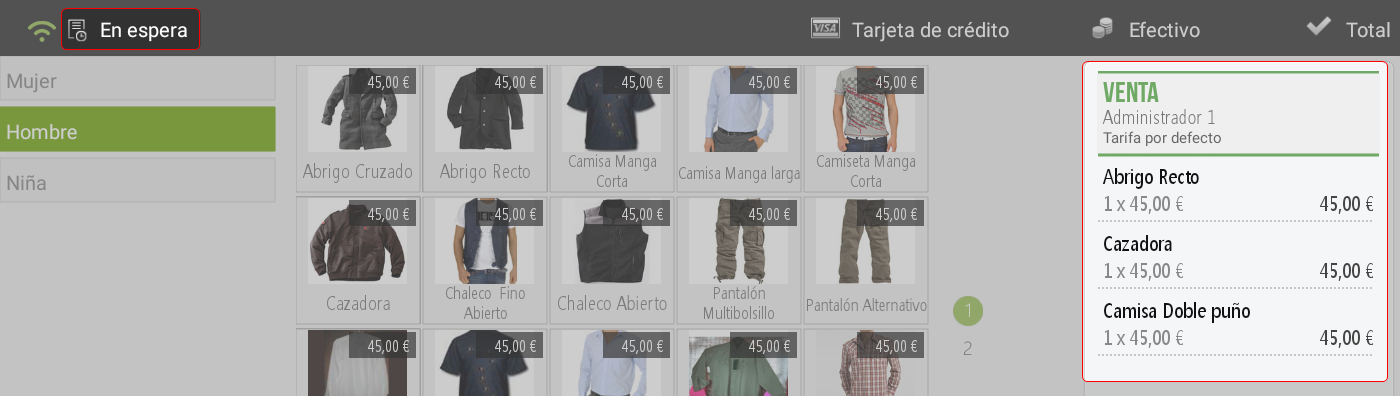
When you press the button, the system will ask you to enter an identifier for this sale; this can be numeric or alphabetic. Once the identifier is entered, pressing accept will park the ticket, and a new sale can be made.
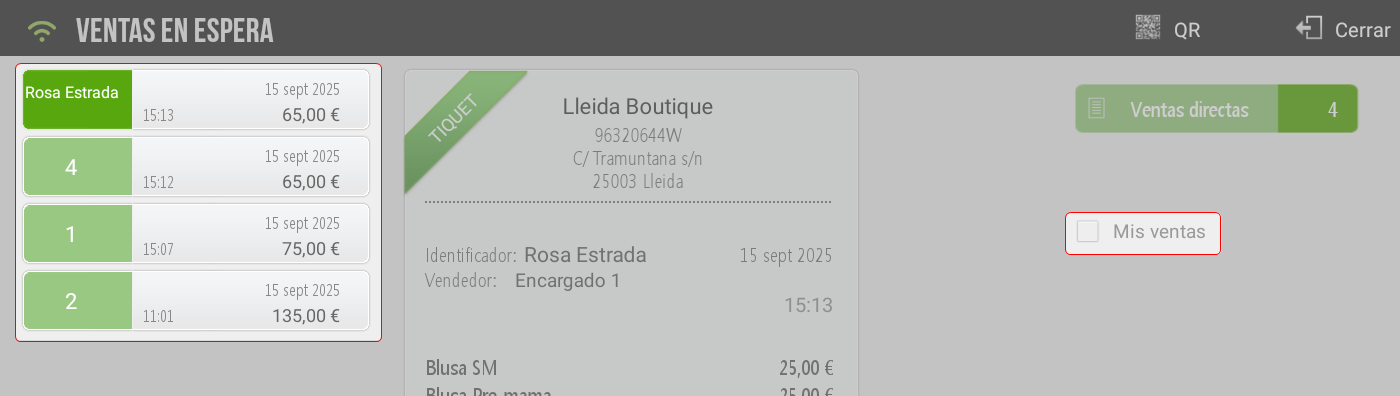
Clicking the "Sales on hold" button, located at the top of the ticket, opens the window with all the sales that have been put on hold.

Located on the left side of the screen of Sales on hold, the list with all sales that have been put on hold is displayed; on the right side of the screen, there is a checkbox to show My sales, and will show only the sales of the employee who is active in Hiopos.
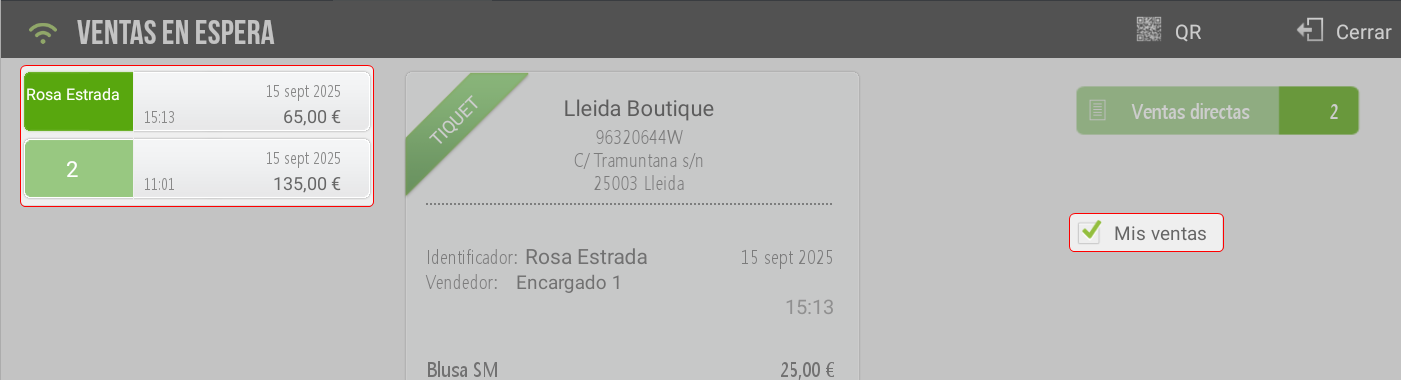
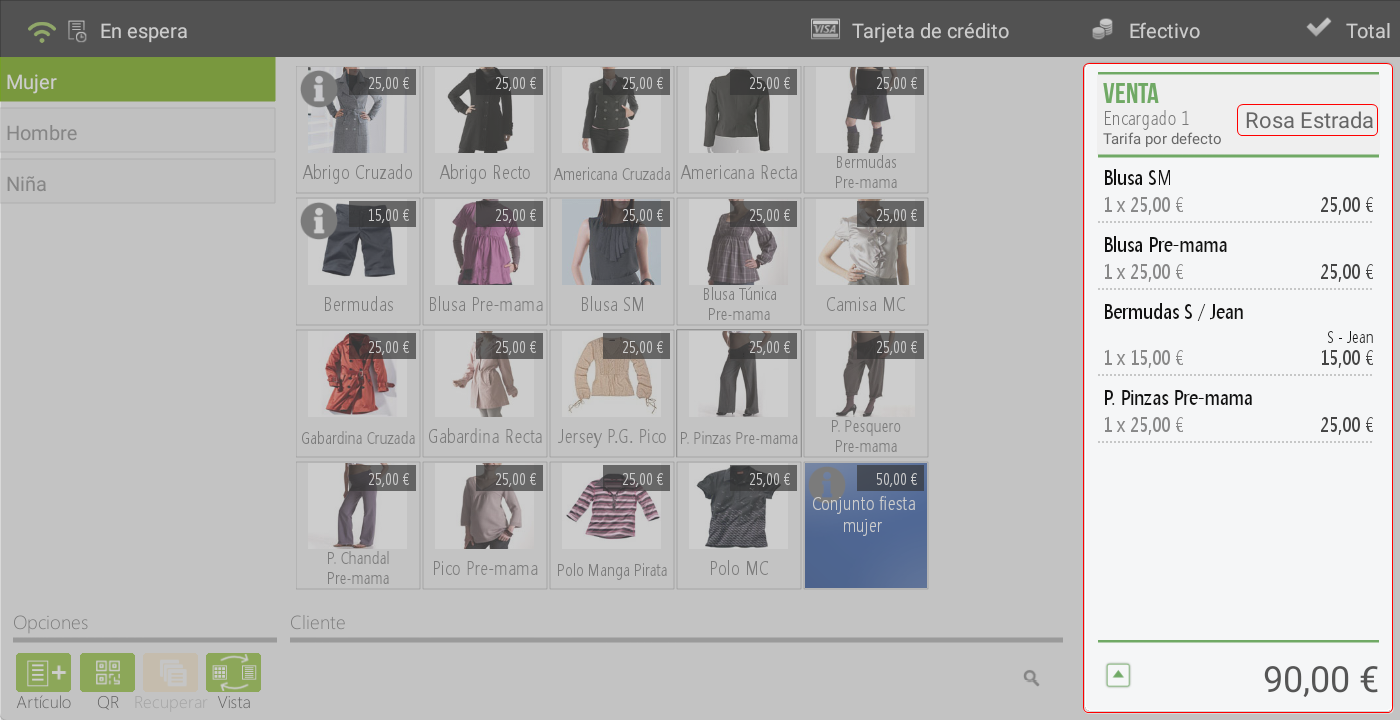
Once the sale to be retrieved is selected, you must click on the ticket, and it will load on the sales screen. At the top of the ticket, the pending sale identifier is displayed.
TIP: A pending sale is not closed, so more items can be added to it. Likewise, the system allows for items from a pending ticket to be added once items have already been entered for the sale.
AI Assistant
Section summary
AI can generate inaccurate information; verify the results.