Types of card
Hiopos allows managing different types of cards. To configure these card types, we must go to the module of Loyalty → Cards → Card types, available in HiOffice (you must have the Loyalty module contracted).
By default, the program creates a card type with the name of “Voucher / Gift card”.
Upon entering the option ‘Types of Card', a list of all available card types will be displayed. Upon pressing 'New, the program will ask what currency the new card type will operate with.
TIP:If no other type of card has yet been created, the tab for “ will open directly.Voucher / Gift card” to edit it, in the top left of the screen, by pressing the button 'NewNew card types can be created.
In HIOPOS solutions, multiple implementations have been included in this module, offering new and interesting functionalities, such as those detailed below:
• Points discount.
• Settlement discount
• Card styles
• Client app
In this menu of Types of Card, it is possible to create and configure the different card types that will be visible in the establishment. The existing card types will be explained below.
TIP:For card types to be visible in HioPos points of sale, they must be associated with the establishment.

Card Balance
These types of cards are defined as stored-value cards, since through a percentage accumulation of sales or a top-up, we will have a balance associated with our customers' cards. This balance can be used to obtain discounts on purchases made by end customers or to pay directly as if it were another payment method. In the card's property settings, it is possible to easily define the accumulation of a percentage of those sales.
Prepaid balance cards
This type of card will be the one that allows customers to have an associated card, where, through an end-customer pre-load or a pre-load made from HiOffice, balance top-ups can be made. These cards, at the time of sale, will allow payment using the 'Card/Voucher' payment method. To configure this type of card, the 'is pre-load' option must be active.
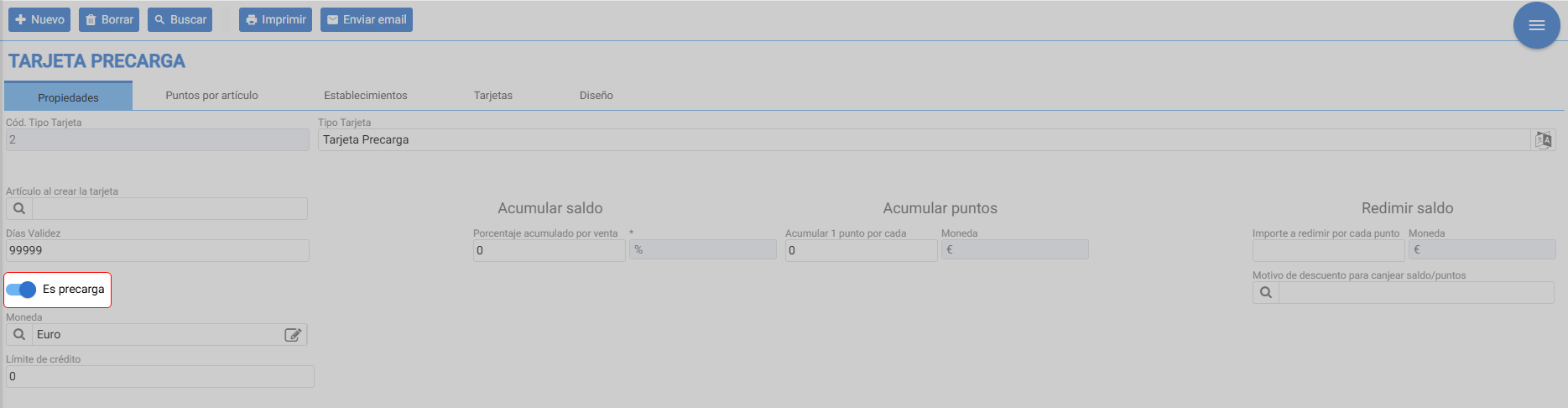
TIP:
These types of cards will be associated with a payment method; therefore, they will be subject to taxes as if it were a normal sale. This is perfect in situations where pre-loads are made, since these are not subject to taxes. We must be careful when we accrue a percentage of our sale, since we would be declaring that discounted amount twice.
Gift cards for sale
This type of card accrues a percentage balance of the sales amount on the customer's card. Additionally, it will allow using that balance as a discount on the bill and not as a means of payment. To configure this type of card, it will be defined by the following two fields:
Accumulate balance
Discount reason for redeeming balance/points: For the discount reason to show in Hiopos, the option 'Print description on ticket (Hiopos only)' must be enabled within it.
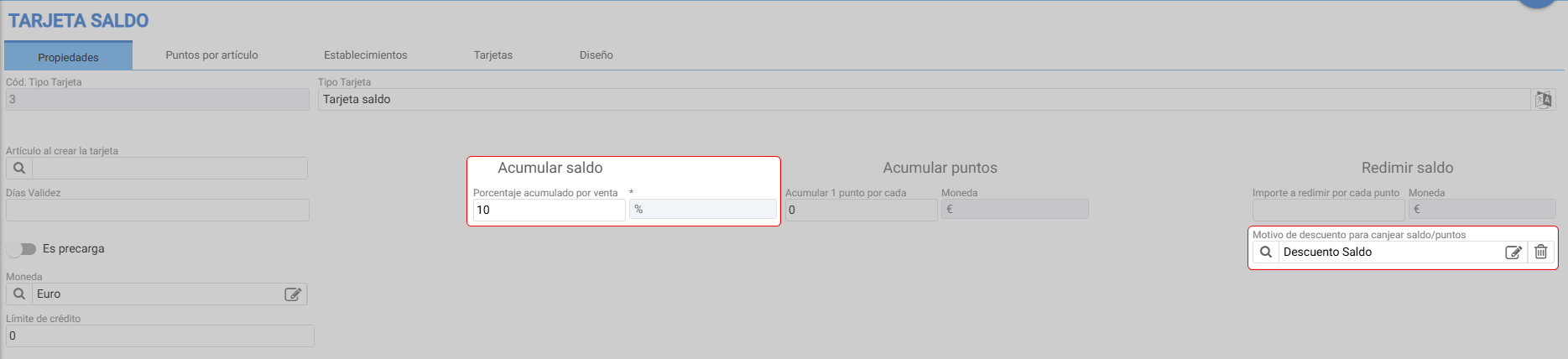
TIP:
These types of cards will be associated with a discount, therefore, the base of the final bill will come with the discount applied based on the card's balance. This makes it an ideal type for cards that load a percentage balance.
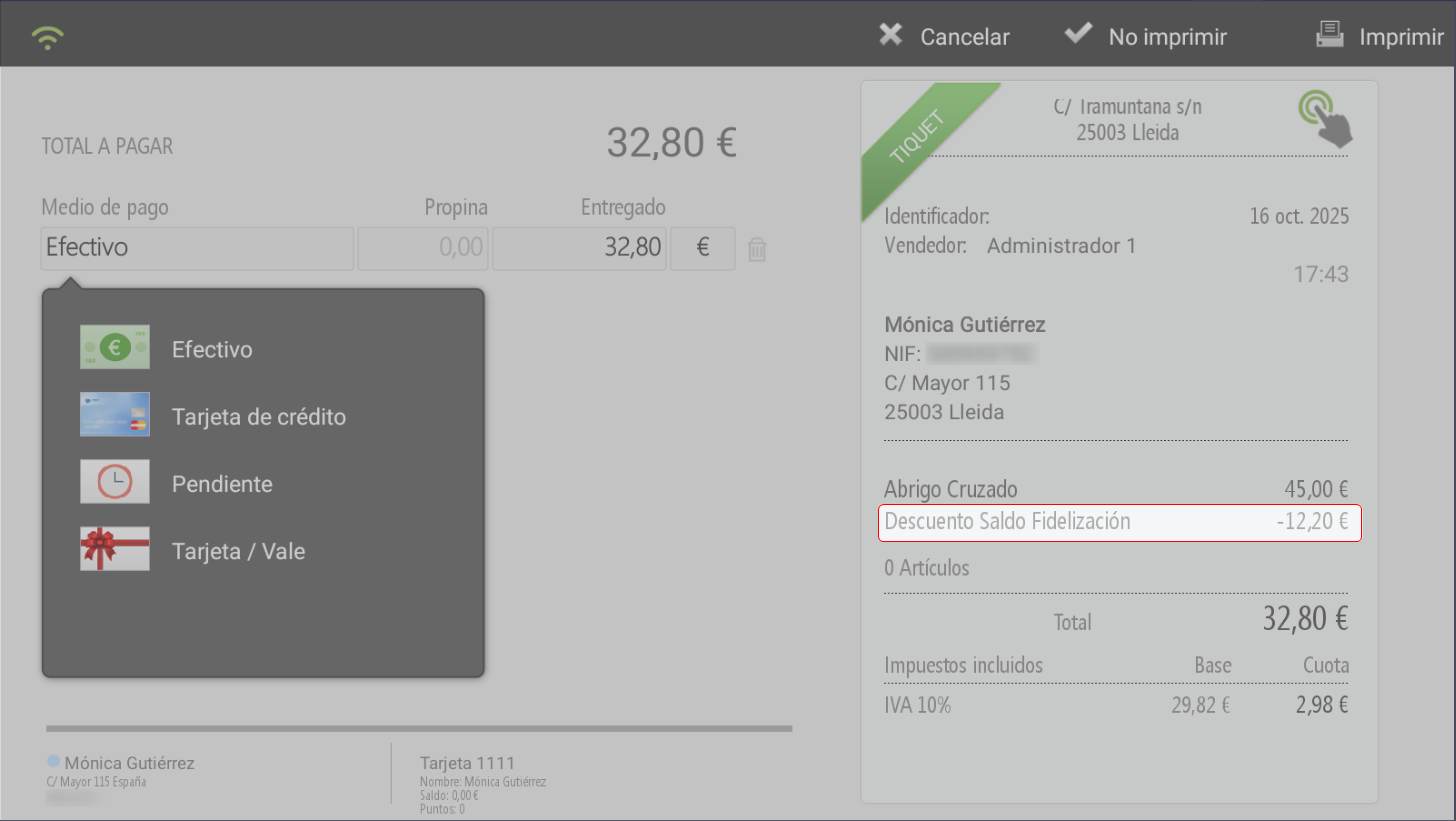
HioPos is accessed and the customer's card is identified. The card has
€12.20 accumulated:
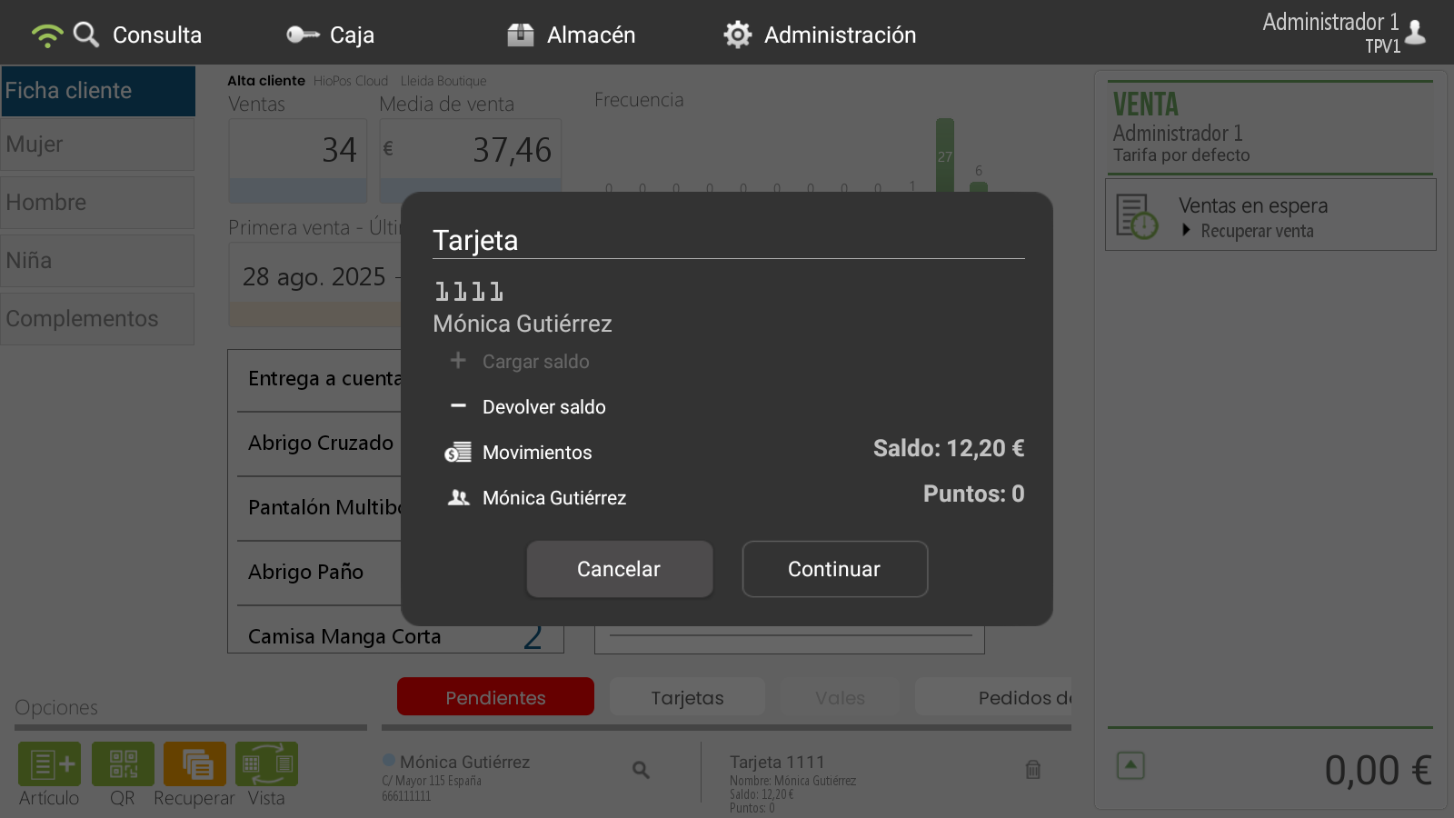
Once assigned, upon totaling the ticket, a dialog box appears asking if you wish to redeem the balance as a discount.
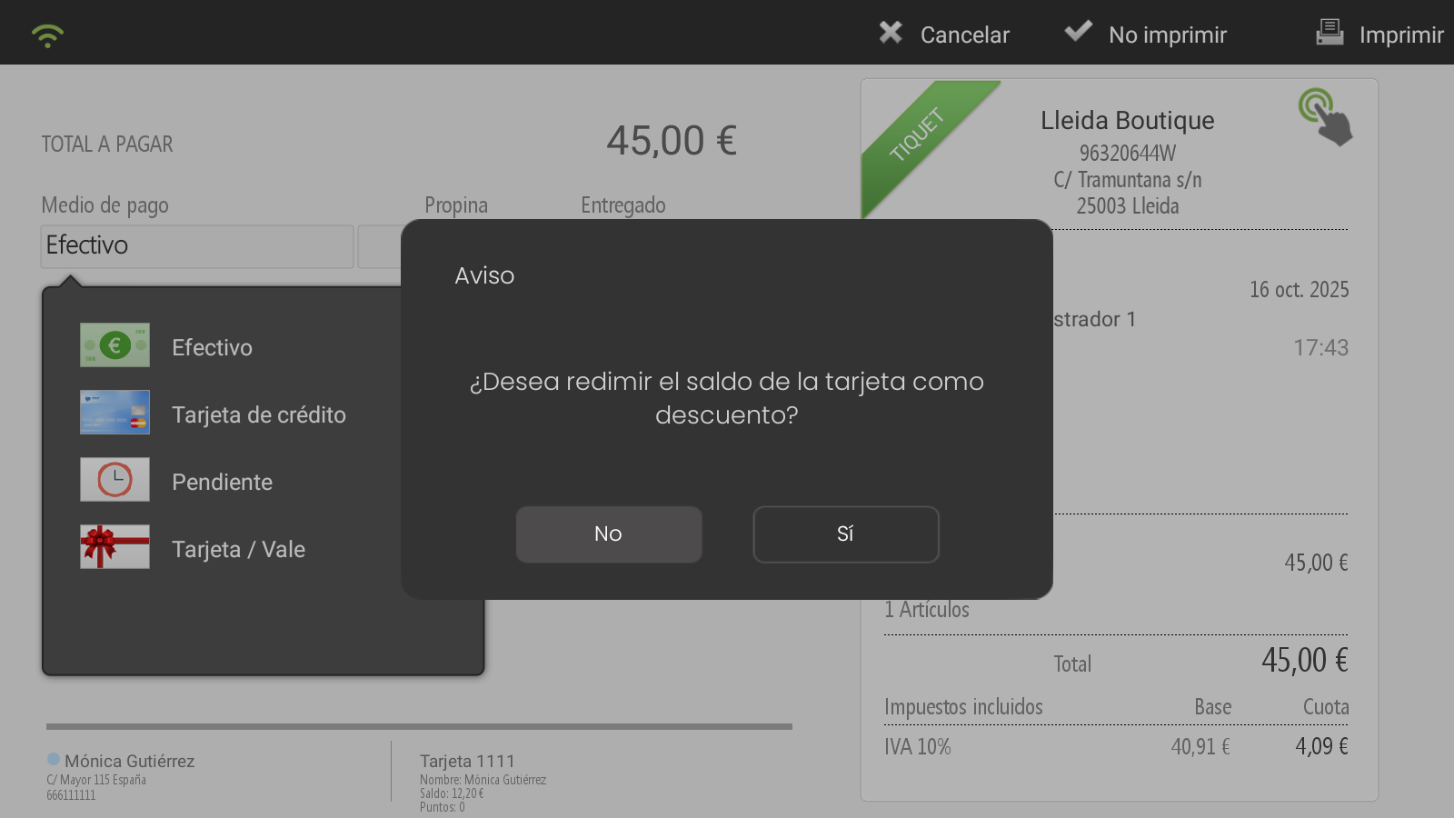
Upon acceptance, the balance will be applied using the reason we have configured in HiOffice.
Points Card
Below, we detail different possibilities if the customer requires working with points. How we can accumulate them and how we redeem them. Below, we detail the options offered by the new implementations, which allow points to be accumulated based on sales amount, assign monetary value to these points, and redeem them for discounts on final receipts.
Point card types have been separated into two distinct types:
Points card for discounts: This option will allow us to earn points based on sales percentage and redeem points as discounts on the bill.
Stamp card This second option allows us to accumulate points by purchasing certain items and redeem these points for previously configured free items.
The following details how to configure those types of cards.
Points card for discounts
This type of card will treat points as if they were an accumulated balance. This will apply both when accumulating and when redeeming these points for value.
What criteria will customers use to accumulate points?
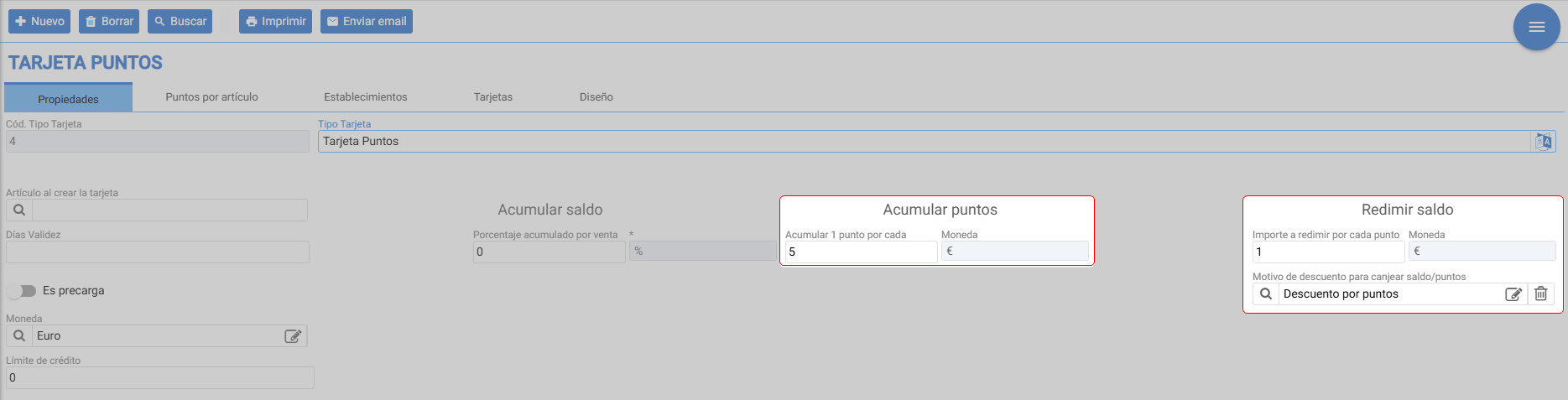
The feature for accumulating points on our card based on the sales amount, will be configured in the field "Earn 1 point for eachNext, it will show the currency associated with the card type, in this case €In it, we must assign a numerical value (decimals are allowed) which will determine the amount for which we accumulate 1 point on the card. In this way, if, for example, we assign a value of 5 in the "points per amount" field, it will mean that for every €5 spent by the customer, they will accumulate 1 point on their card.
What is the value of those points?
In this section, we can assign a value to the points accumulated on customer cards, so that they can exchange them for discount amounts on their bills.
To configure this point, we must enter a value in the amount to redeem per point field, which is the value we assign to each of the customer's points.
In the example below, a value of 1 has been associated with the 'amount per point' field, which will mean that if, for example, a customer has 5 points accumulated on their card, they could get a discount of up to €5 on their next purchase.
How will it be reflected in the minutes?
These points will be applied as a discount. For this, it is necessary that the client can see the reason an amount has been discounted from their final bill.
We achieve this by associating a discount reason in the field «Reason for discount to redeem balance/points, in it we can choose a discount reason that will allow us to:
Inform the client of the reason for the discount on their bill. This will foster the client's sense of gratification, as they will see that thanks to their loyalty, they have received a discount using their accumulated points.
Having statistical control over our customer loyalty. Since we are associating a specific discount reason with our loyalty discounts, this will allow us to extract metrics and statistics regarding the discounts applied.
We will have an additional level of configuration. Having an associated discount reason will allow us to configure a maximum applicable discount.
For good practice, the discount reason associated with this last field must be an amount-based discount reason. Additionally, if we want to assign a maximum discount, we must mark it as modifiable and assign a value to the maximum amount.
TIP: Whenever we apply a points discount to our customers, the maximum possible will always apply to their sale.
As in the previous case, we will start by scanning the customer's card. It has 22 accumulated points, which, according to the example configuration, will be equivalent to a €22 discount.
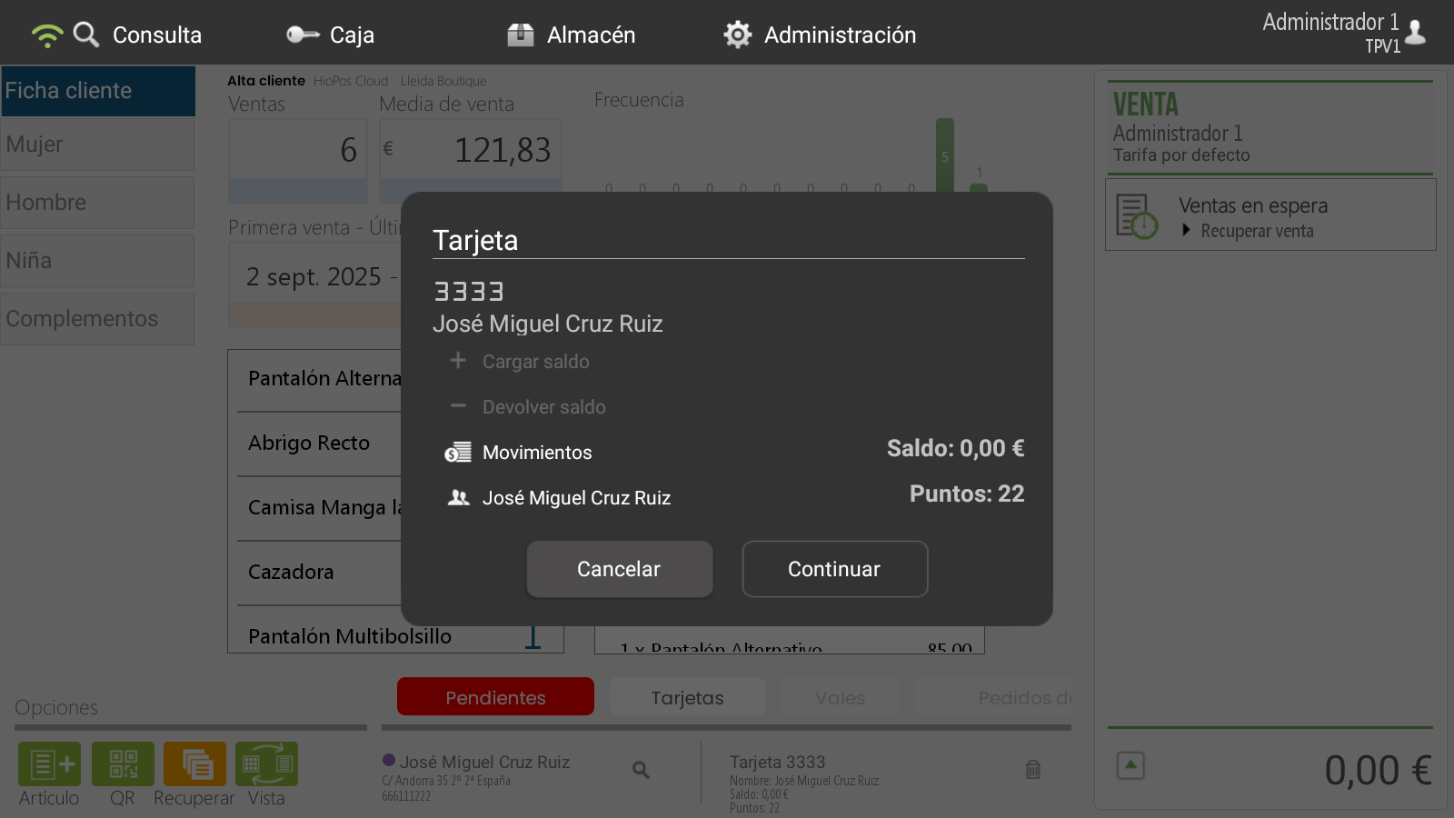
Once the card has been added, we add items and total the sale. A dialog box will then appear asking us if we wish to redeem the points as a discount.
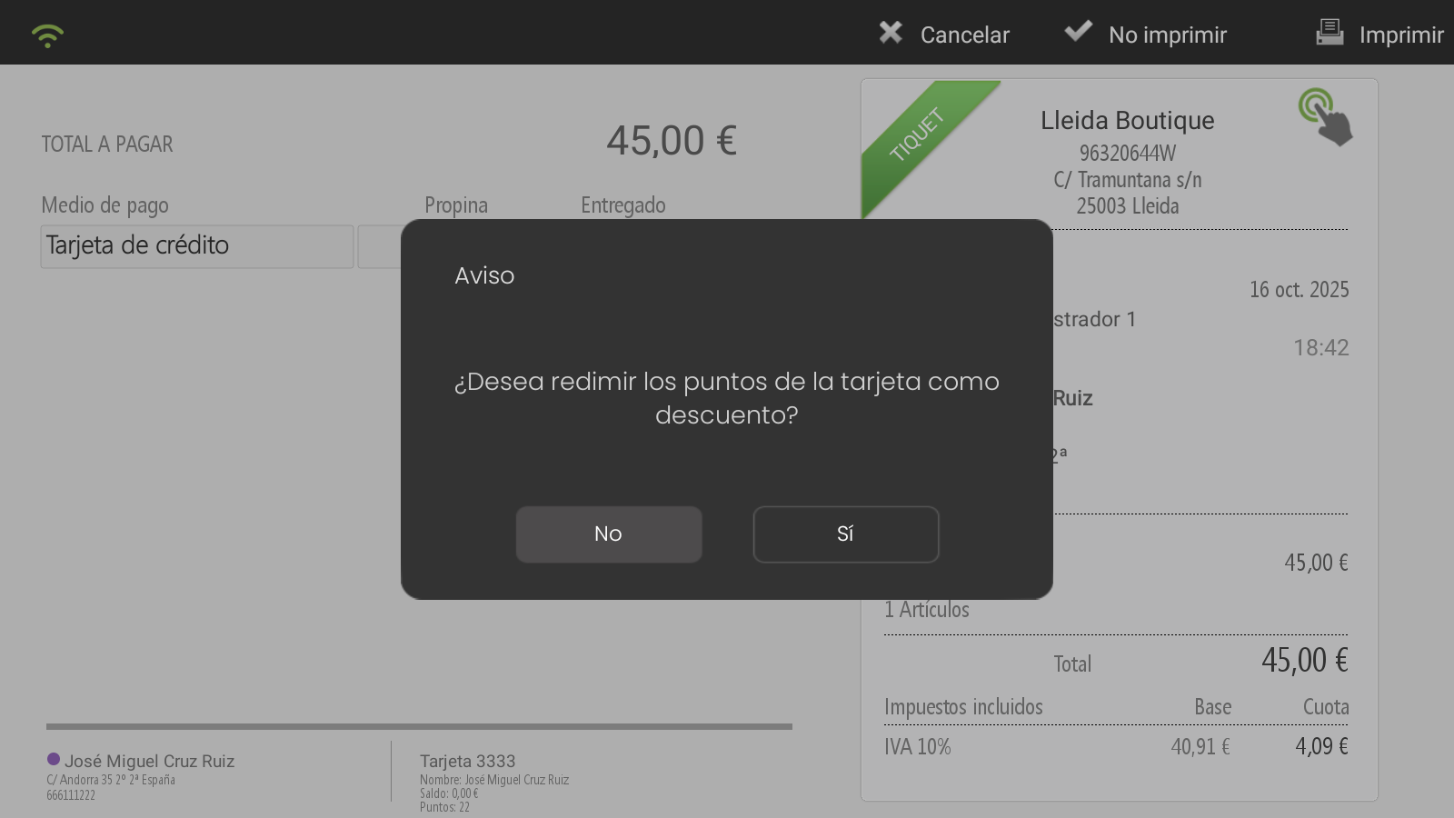
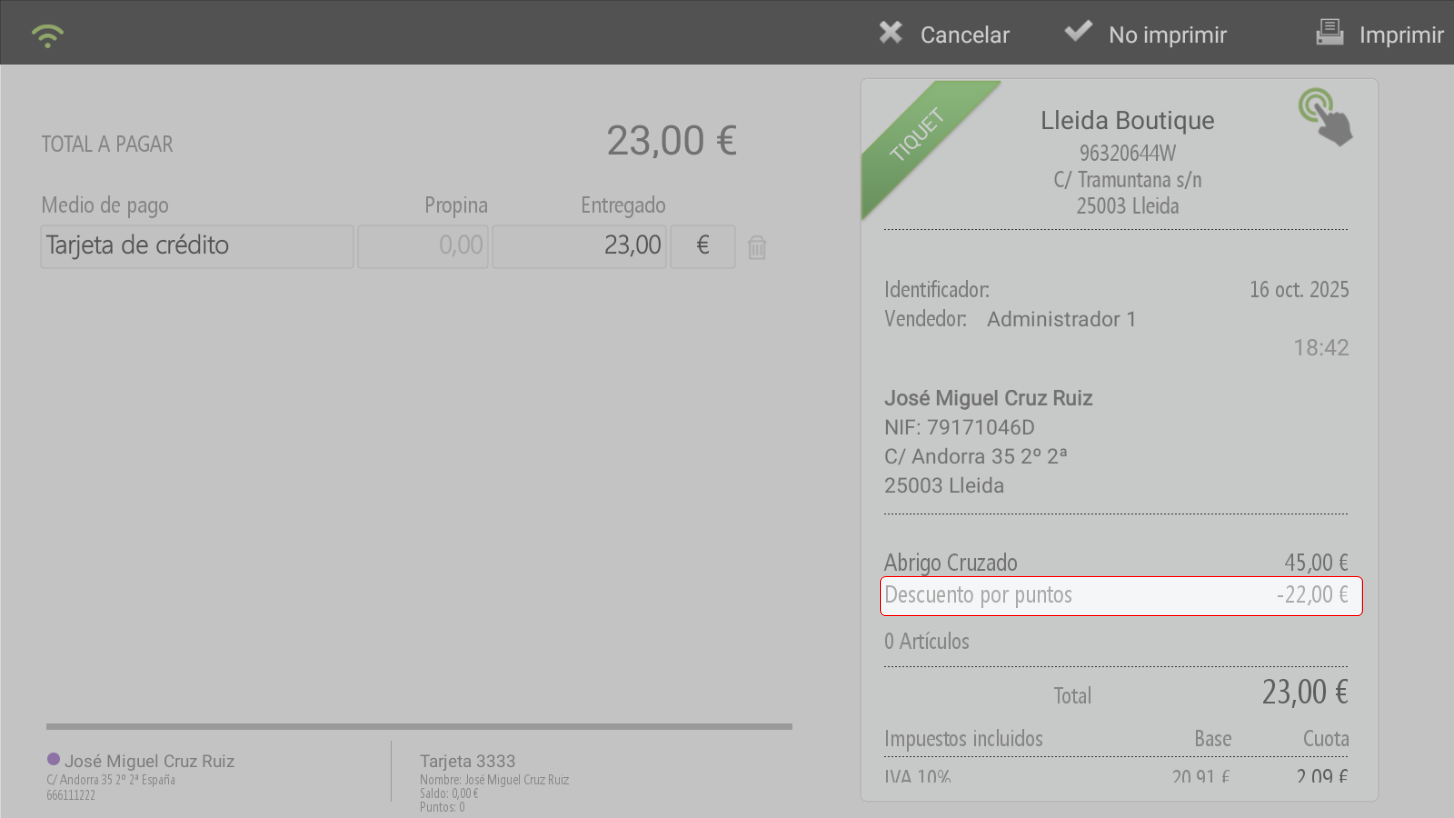
If accepted, we see how it redeems the 22 points accumulated on the card, with a value of €1 per point, for a €22 discount on the bill.
Stamp Card
This type of card encompasses all those cards that work with the system. That is to say, we choose which items will be eligible for point accumulation or redemption and assign them how many points they will accumulate or for how many we can redeem them. We can configure this in the "Points per item" tab:

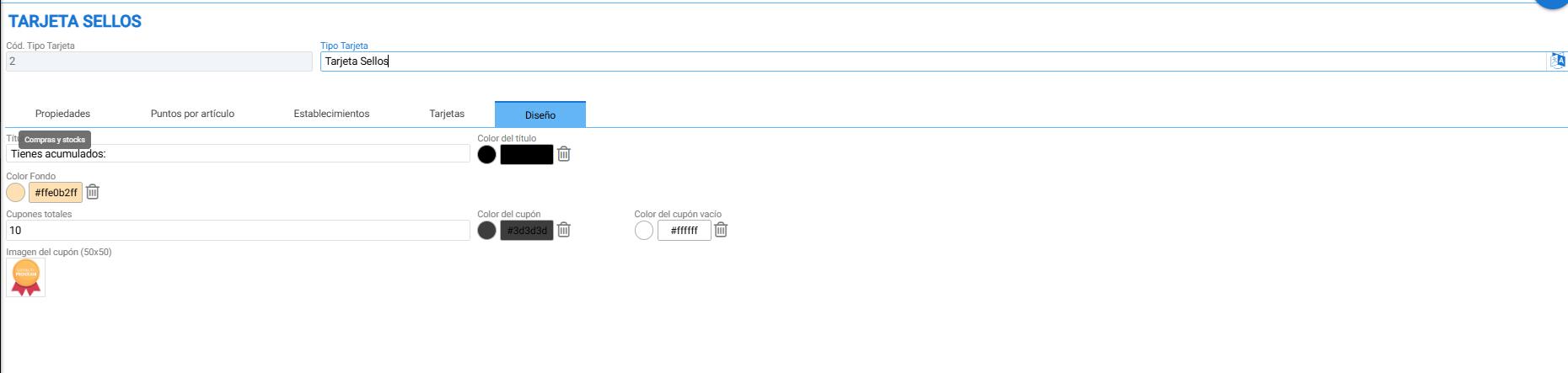
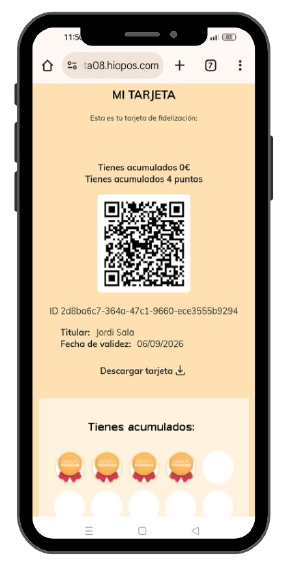
This section will allow us to assign points to our articles. Additionally, a new option has been included → Design. In this section, we will be able to choose what appearance our card will have in the Client App. (For more information about the configuration and functionalities of this type of cards, see the section Client App)
AI Assistant
Section summary
AI can generate inaccurate information; verify the results.