En esta sección
HIOFFICE MOBILE
HiOffice Mobile allows you to take photos of documents so that they are digitized and available in HIOFFICE in real-time, greatly simplifying manual document entry tasks. Any HIOFFICE user can access HiOffice Mobile from their mobile device at no additional cost.
To access, you must download the HIOFFICE MOBILE App from Google Play o Apple.
If 1 HIOFFICE license is available, its use will be permitted either on a PC or by connecting from a mobile device, but not on both simultaneously.


To scan new documents, the following steps must be followed:
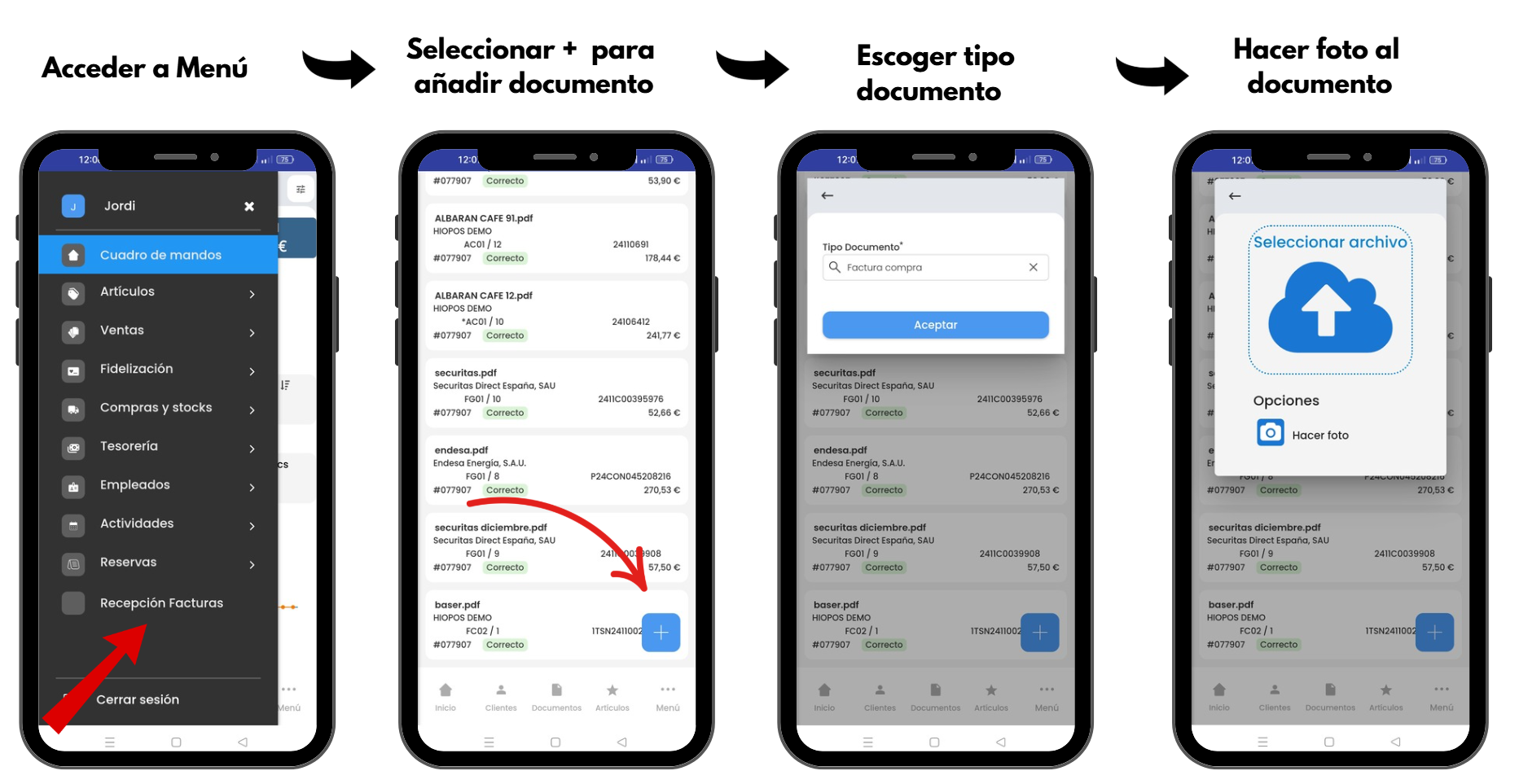
Once the photograph has been taken, HiOffice mobile allows Accept or if the document to be digitized consists of several pages, to be able to photograph a new page of the document.
That is to say, if it is about a 3-page document > Photo 1 + New Page + Photo 2 + New Page + Photo 3 + Accept = 1 3-page document.
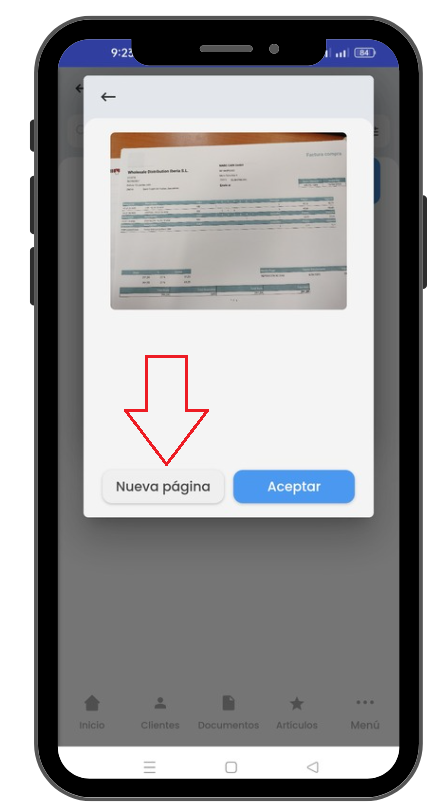
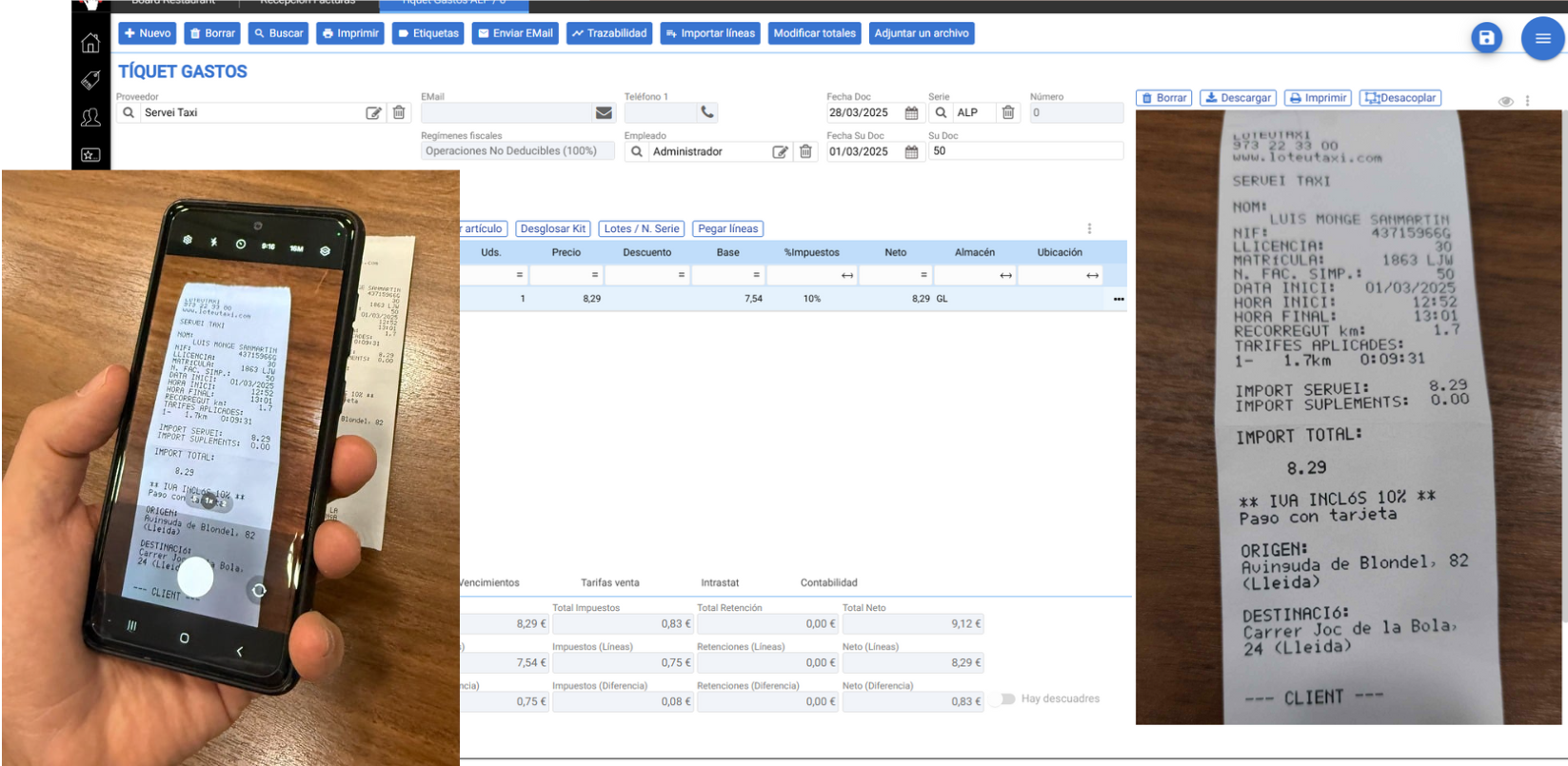
Once the photograph has been taken from the mobile device, it will be processed from HIOFFICE.
Below is an example of the digitization of a Expense receipt.
The behavior in the invoice receipt listing is the same as when uploading PDF documents via the new button on the listing.
AI Assistant
Section summary
AI can generate inaccurate information; verify the results.