En esta sección
How does HIOFFICE recognize the articles?
HiOffice checks if the extracted reference is associated with an item as a reference or as a barcode. Additionally, it verifies if this item has had to be purchased from the document's supplier at least once. If these requirements are not met, it does not assign it.
In these cases, where the line item will come with Article Code 0, since it does not exist in the database, we will have two options from within the document with 2 options:
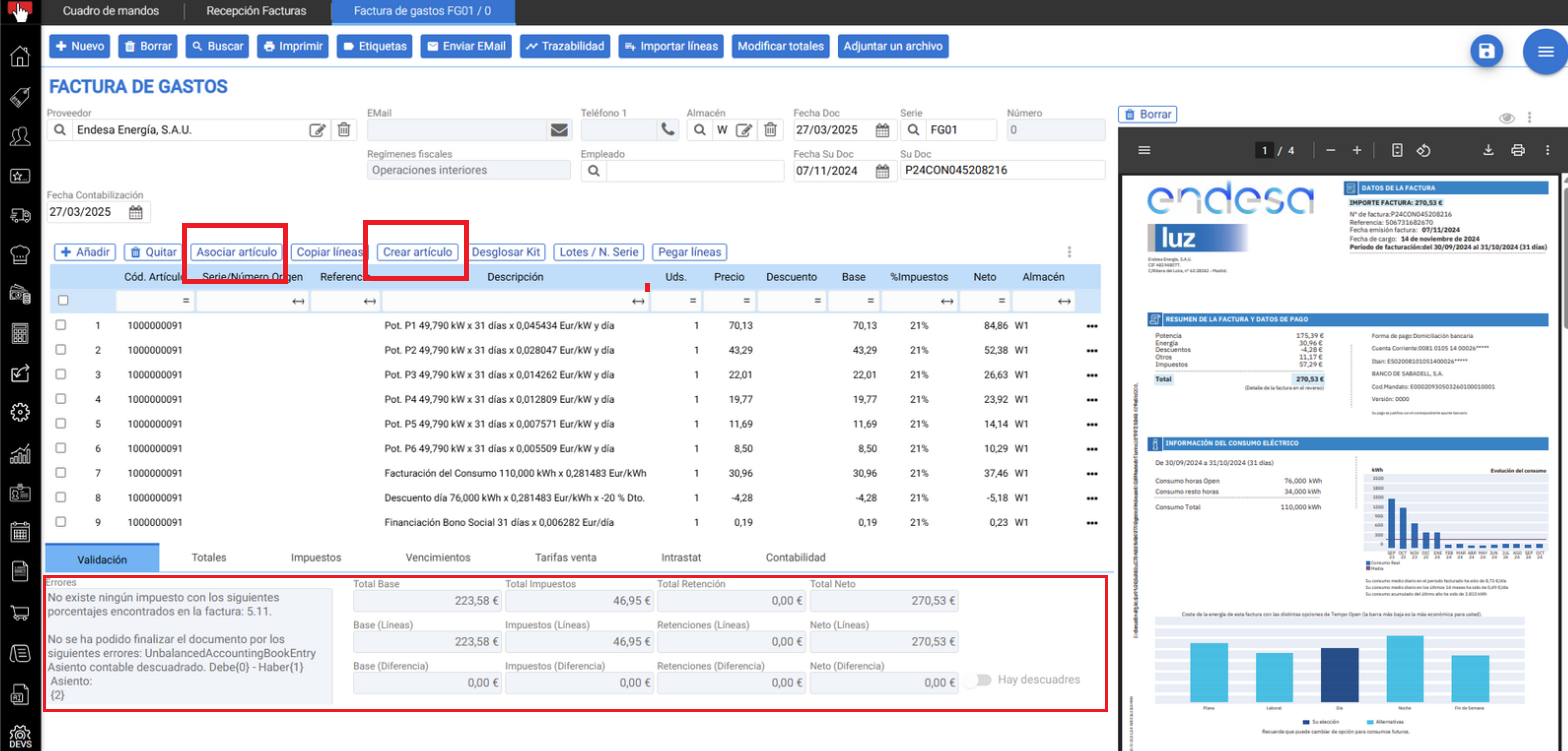
Associate article > Associate an existing item in the database so that it is posted to the existing accounting account of the product in question. In this item association process, it is possible to assign the document lines to a generic item that we create at that very moment. For example, on an electricity company invoice, associate all lines with a new expense item labeled LUZ so that it is posted to the corresponding Supplies accounting account.
Create article > Create an article for each of the lines of the digitized document. In this creation process, it is possible to multiselect all records, assign Department + Section .... and create them massively in a single click.
The supplier has no expense account assigned for accounting.
If the supplier does not have an assigned expense account for posting and the items have not been recognized, by default the invoice will be posted to the default purchase account (in Spain, 600000000000).
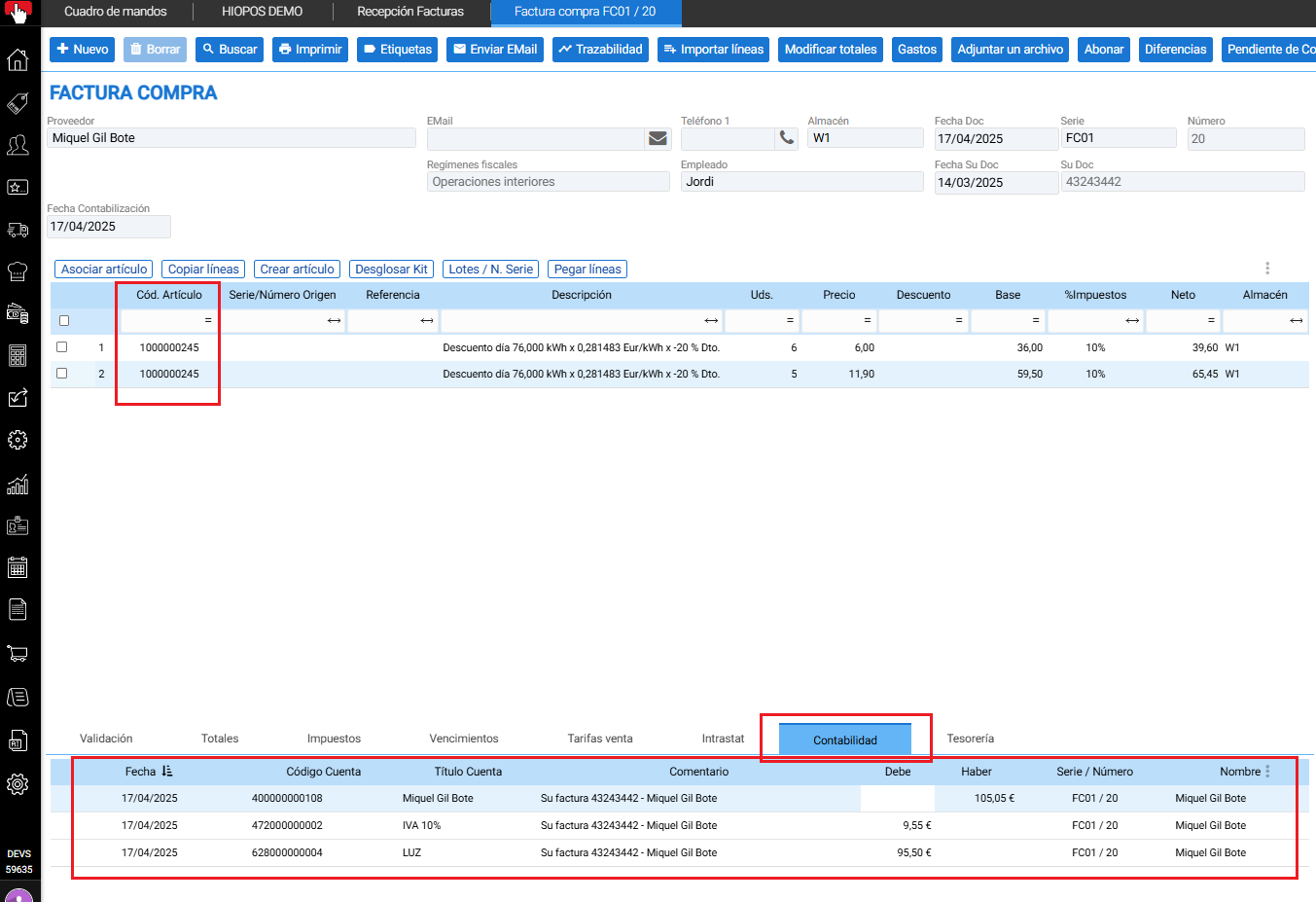
From the document, you can select one or multiple records as shown in the image, and associate the concepts with an existing article from the database using the button. Associate article indicated in the following image to affect the corresponding accounting account.
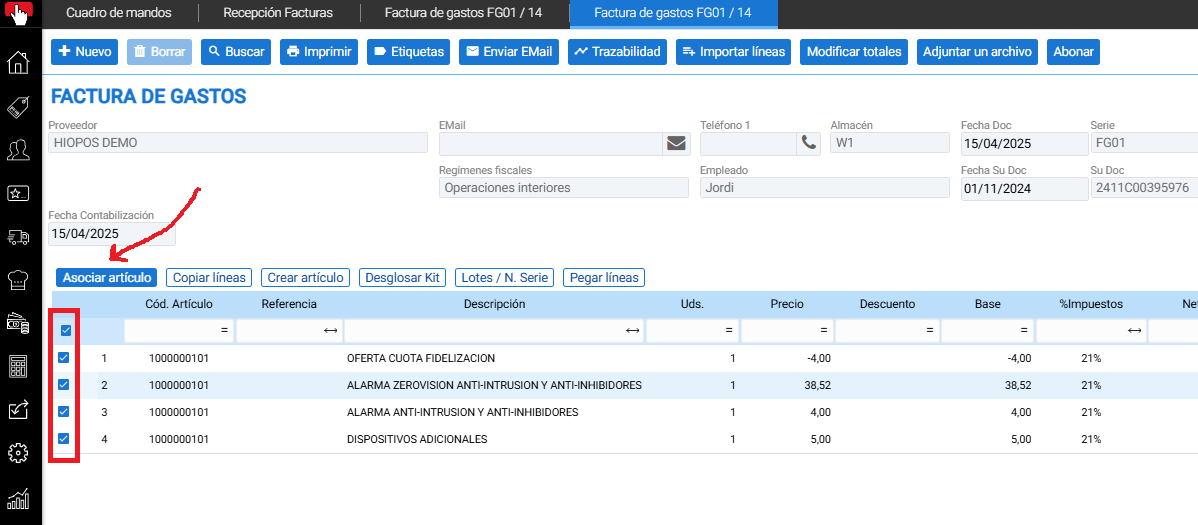
Note: The first time an item is associated with a document, the item is internally saved associated with the vendor. This way, every time a document from that vendor is processed, all lines are automatically associated with that item and, therefore, are posted to the item's accounting account.
When selecting this option, it will show us the item selector, we will select it, and it will be associated with the document lines.
In accounting, it will affect the account corresponding to the item:

If instead of selecting an existing item, we want to create it during the registration process, the procedure will be as follows.
- Select Article + Associate article
- Create a New article.
- Registrar Name of the article.
- Select Type of expense item.
- Add Group accounts to the article. Example: Supplies.
- Assign Countable suffix with the button + indicated in the image for HiOffice to propose its creation and Accept.
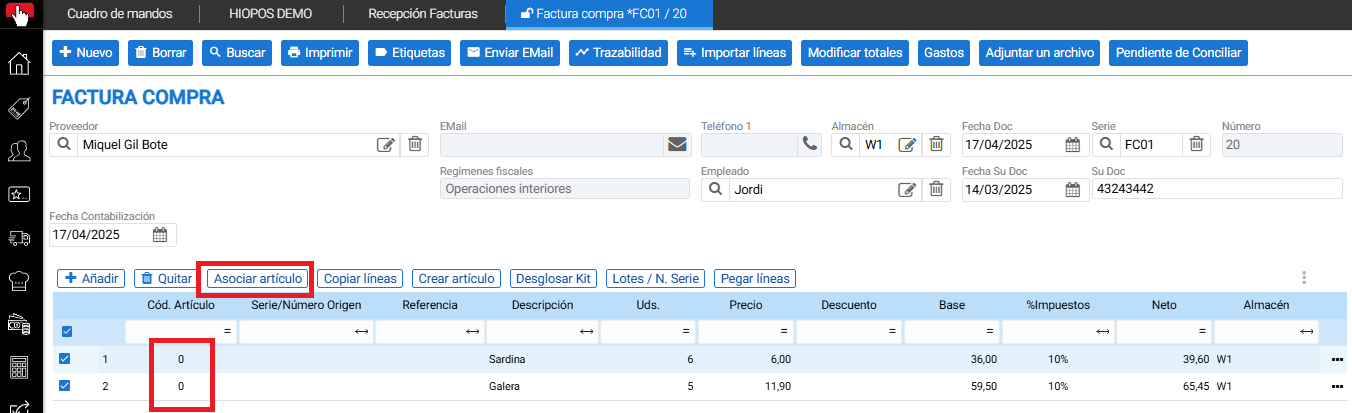
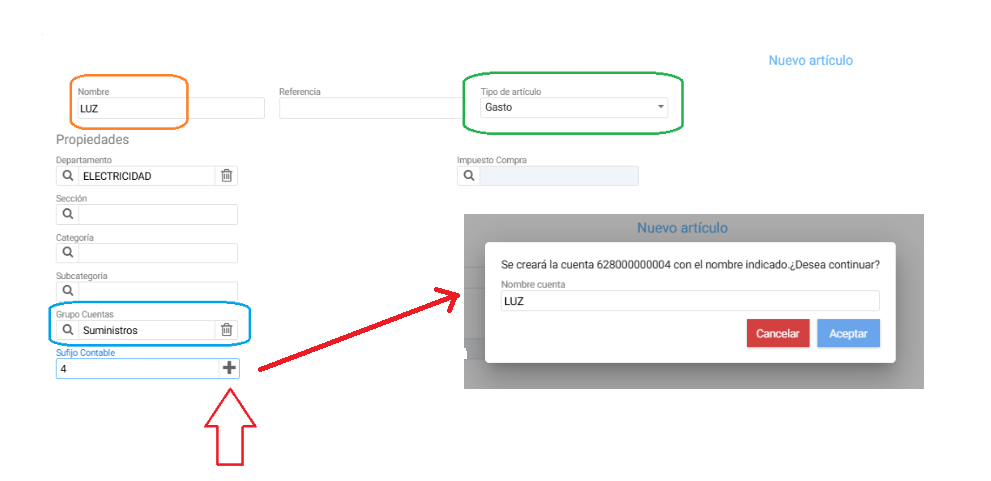
The created item is associated with the document lines, and when the document is saved with the lock closed, it already affects the accounting to the configured ledger account.
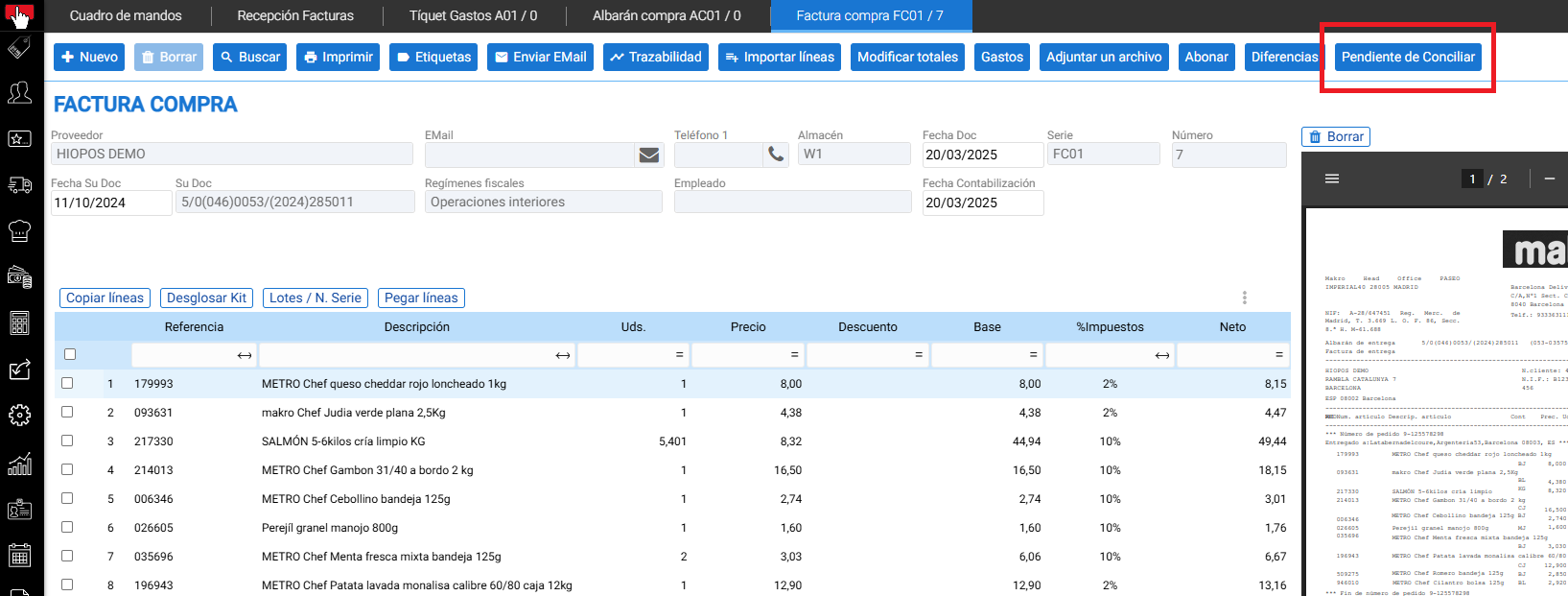
Not all the delivery notes included in the invoice could be matched.
- The document provides an option labeled 'PENDING RECONCILIATION'. This option enables the reconciliation of delivery notes with the invoice for those delivery notes.
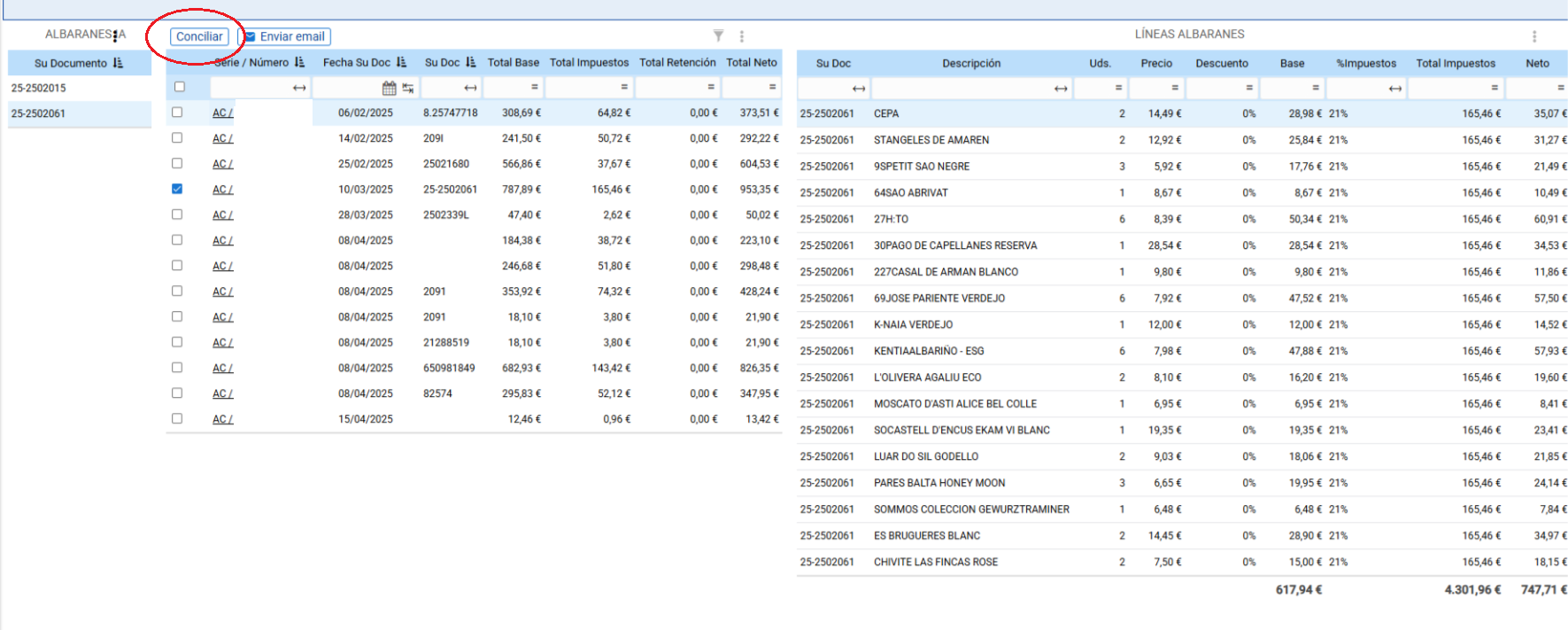
- Selecting this option will display a screen for reconciling delivery notes with invoices. On this screen, the delivery notes and their headers will be shown on the left, and their lines on the right.
- As invoice digitization identifies delivery note numbers, this option will identify the delivery notes corresponding to that invoice and select them. From here, it will be possible to add or remove delivery notes if necessary.
- Additionally, from this screen, you will be able to access the delivery note to modify it by double-clicking on its series and number to speed up its modification.
- From here, the differences between the sales invoice amount and the sum of the reconciled delivery notes can be validated.
- From the Reconcile button, delivery notes will be reconciled with the invoice. This reconciliation will mean that delivery note documents become associated with the invoice in its Document Traceability.
AI Assistant
Section summary
AI can generate inaccurate information; verify the results.