En esta sección
Types of articles
To create an item, we navigate to the items menu and, using the selector, click the new button to access the quick creation screen for a new item. On this screen, besides defining the item's name and other properties, such as the reference, department, section, and family, the most important thing is to select the type of article.
As we can observe in the following image, there are several types of articles:
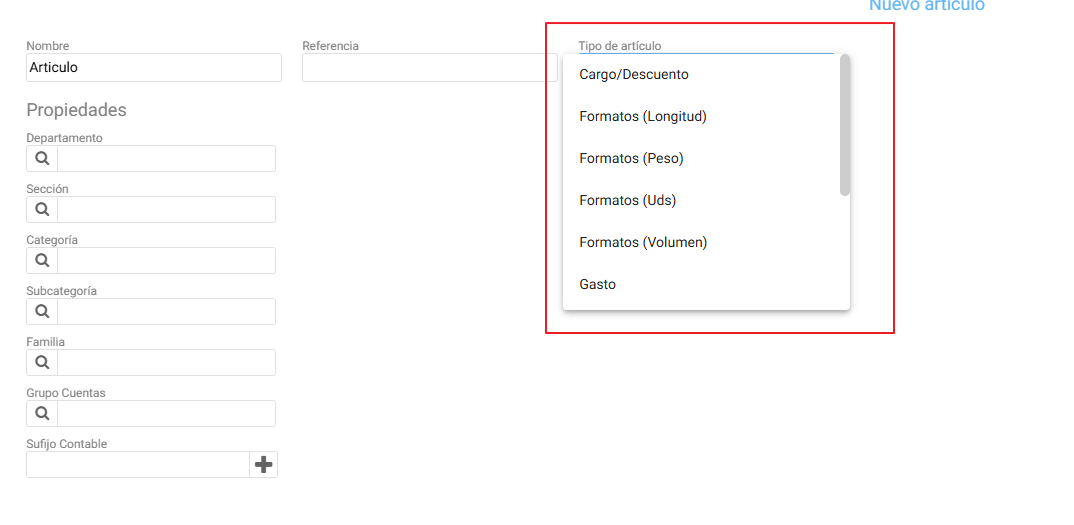
Types of articles:
- Charge / Discount
- Formats (Length)
- Sizes (Weight)
- Formats (You)
- Formats (Volume)
- Spending
- Immobilized
- Lots
- Normal
- Serial Numbers
- Sizes and Colors
It is important to create items based on their nature, since, as we will see below, creating a standard item is not the same as creating an item with formats. Similarly, it is also not the same to create a serial number type item that is actually intended to be used as a lot number.
Generally, in a hospitality database, it is very common to have the following types of items:
- Normal type / unitary: These are items that are sold just as they are purchased, such as a bottle of water or Coca-Cola, a bag of potato chips, etc.
- Format type / items sold by dose: These are items that we buy as a unit and then sell or consume in fractions. For example, spirits, as we buy 3/4 liter or liter bottles and sell them as glasses, shots, etc. We call these divisions FORMATS.
- Kits, cost breakdowns, composition or cocktails: They are articles composed of the combination, assembly, or manufacture of other articles or parts thereof.
A costing item can be of two types: With stock and without stock.
The cost analyses out of stockwe could say they are "virtual" because they don't really exist until the moment they are prepared, such as any dish for sale like 'Spaghetti Carbonara', for which we don't have a warehouse with stock, but which we prepare at the moment of serving it, by decrementing the stock of its components. The list of ingredients that make it up, we also call a 'recipe'.
The cost analyses with stockOn the other hand, these are items for which we have a "real" stock in the warehouse when they are manufactured from the composition of other ingredients. For example, the brava sauce that we can use in the sale of a portion of patatas bravas. In this sense, to manufacture 1 Kg of brava sauce, we will need to consume certain units of the ingredients that are part of its composition, such as: tomato, salt, onion, garlic, sweet paprika, etc.
Later on, we will see some examples of each of them.
AI Assistant
Section summary
AI can generate inaccurate information; verify the results.