En esta sección
Payment methods
Back on the menu of Settings, below Warehouses is the Payment Methods configuration tool. Upon accessing, the search tool displays the created payment methods.
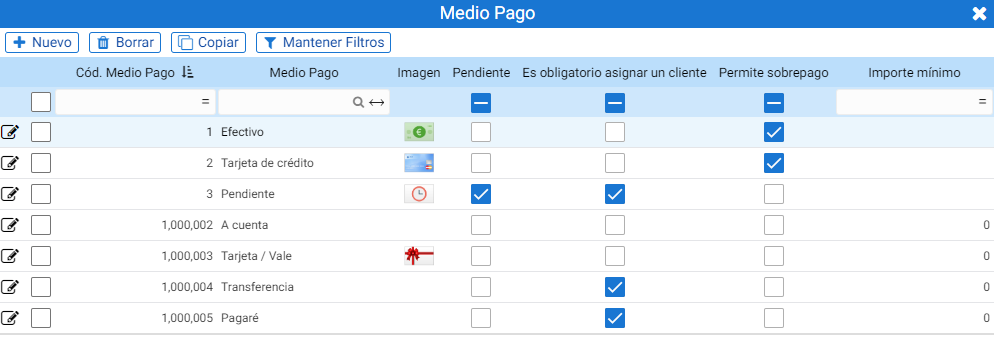
The payment methods with codes one, two, and three are unique and cannot be duplicated. These payment methods are Cash, Credit Card, and Pending, respectively, and the properties they contain are non-transferable. In this way, the program uses these codes to locate the calculation for cash, pending, or card payment.
Furthermore, these three have internal fields that define the nature of these records. For example, the Cash payment method has the [Cash] field activated; this field is hidden.
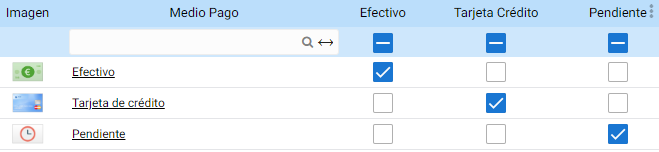
CashDro also has a code assigned by default in the program.
Within the creation record for each payment method, the parameters that will define its behavior are located.
The header contains the record's identifying name and image.
The configuration buttons are divided into four tabs with the different parameters: Basic Data, Z-Report, Tips, and Accounting.
Basic information:
From this section, you can configure the basic customization criteria for the payment method. Among others, you can configure whether it will be visible on the total screen or if the drawer will open when totaling.
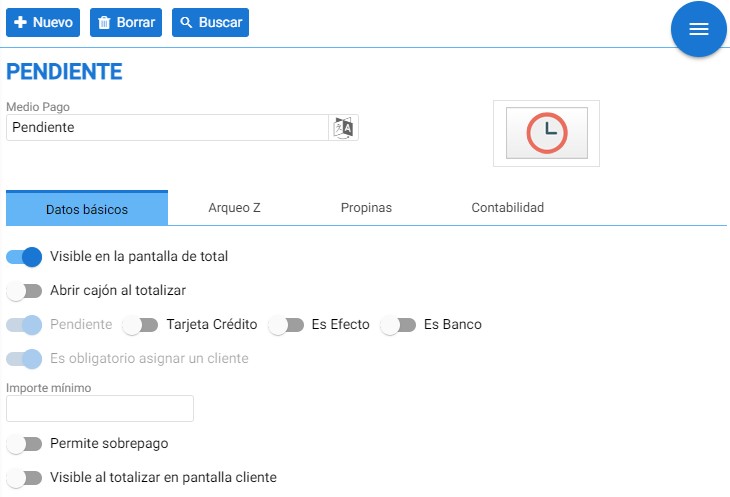
The available parameters per payment method are not always the same. Cash and Credit Card have the movement type buttons (Pending, Credit Card, Is Effect, Is Bank) and the [Minimum amount] button hidden.
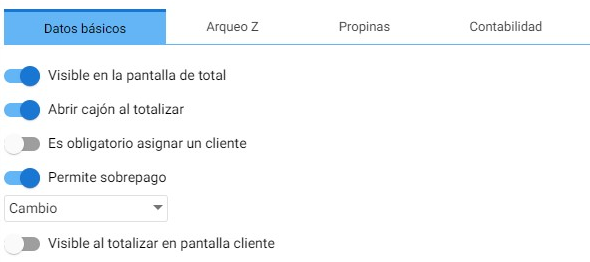
The transaction types will depend on the functionality of the payment methods.
- Pending: For the generation of due dates in a pending collection or payment status, it is generally the "Pending" payment method, with code 3.
- Credit CardThe distinction of a payment method that uses a card, which is essentially the second existing payment method, namely the "Credit Card". This function allows assigning other due dates that use a card with different links or from different banks.
- It's an effectThe Promissory Note is the default payment method of the "Commercial Paper" type. Commercial papers are documents that assign a role to their participants, with the debtor having a payer obligation or the holder having a right to collect. These commonly include checks, bills of exchange, or promissory notes.
- It's a bank: For payment methods that require bank processing, such as a Bank Transfer.
A minimum amount can be set for using the payment method (for Cash, this field is not available), and it can be determined whether overpayment is allowed and where the surplus is allocated.
If you want to show or hide it on the client's screen, there is a button at the bottom that allows you to configure it.
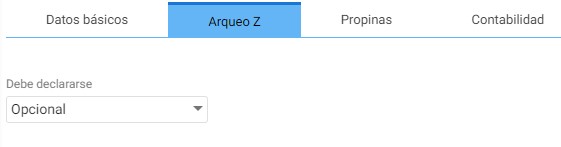
Archaeology Z:
In this section, you can determine whether the payment method needs to be declared when performing a Z-cash count.
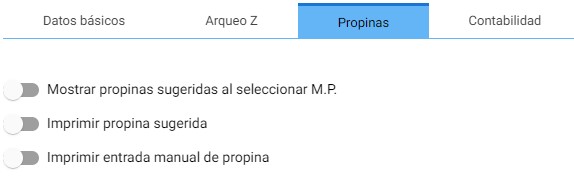
Tips:
The tip configuration for this payment method is indicated here with the suggested tip and manual tip entry buttons:
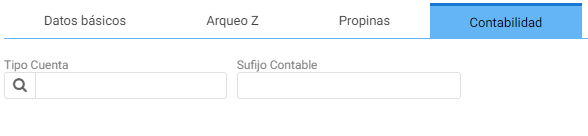
Accounting:
This tab contains an Accounting Account Type selector, from which the program offers these types: Bank, Cash, Credits, Debtors, and Commercial Papers.
Next to the selector is the Accounting Suffix field, for the accounting of Receipts and Payments made with that payment method.
AI Assistant
Section summary
AI can generate inaccurate information; verify the results.