En esta sección
Payment terms
Payment terms define the due dates of payment methods when totaling. To access them, you must click the Payment Terms button in the Configuration Menu. The first thing you see is the filter and record selection dashboard, where you can click the [+New] button to open a new record.

Once selected, the payment terms creation section will open. From here, you can configure the name and the conditions. You can create a condition that allows paying 50% of the invoice upfront and the remaining 50% in 30 days.
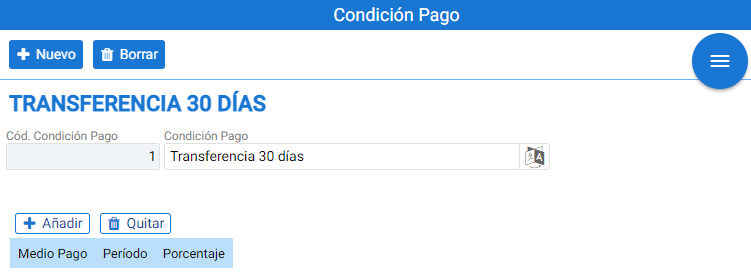
To do this, the name of our payment condition and the values must be entered.
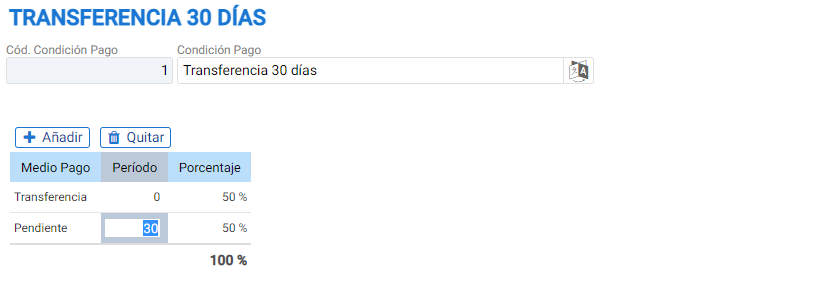
To add payment methods, simply select the [+Add] button. Once the desired payment method has been added, you specify the period (Days) and the percentage of the total to be assigned. In this example, it has been configured that 50% of the total is in cash at 0 days (invoice issuance date) and the remaining 50% will be due in 30 days.

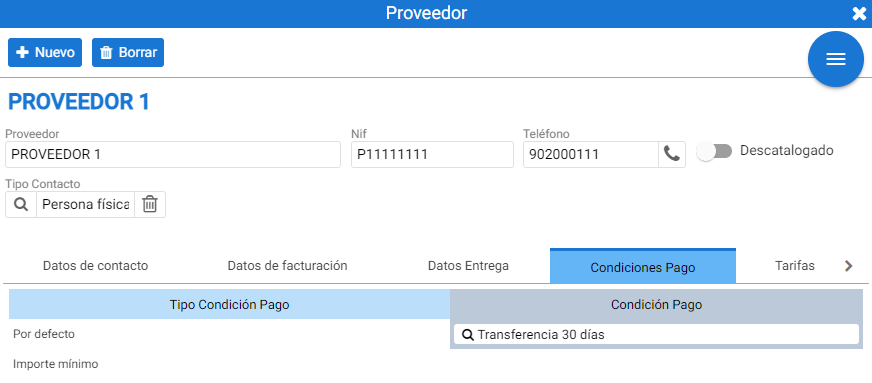
Once the payment condition is created, it will be assigned to the desired customer or supplier, associating this condition with one of the types available in the record, in the [Payment Conditions] tab.
AI Assistant
Section summary
AI can generate inaccurate information; verify the results.