En esta sección
Formats
To access the format settings, you must select the Formats button from the Articles menu. A list will open with all the formats that have been created.

From this list, a format can be created by selecting it, or deleted using the [Delete] or [+ New] buttons.
The units of measurement available for the format depend on the selected Measurement Family. To modify the measurement family, it is necessary to remove the configured Unit of Measurement using the trash can-shaped button available in the field.
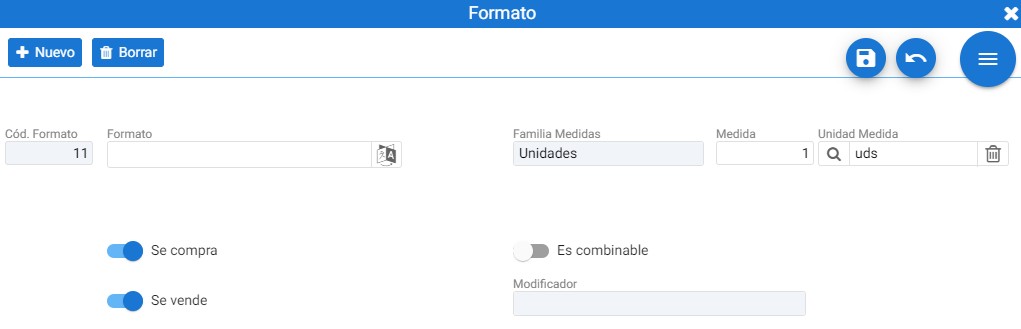
On the format maintenance tab, you can define the format name, the units of measure, and the quantity. It also specifies whether it is a purchase format, a sales format, or both.
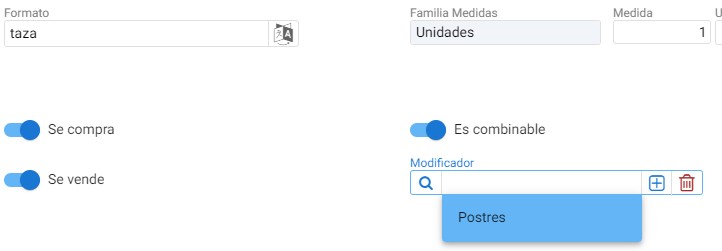
If you want the created format to be combinable with a group of modifiers, you must select the [Is combinable] button: once selected, you must specify the group of modifiers you want to associate.
AI Assistant
Section summary
AI can generate inaccurate information; verify the results.