The sales screen
The sales screen has three main modules: the product families, the items, and the ticket.
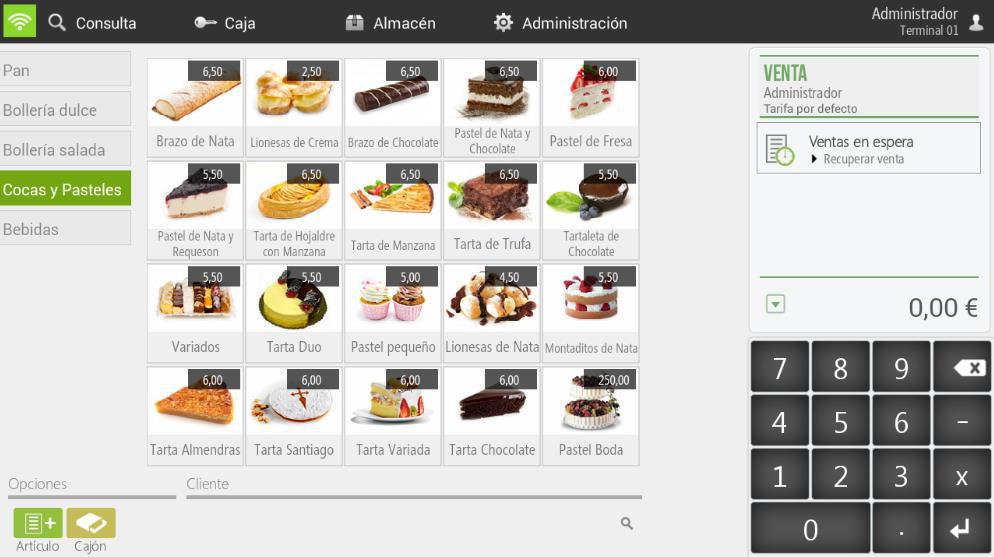
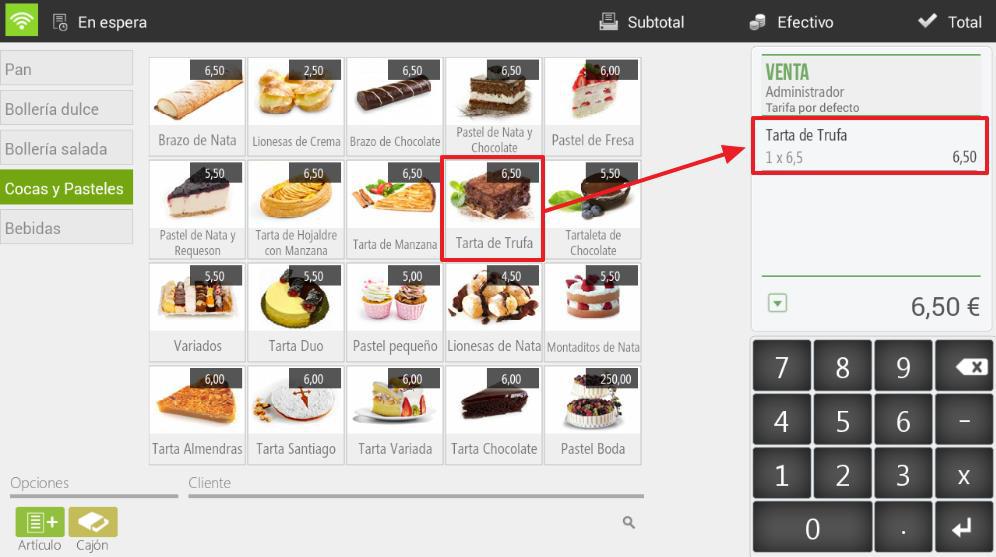
The order in which families and items appear can be modified from the option Articles of the Settings. If we select an item, it is added to the receipt.
Modifications to the ticket lines
We can make various modifications to each item we have added for sale; simply select the item or items on the ticket, and the available options will appear.
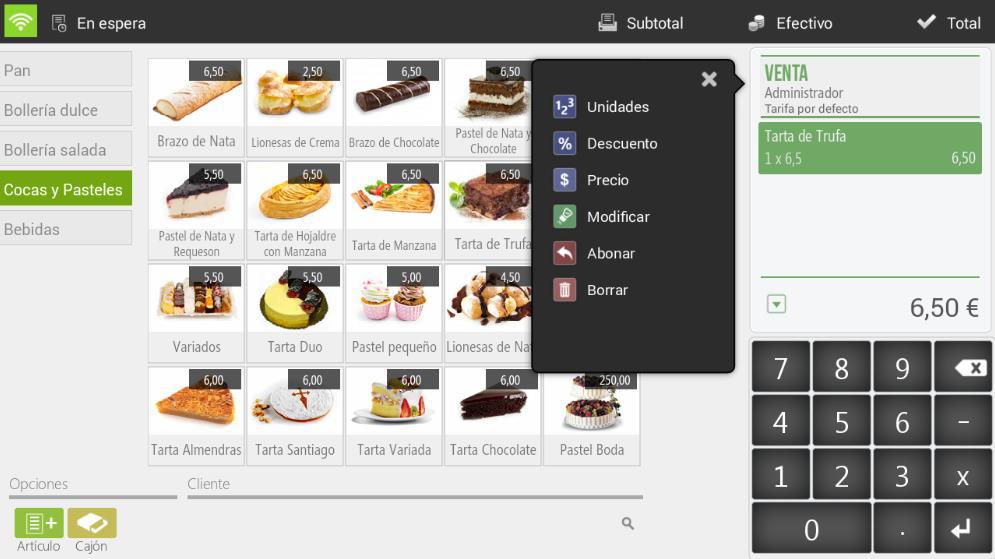
-Units: Allows modification of the units of the selected item.
- Discount: Allows assigning a percentage discount to selected items.
- Price: Allow modification of the price of the selected items.
- Modify: Allows adding a modifier to the item we select. Modifiers must be created beforehand in the Modifiers section of the Configuration.
- To pay: Allows you to pay for the selected items. A paid item will appear as a negative line for the item's amount.
- DeleteRemove the item from the sale.
AI Assistant
Section summary
AI can generate inaccurate information; verify the results.