To split a sale
The fraction of a sale is used to split a ticket among several customers.
To split an existing sale
Splitting a sale will allow you to divide a bill into two or more parts, so you can charge multiple diners separately.
There are three points in the sales process where the cashier can split the sale:
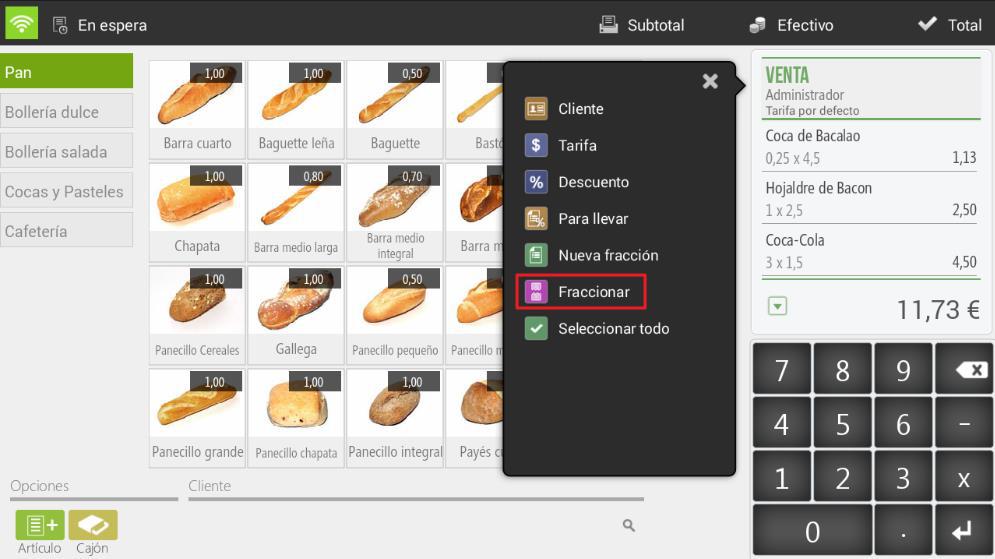
- The first one is found by clicking on the ticket header and then selecting Fractionate.
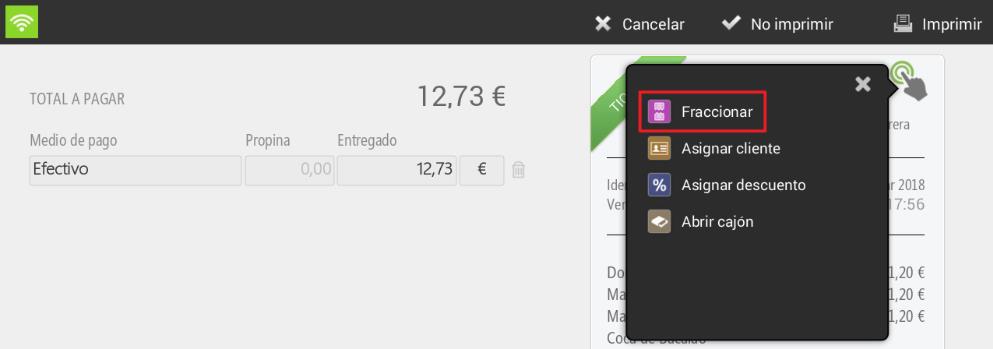
- The second one is found once we are on the payment method selection screen, by clicking on the ticket and selecting To fractionate.
- The third, on the tables screen when we long-press on an occupied table.
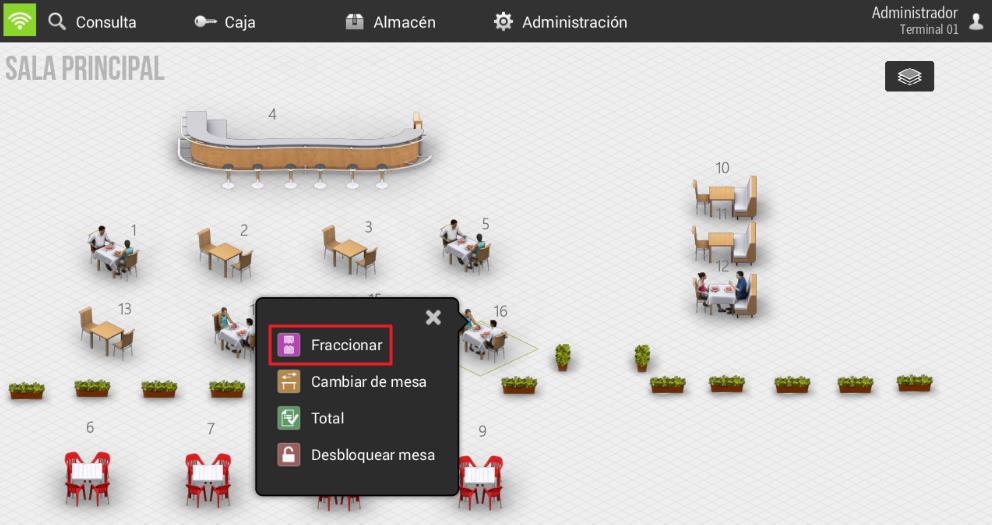
The result will be the same regardless of where we select it
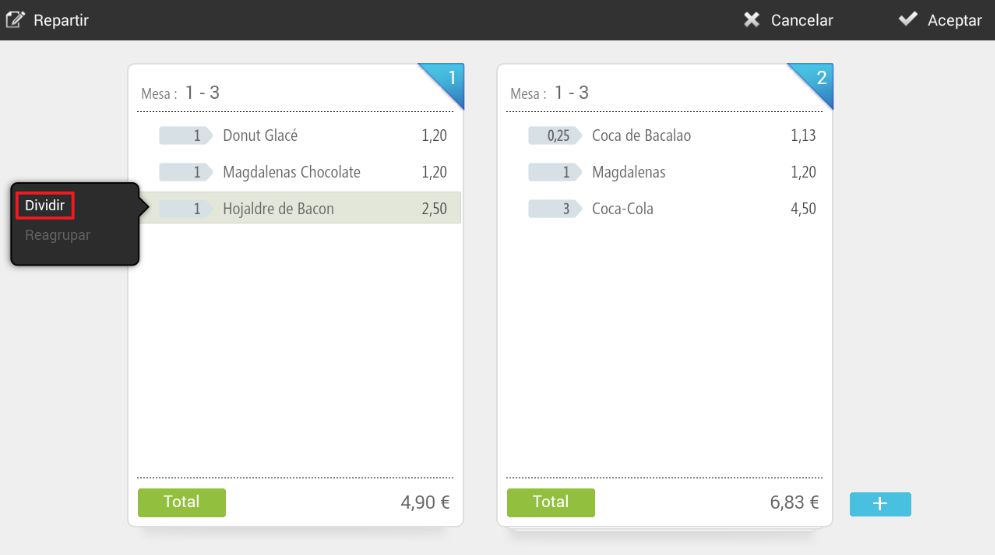
Upon selecting To divide The program shows us two tickets on screen, the current one and the second ticket with which we want to make the split. To move an item from one ticket to another, simply drag them with your finger from one to the other.
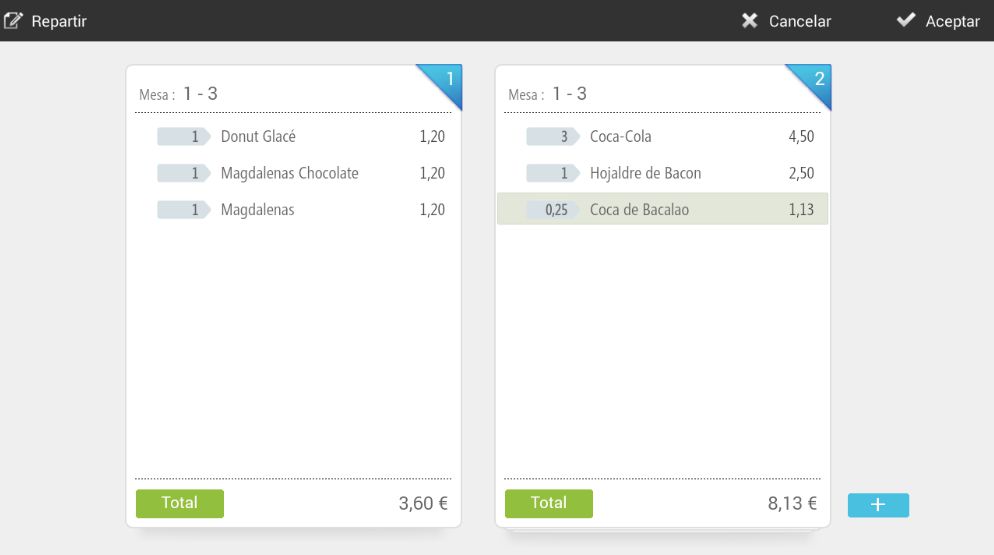
You can also split an item and have it displayed with its divided value on the desired tickets. Simply click on the item and select Divide
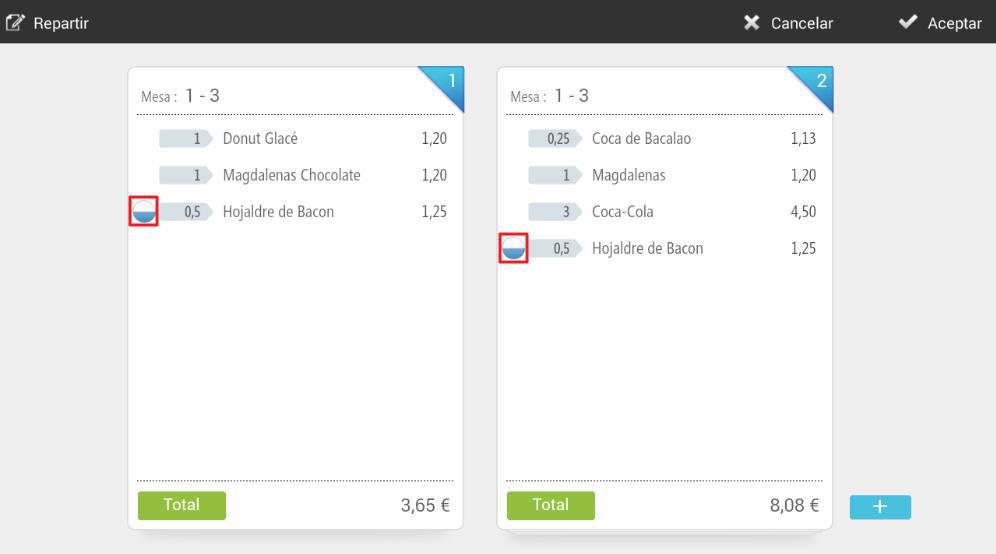
To move each division from one ticket to another, click on the radio button that has been created at the beginning of the item line.
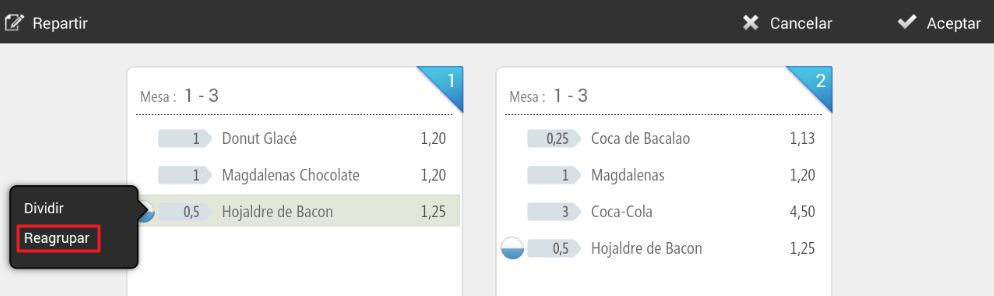
If you want to undo the split, click on the item and select Regroup.
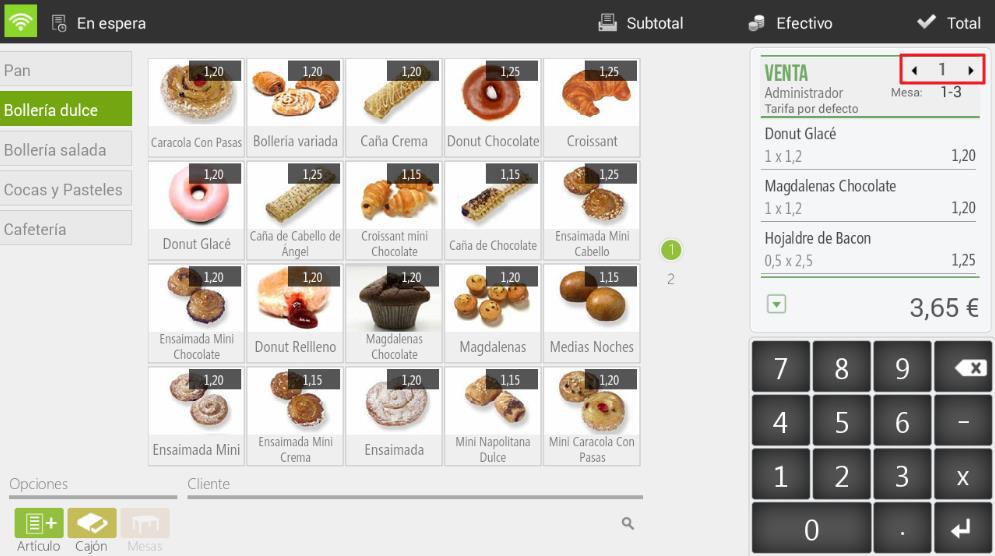
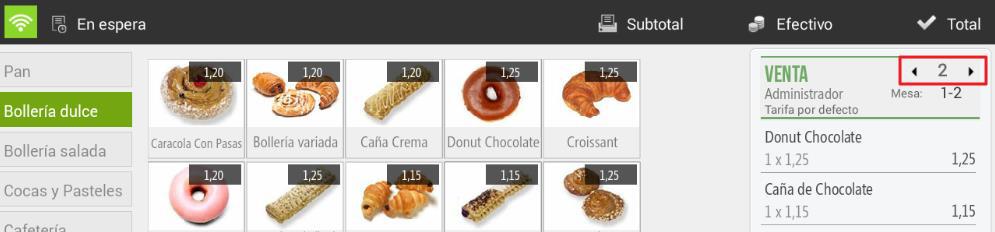
When working with split sales, you can view the different tickets using the arrows that are added to the ticket header.
To total and finalize split tickets, follow the usual sales procedure, press Total to access the payment methods selection, and then finalize the sale. Please note that each split ticket will be finalized separately.
New fraction
HioPOS Cloud includes a feature that allows you to start a second ticket for the same sale without having to finalize the current one or put it on hold.
Tap on the ticket header and select New fraction.
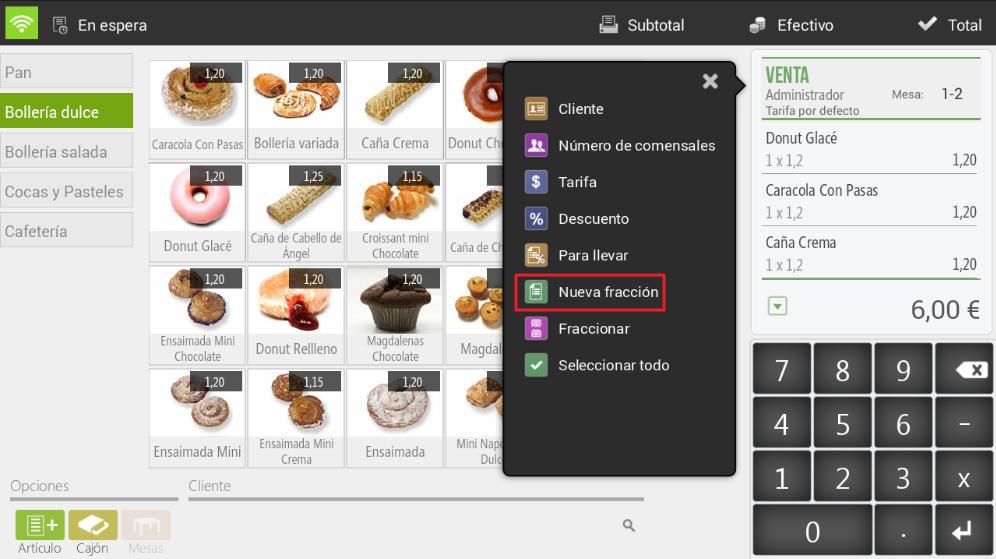
You will see the ticket reset to zero and the number two appear at the top of it. This means you are on ticket number two. To navigate between tickets, use the adjacent arrows.
To finalize the sale of a fraction, follow the usual steps.
AI Assistant
Section summary
AI can generate inaccurate information; verify the results.