En esta sección
Modifiable parameters
Each payment method can be configured independently of the others.
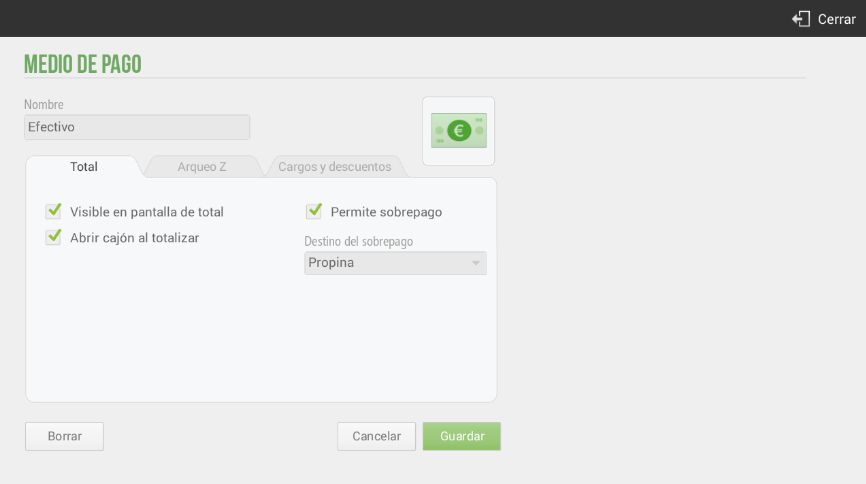
- Visible on the screen of total: The payment method will appear on the ticket total screen, so it can be selected as the payment method for that transaction.
- Open drawer when totaling: Once the sale is complete, the drawer will open (requires a cash drawer to be connected, configure it in the section Configuration Devices).
- Allows overpayment: If you accept overpayments, you can select how to apply this amount (Change, Tip, or Surplus), so that it appears reflected on the ticket.
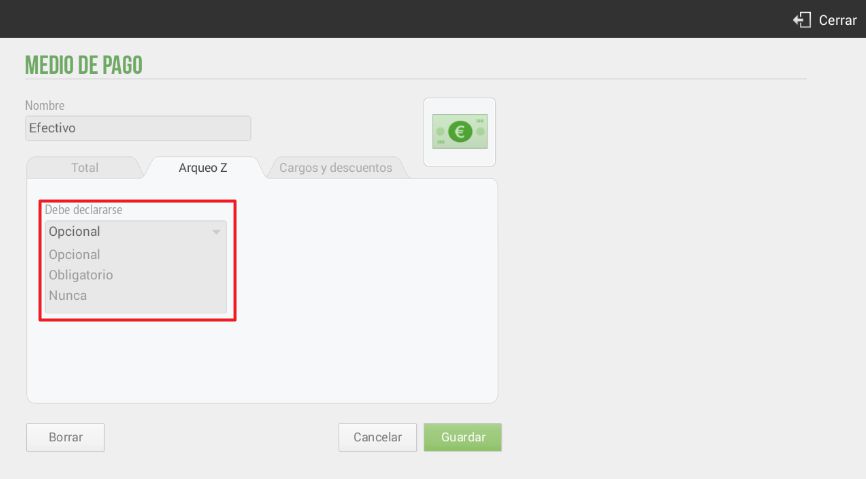
You can also configure whether the payment method needs to be declared in the Z-Report (top tab). Select whether the payment method must be declared, if it is optional, or if it is never declared.
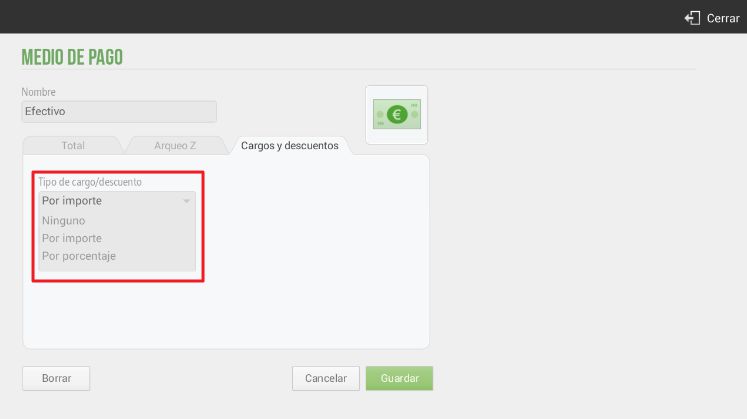
Finally, there is the option to apply a Charge or Discount to the payment method. This functionality is available for all payment methods. If it is positive, it will be a charge; on the other hand, if it is negative, it will be a discount.
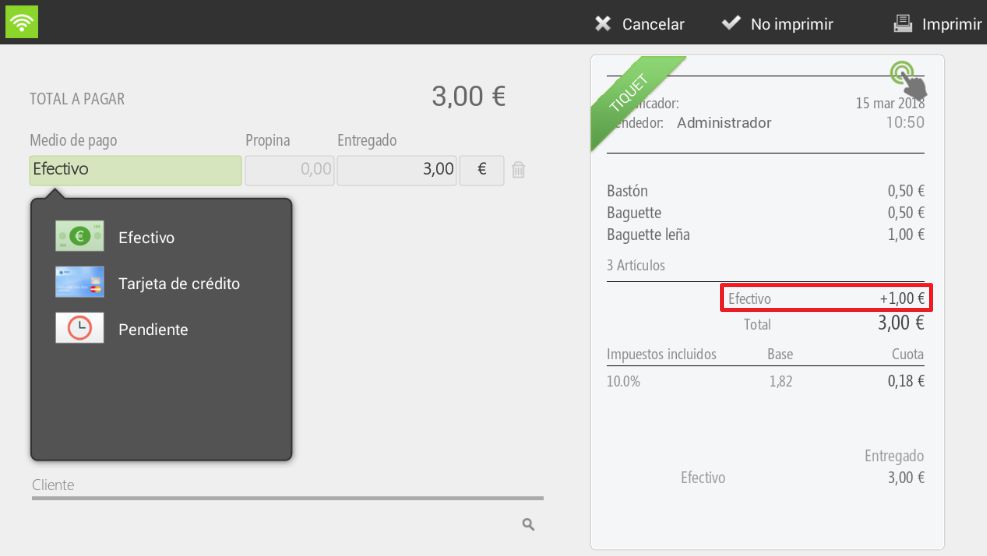
For example, let's imagine that in the payment method Cash We will add a charge of €1, therefore, this increase will be shown on the ticket as part of the total amount payable, as shown below:
When selecting the Cash payment method, the price increase is added to the ticket:
AI Assistant
Section summary
AI can generate inaccurate information; verify the results.