En esta sección
Kitchen order
The cashier can select the preparation order of the items, so that they are printed in the kitchen according to the preparation order.
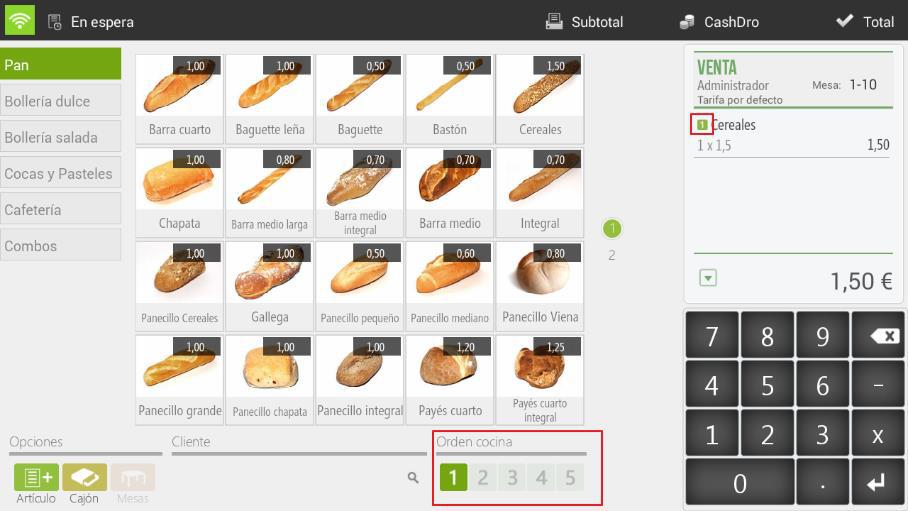
The option Order The kitchen option is available at the bottom of the sales screen and allows selection from one to five, depending on the order in which the dishes need to be prepared.
First, we will select an order number and then the items to be printed in that order. If we look closely, when the item appears on the ticket, it will have a small number framed in green that identifies its kitchen order.
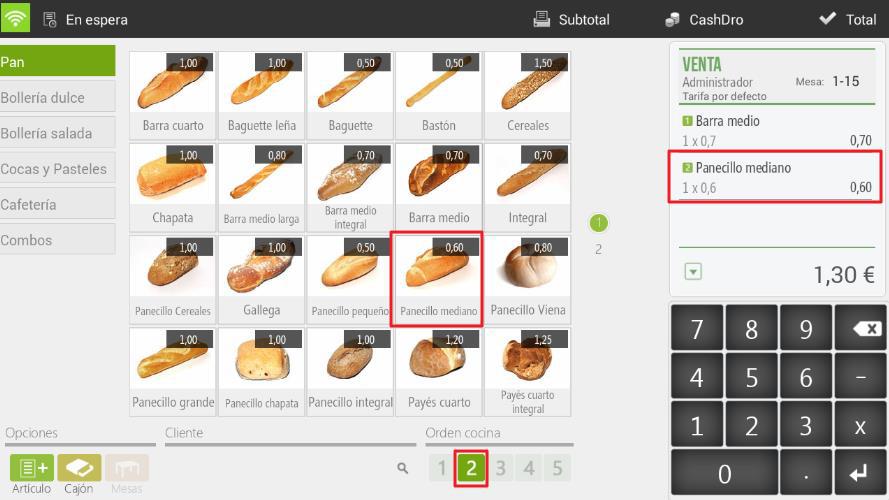
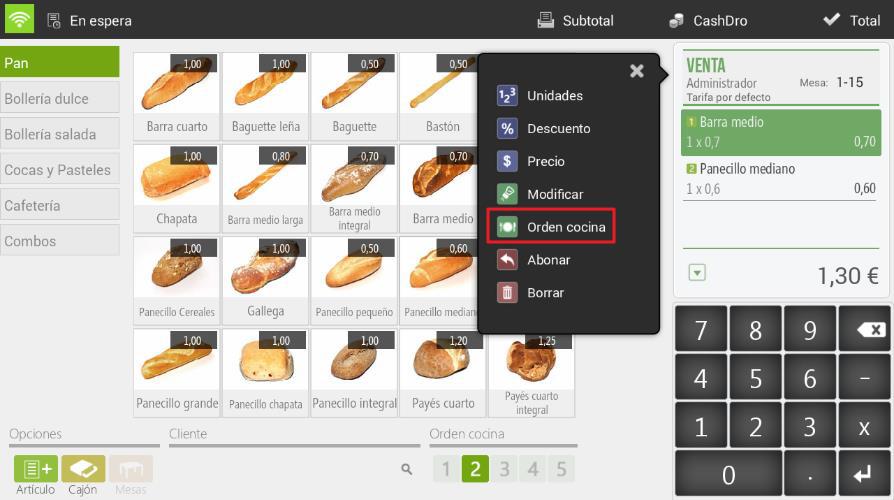
To modify the order of an item that is already on the ticket, we have to tap on it and select Kitchen order to introduce the new order that we are going to assign to it.
We will make a Subtotal or we will drop the sale On hold so that this is printed in the kitchen.
AI Assistant
Section summary
AI can generate inaccurate information; verify the results.