En esta sección
Room Rate Assignment
Rates can be assigned to a Room. In this way, the entire price list for the items entered will be applied to the Room as a whole. This would be the case when creating a special Rate depending on the Room, for example. Tarifa Terrace.
To assign a Rate to a Room, we will first have to create a new Rate or select an existing one. For the creation of new rates, see section: Rates of the manual, subsection: Creation of new price rates.
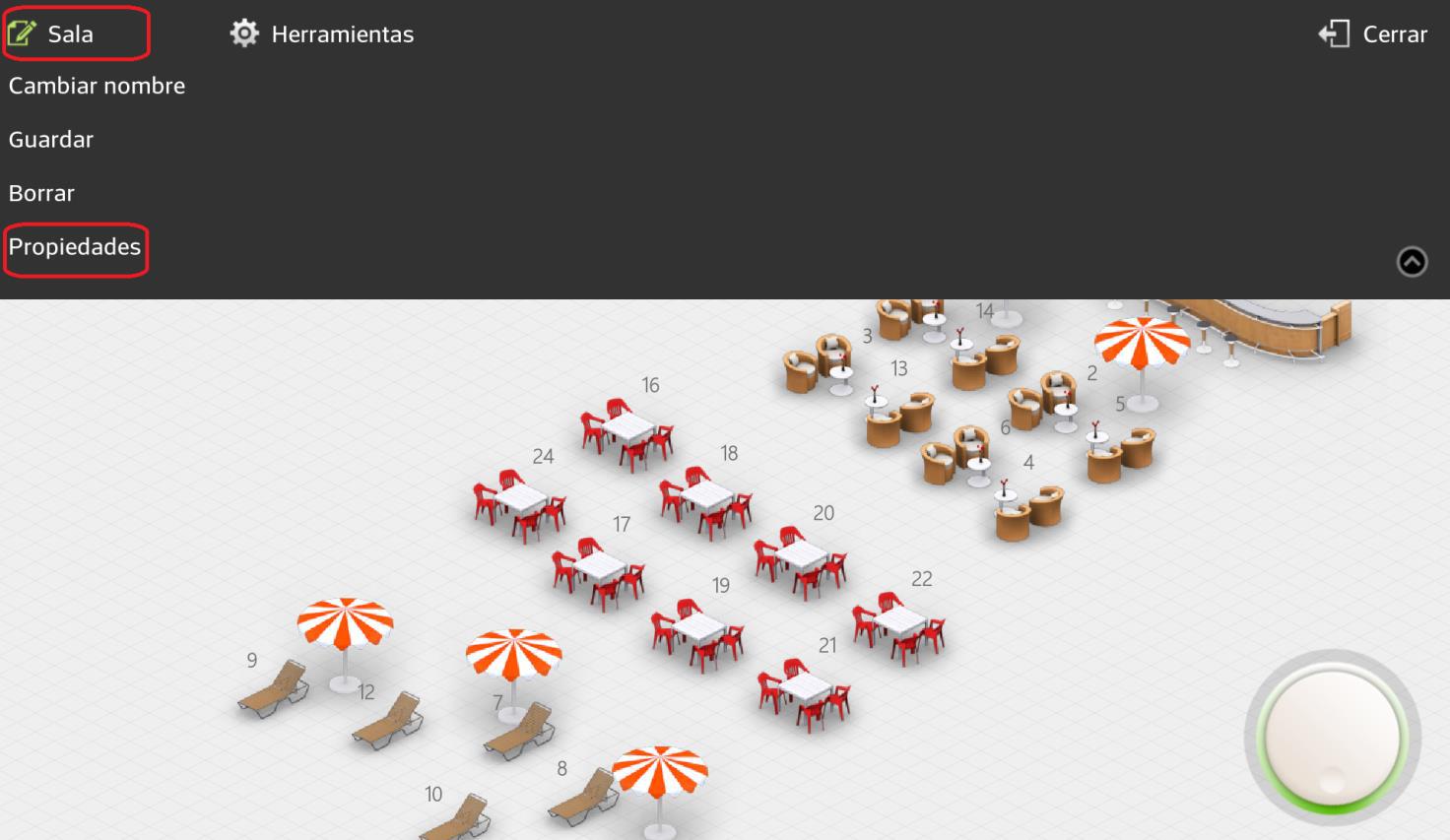
Secondly, in Settings, in the option Rooms we will select a room. Once we are inside the room, in the upper left corner, we will see the option to Edit Room, we will choose the option Properties.
When we are in the Properties screen, we will select in the box for Tarifa for defect one of the previously created rates.
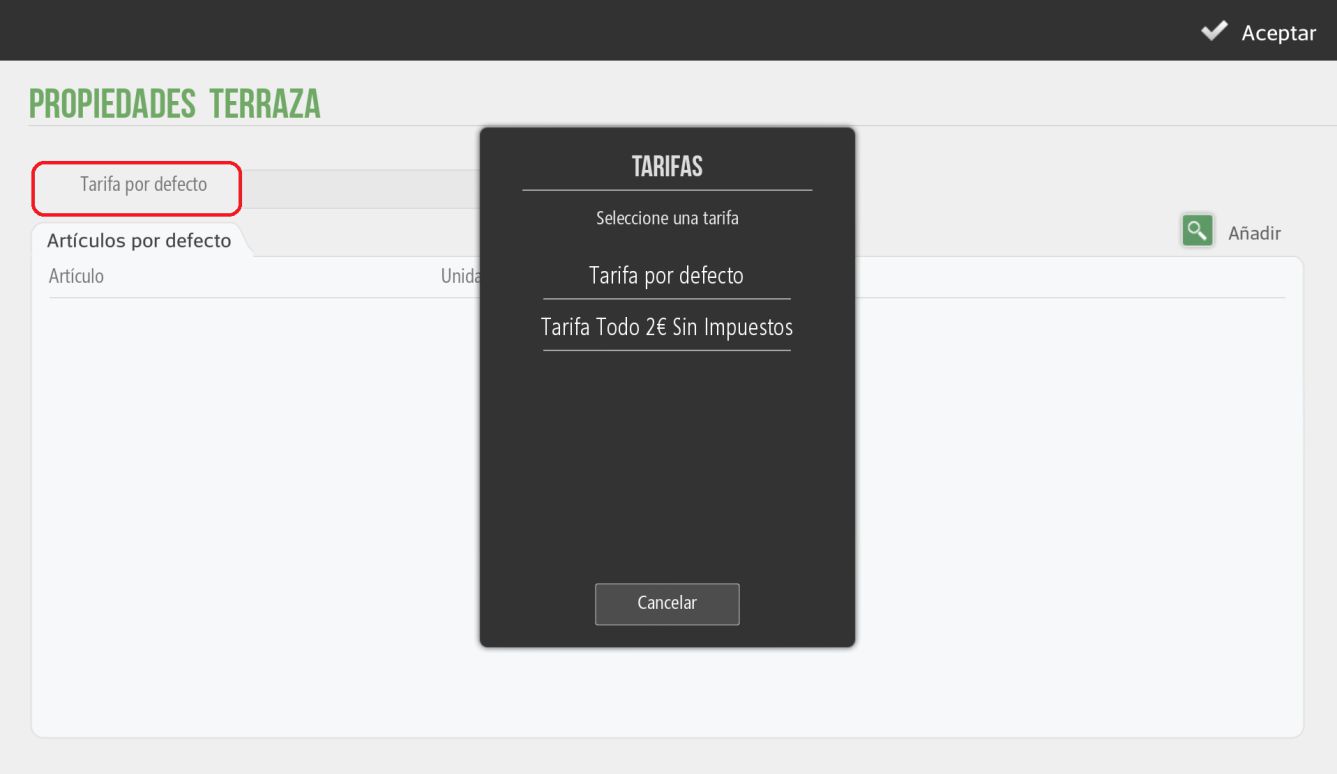
We can also configure some default items for that room, for example, in the case of a terrace identified as a room, we can configure the ashtray as a default item.
AI Assistant
Section summary
AI can generate inaccurate information; verify the results.