En esta sección
Status displays
The status dashboards include general transaction information, to get a general overview of how the business is doing at all times.
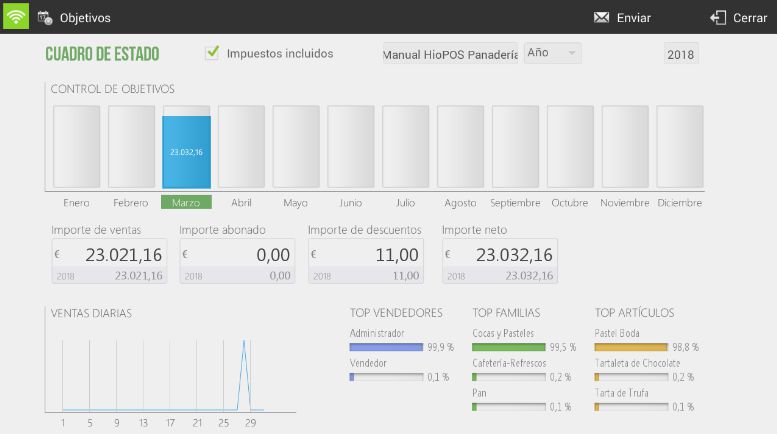
At the top are the filter options to get a more personalized result. We can view the values with or without taxes, select the store we want to view, and the year.
Below the status box are the total heats of the ISales amount, Amount paid, Discount amount and Net amount.
The daily sales graph shows a representation of the sales totals for the selected month. Next to it are, with their percentages of the total, the Top Sellers, Top Categories and Top Products.
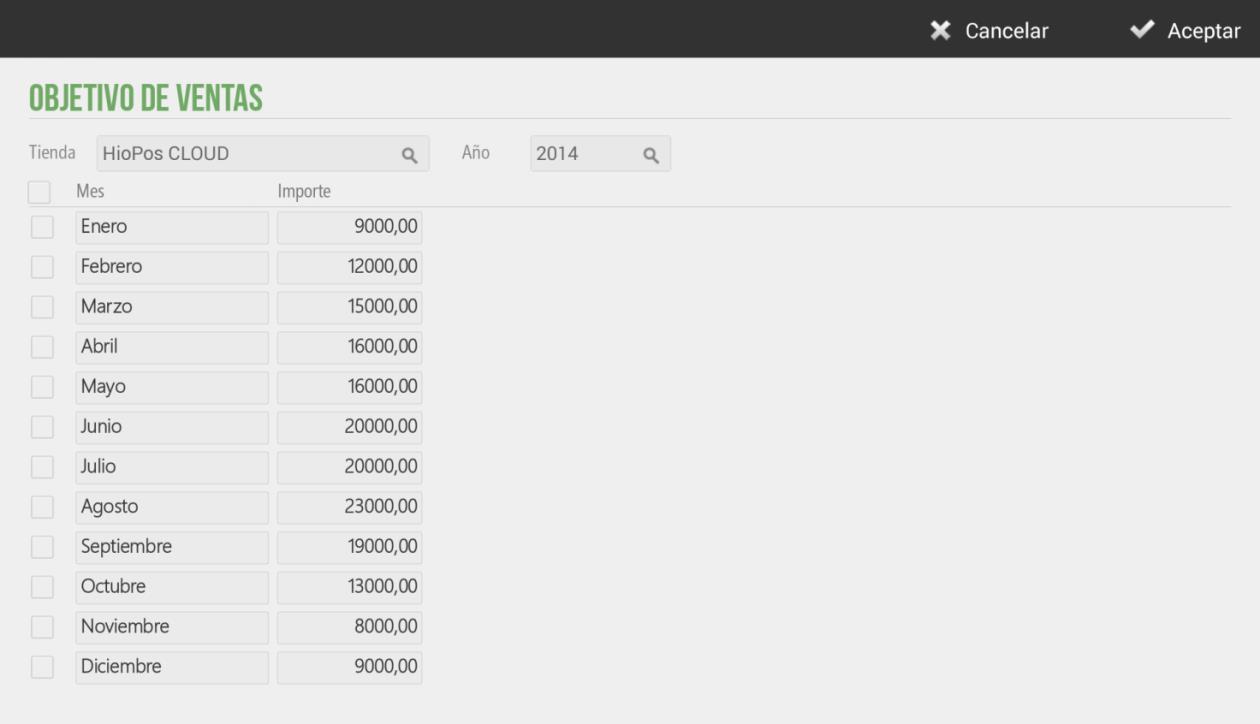
Also at the top is the option Objectives, where we can set sales targets that will appear represented in the cubes of the status dashboard, allowing for a quick and visual comparison

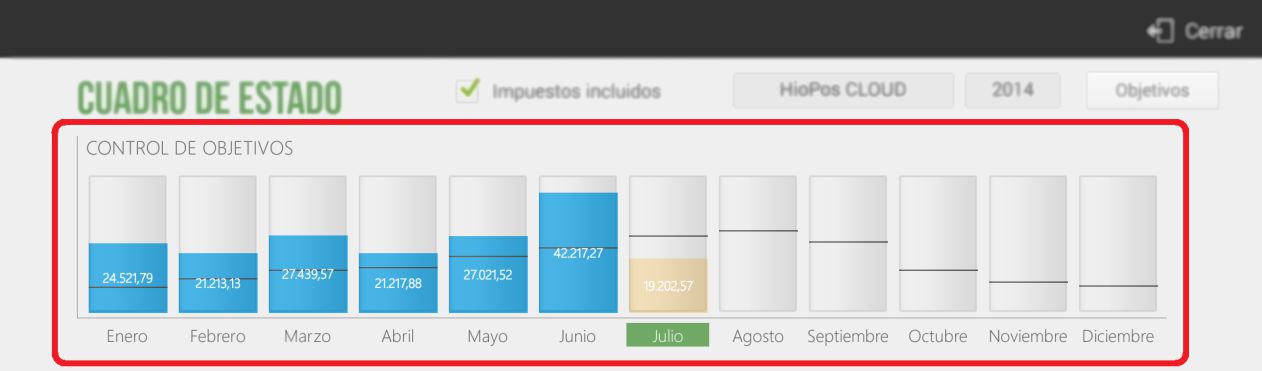
The objective control displays visually as cubes the total monthly sales value, along with the numerical amount and a line indicating, for each month, the value set as the objective.
AI Assistant
Section summary
AI can generate inaccurate information; verify the results.