En esta sección
Setting up a Pin-Pad
The Pin-Pad is an electronic payment device provided by financial institutions and banks to make payments using a credit card (its operation may vary depending on the country).
The HioPOS Cloud application supports these devices, but in some cases, a prior integration is required.
In the top menu we are going to Administration, Configuration, Electronic payment And so we managed to enter the Pin-Pad's configuration panel. If we are unable to access this menu, we would have to make sure that we have logged in as the administrator user.
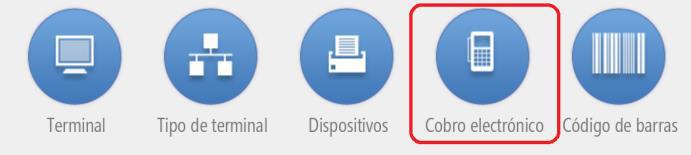
Inside the menu of Electronic box We select the parameters relevant to the Pin-Pad. It can operate via Bluetooth connection or via USB connection; both cases require accepting the connection from Android.
- USB Connection: when selecting USB, Android will ask for permission to connect with the device, we have to accept.
-Bluetooth Connection: In the case of a Bluetooth connection, first we need to connect the Pin-Pad device from the Android system settings itself, then we will select Bluetooth Connection and the device name in the HioPOS Cloud app, as shown in the image.
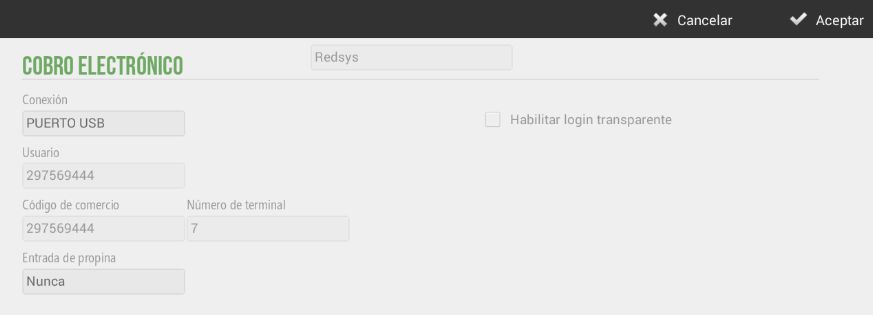
The following data must be configured according to the information provided by the Pin-Pad provider company. If we have successfully followed these steps, our device will now be as shown in the image.
AI Assistant
Section summary
AI can generate inaccurate information; verify the results.