En esta sección
Change of series and terminal configuration
The series refer to the initials of the serial number of each document issued by HioPOS Cloud. These are used to distinguish between documents. To modify the series, go to the option Terminal English Configuration.

There you can freely modify the series, as long as it is not already in use. Select another terminal on the left side to modify it from the current terminal.
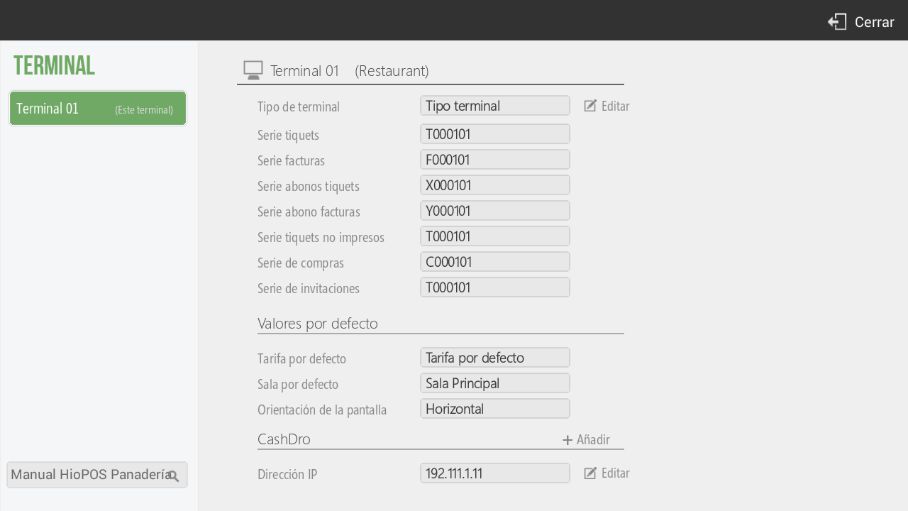
The series I use will appear in the documents followed by a hyphen and the document number, always starting with the number one and increasing by one.
In accordance with the provisions of Article 6 of the 2012 Invoicing Regulation, all invoices and their copies must contain certain data or requirements. One of these requirements is the number and, where applicable, the series. The numbering of invoices within each series must be consecutive. Legislation allows invoices to be issued using separate series, with the obligation to issue separate series remaining in cases of invoicing by the recipient or a third party, for corrective invoices, and in instances of supplies related to administrative and judicial enforcement proceedings.
AI Assistant
Section summary
AI can generate inaccurate information; verify the results.