En esta sección
Ticket design
In the section Ticket design in Settings You will be able to add notes to the header and footer of the ticket you print during the sale.

In Properties, it is possible to activate the display and printing of the service number, composed of the terminal number and the last two digits of the ticket number, as can be seen in the following image. The ticket number is T000106-226 and the service number 626.
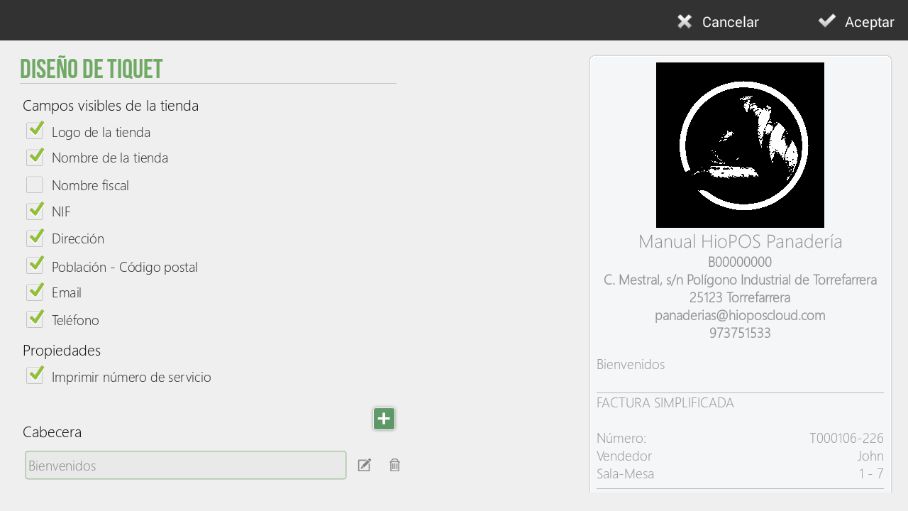
The ticket design screen is divided into two parts, the top part for the header and the bottom part for the footer. Click the plus symbol to add a literal on the ticket, such as a header or footer.
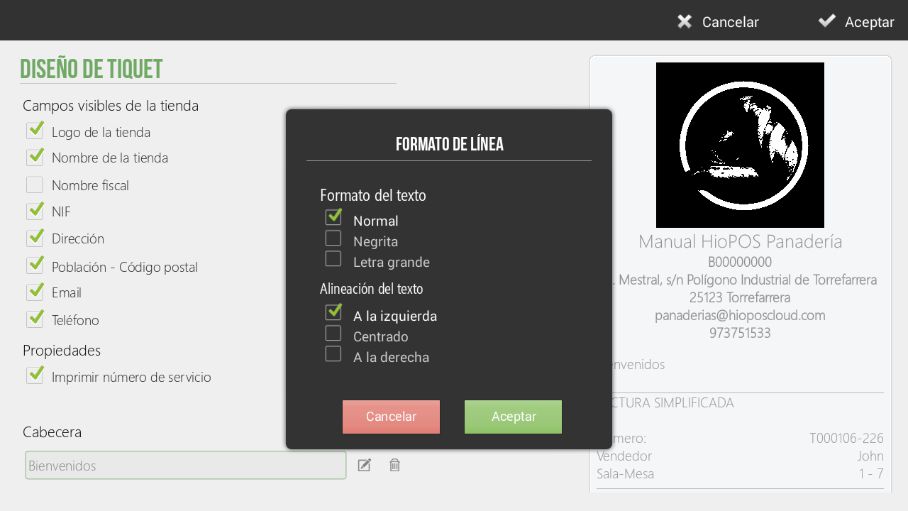
When a note is added in the Header or Pio section, you can edit and select the format and alignment of the text, as shown in the following image:
AI Assistant
Section summary
AI can generate inaccurate information; verify the results.