En esta sección
Attendance Control
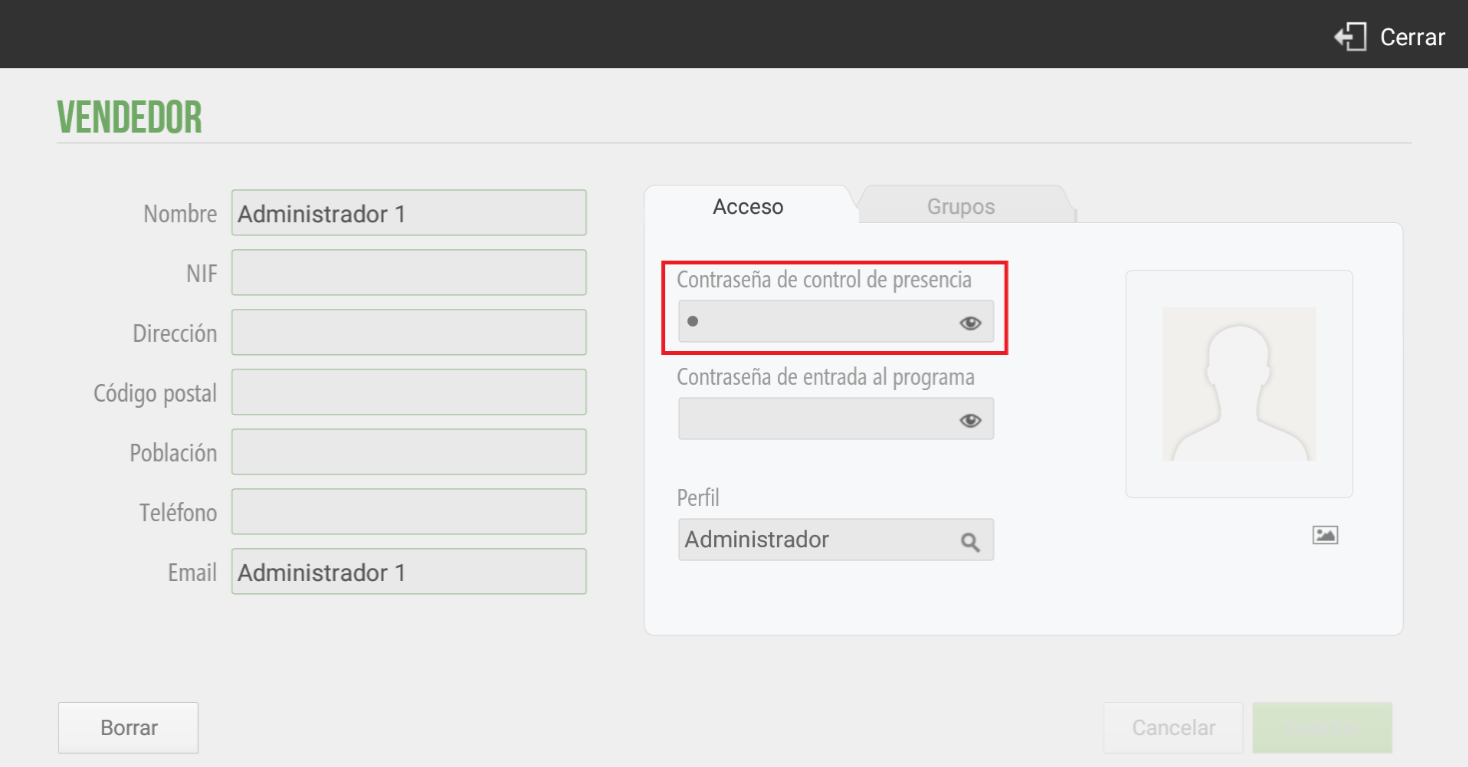
HioPOS Cloud enables Time and Attendance control for the various user profiles accessing the application. The proper implementation of Time and Attendance is divided into three steps. First, configuring salesperson access on the terminal. For this, we will navigate to Configuration, Vendor and we will select Seller.
On the resulting screen, we will be able to modify the data fields, such as Name, NIF, etc.
In the right-hand section; under Access, HioPOS allows us to configure a password for attendance tracking as well as a password to enter the program. If you wish to configure attendance tracking, you will set a password in this field. If this section does not appear, you should contact your distributor to activate the option.
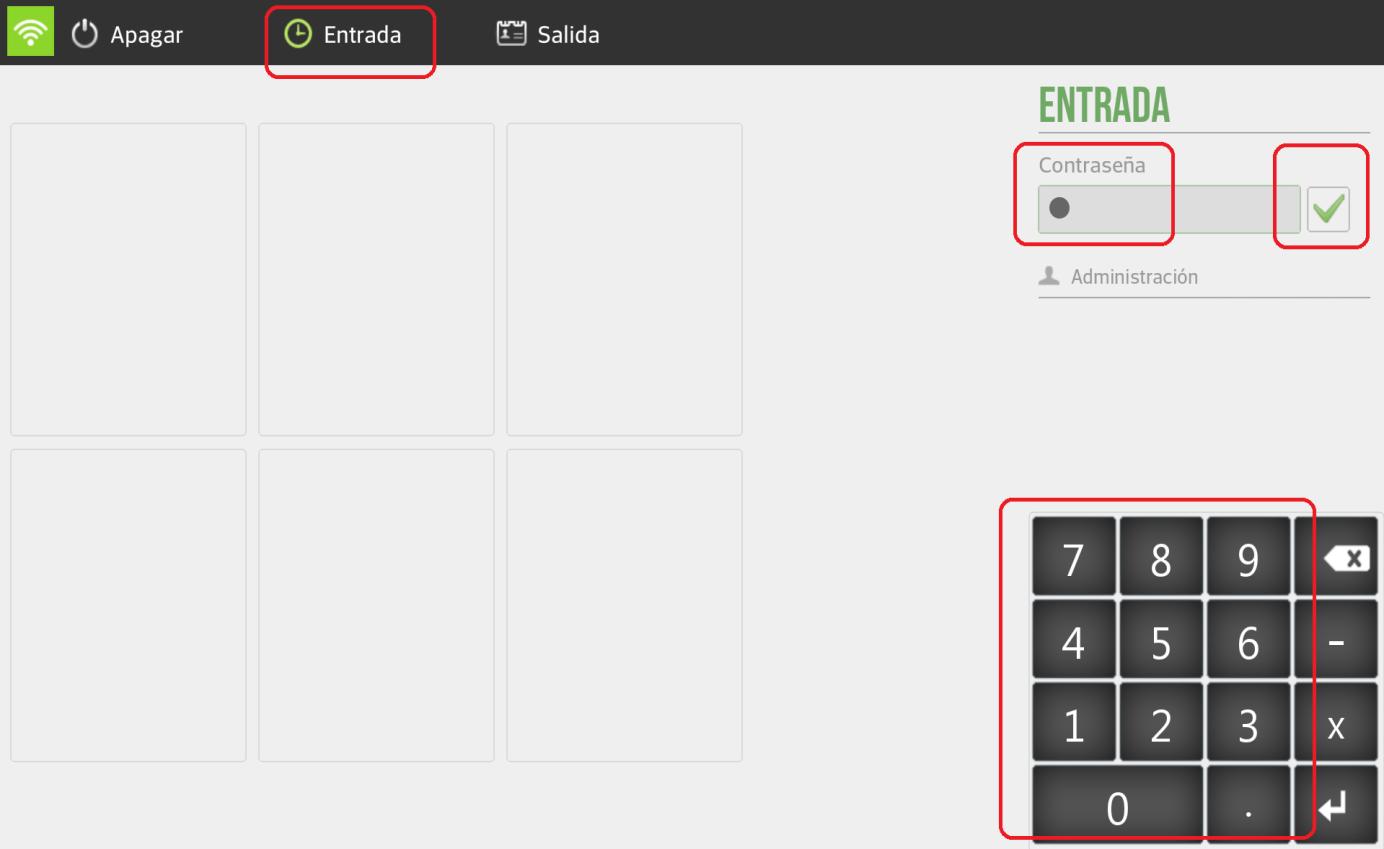
Once we have configured the attendance control password in Configuration, Vendor, Accesswe will be on the initial screen. To start the application and view the calendar screen, we will have to select Entrance in the top left corner of the screen and enter the user's password. To log in, we select the green checkmark that appears next to the password.
In the second section, Groups, we will select which sales group a specific salesperson belongs to, as can be seen in the following image:
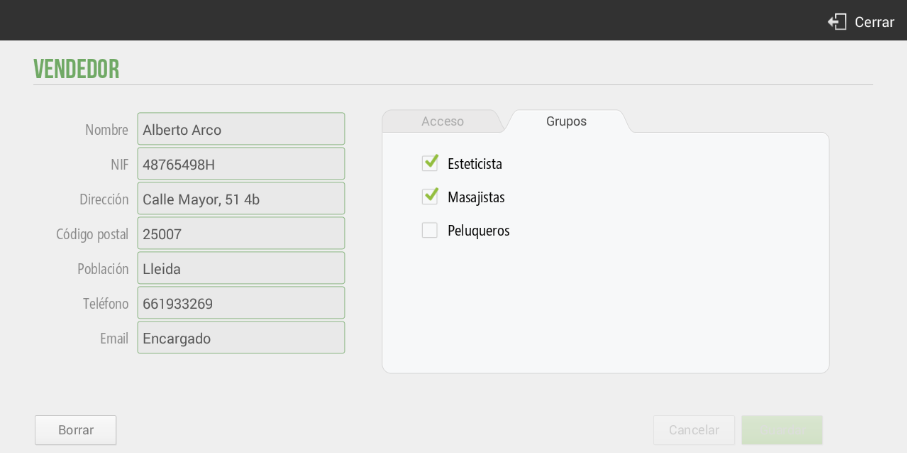
This way, when we are on the calendar screen, we will be able to filter by sales group to see their previous or upcoming appointments:
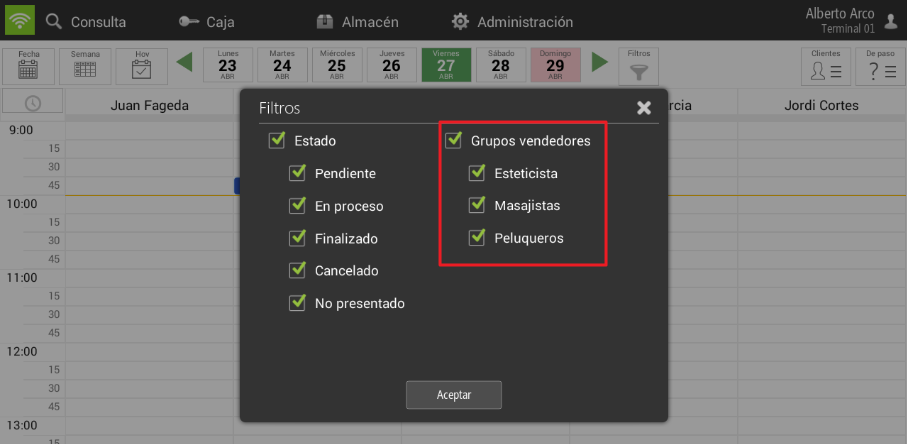
For more information about the group of vendors, access the section Group of employees.
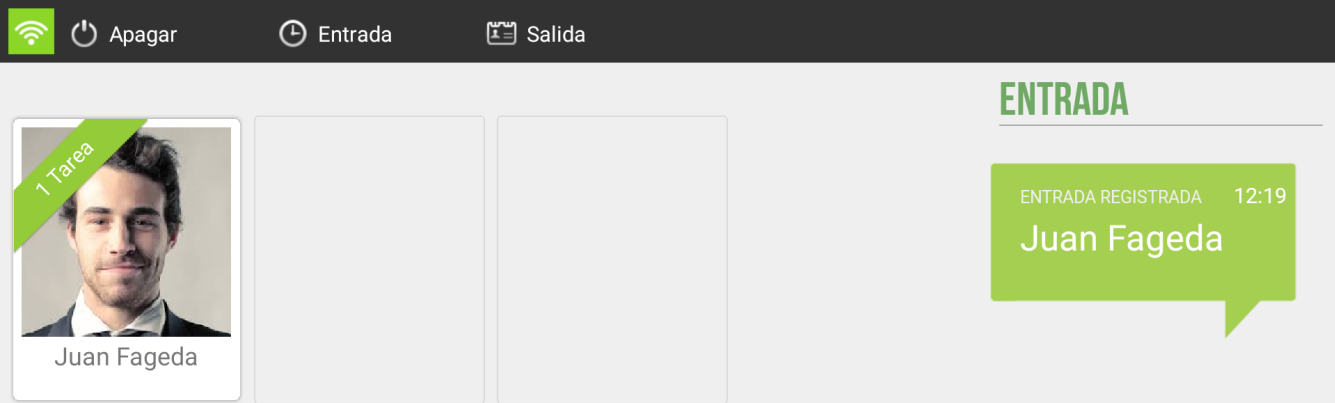
To confirm the user's successful registration upon launching the application, HioPOS displays the following notification message; Entry registered. The message shows the registration time and the registrant.
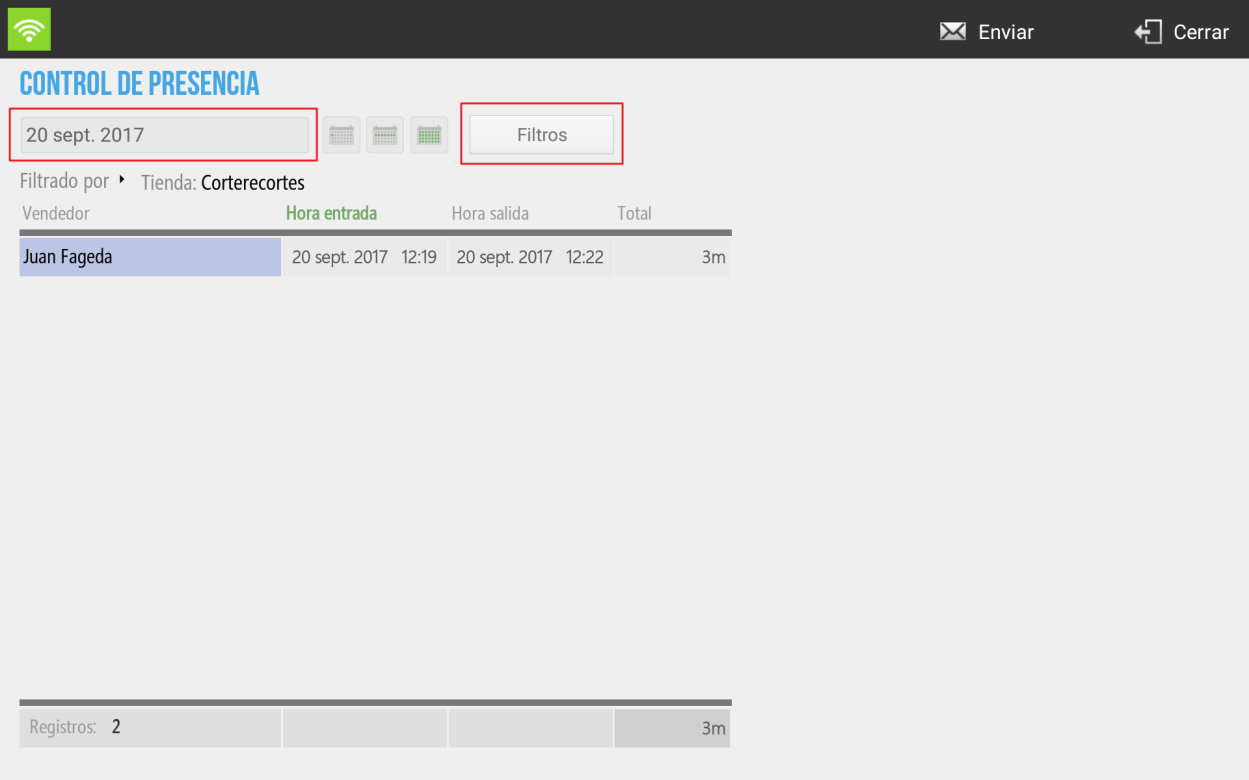
For the analysis of all the information retained in the Presence Control, the user must go to the section of Administration, Statistics, Auditing and the option; Time and Attendance From where you will be able to consult the attendance records of the different registered users, and it can also be modified.
You can filter the attendance reports by store and by salesperson to obtain a more detailed and in-depth analysis of the information. You can filter the attendance by date by selecting the time period you wish to analyze.
AI Assistant
Section summary
AI can generate inaccurate information; verify the results.