En esta sección
Inventory
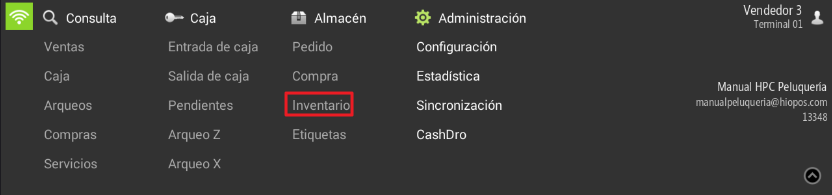
HioPOS Cloud inventory allows you to modify the stock you have. Go to the Query tab and select Inventory.
Select the products whose inventory you wish to modify. Then, enter the new quantity for the product and click Accept. When modifying the stock, the program will show you the current quantity available.
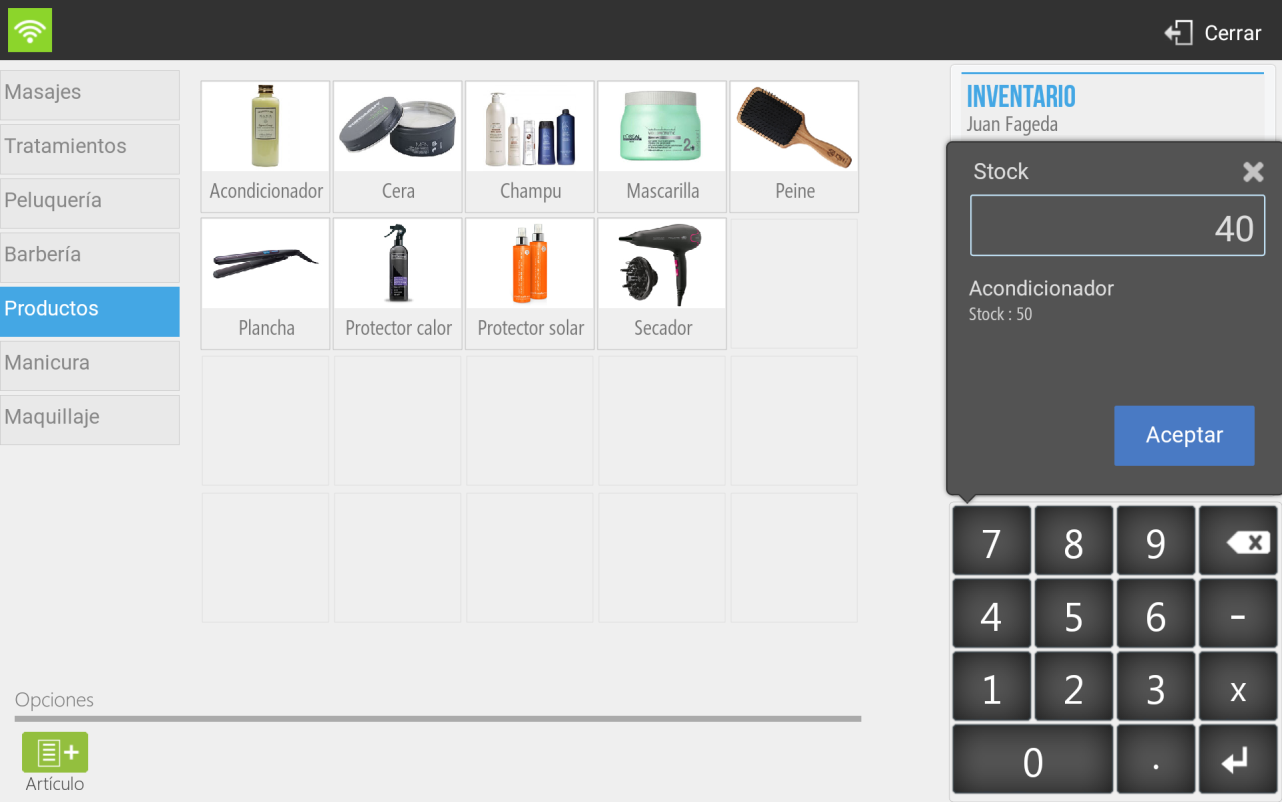
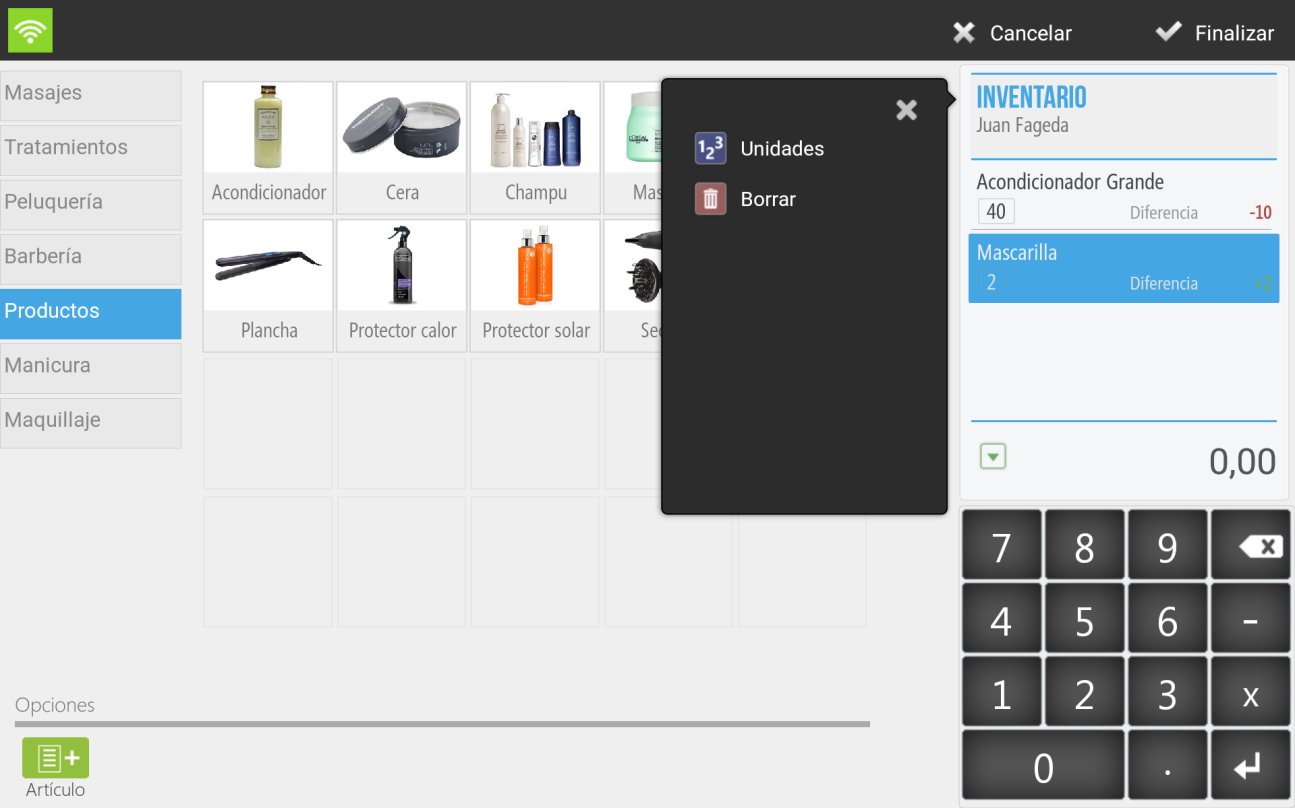
On the ticket, the items for which stock modifications are made will be shown; on the one hand, the new stock quantity is displayed (40,2) and in the other, the variation on the same (-10, +2).
If you select one or more items from the ticket, you will be able to modify the Stock Units and Delete selected ticket lines.
HioPOS Cloud does not allow viewing the service inventory, meaning items marked that do not have stock.
AI Assistant
Section summary
AI can generate inaccurate information; verify the results.