En esta sección
Batch Manufacturing
How to Manufacture with Lot Numbers
Once we have stock of our components, we can start carrying out the relevant manufacturing processes. To do this, we go to manufacturing and generate the manufacturing order for POTATO OMELETTE:
As this is a batch item, it will give us the option to create the batch to which we want the production to be associated. However, in this case, we will use Hioffice's automatic sequential numbering generation, so we will not use this option.
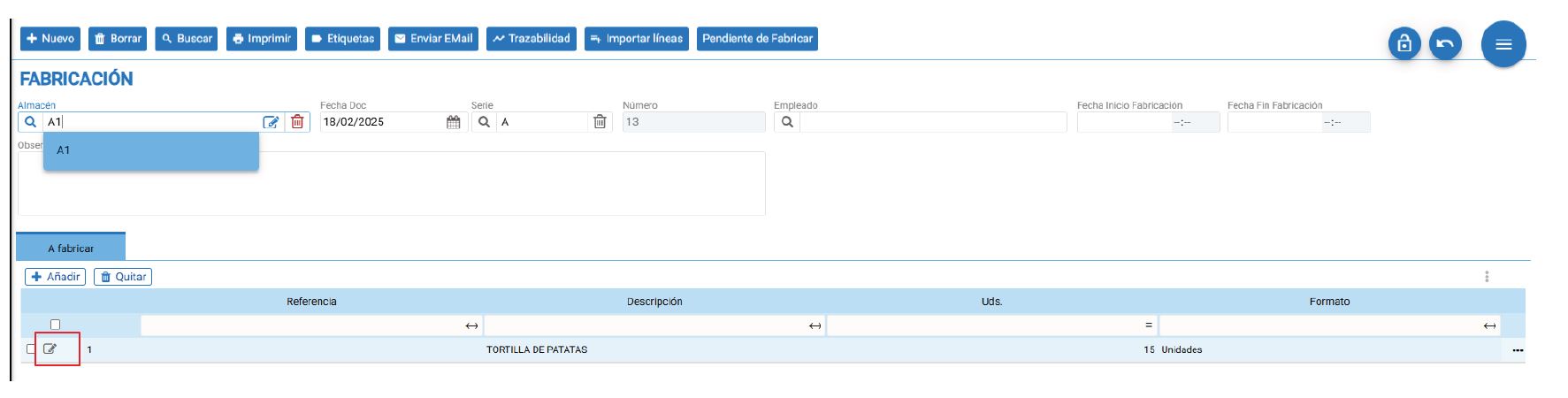
Once in production, we can manually enter the batches or let the program suggest the batch based on the previously mentioned destocking method.
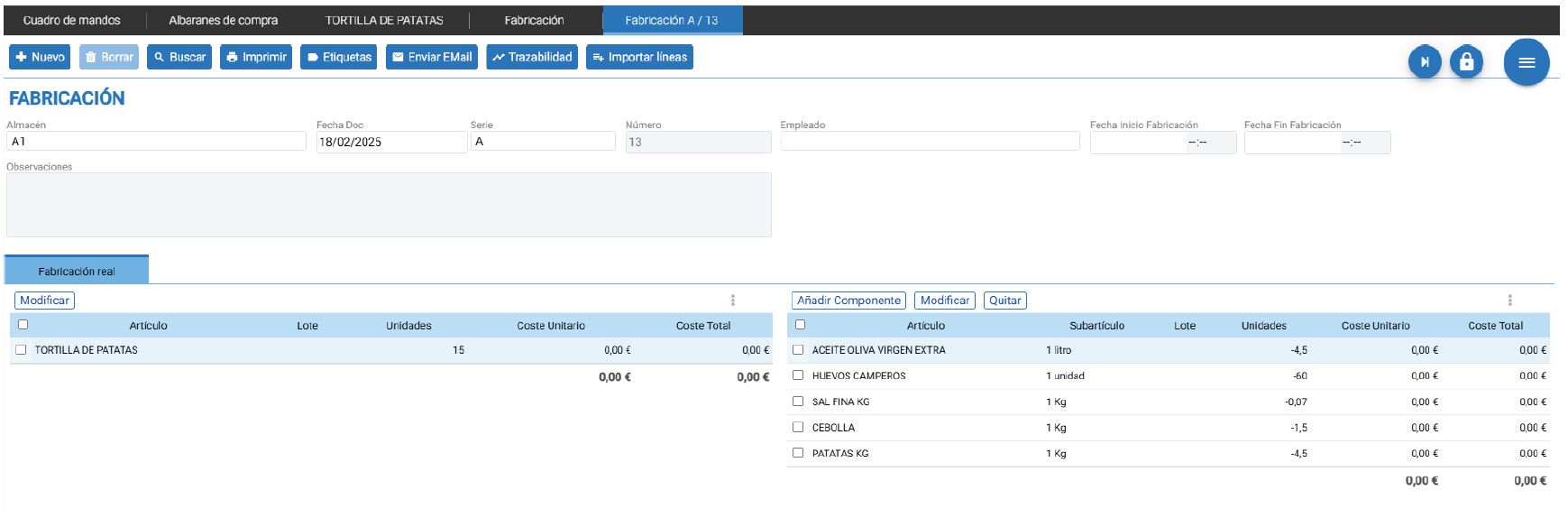
- Manual form:
- Automatic mode:
If we hover over the Lot-tracked Items, in this case the Free-range eggs, clicking "Modify" will open a screen where, from the lot search icon, we can choose the required lot for this production or have Hioffice suggest them.

Upon starting manufacturing, the following pop-up appears with 4 very useful options for lot management.
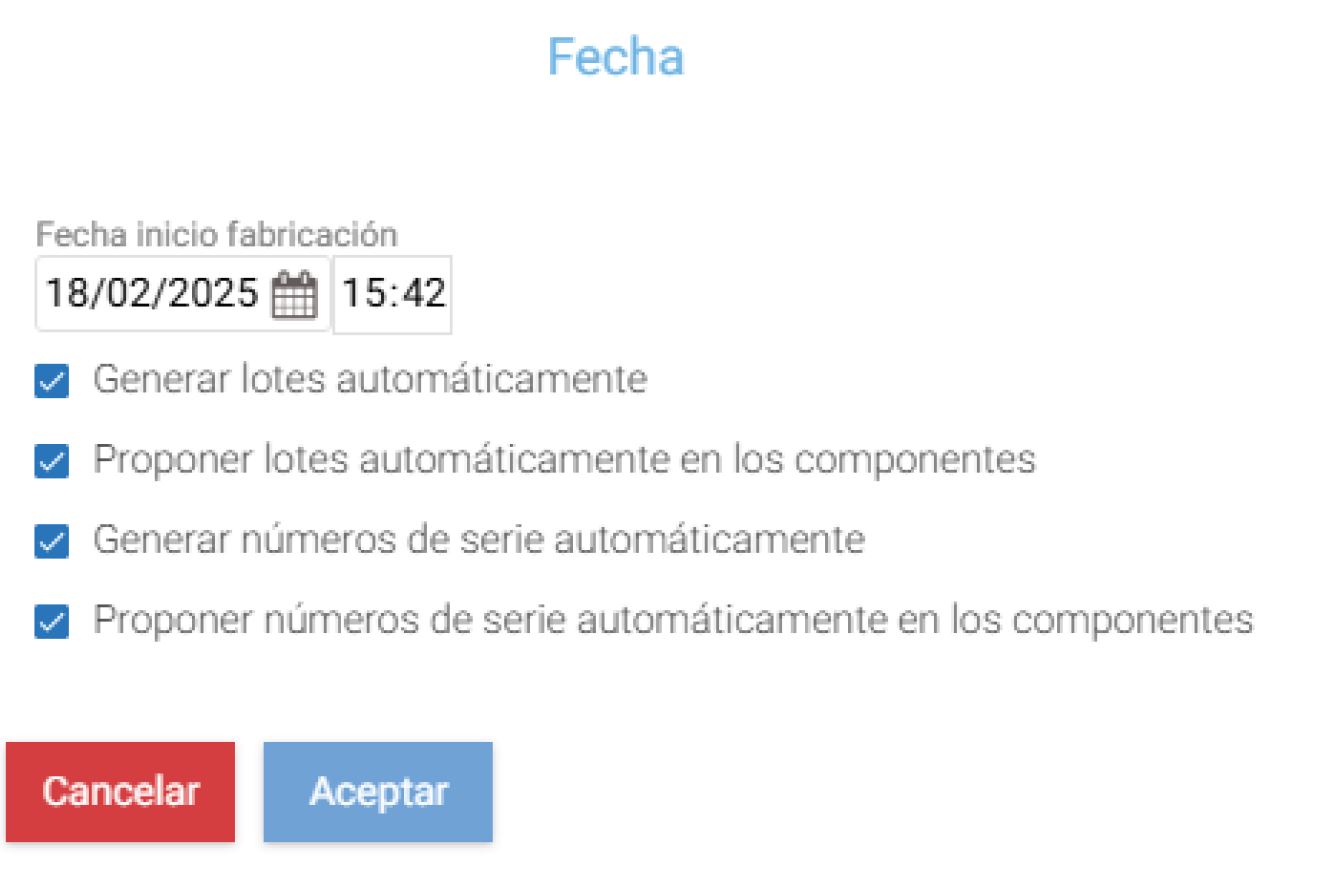
When working with batches, we will use the first 2 checks.
- Generate batches automatically: It will generate the sequential number for the manufactured product according to the specifications we have adapted at the Company.
- Automatically propose batches in components: According to our batch destocking method, specifically FIFO, LIFO, it will automatically propose the batches. If no method is specified, it will propose them based on the batch's creation.
We will use the manual method when we need to specify the lot, as it's possible that we have X Stock and are going to use a random lot. Whereas with the automatic method, the system suggests which lots to use to maintain good management according to the lot destocking method.
In our example, we will use the automatic method to generate the batch with the corresponding sequential number.
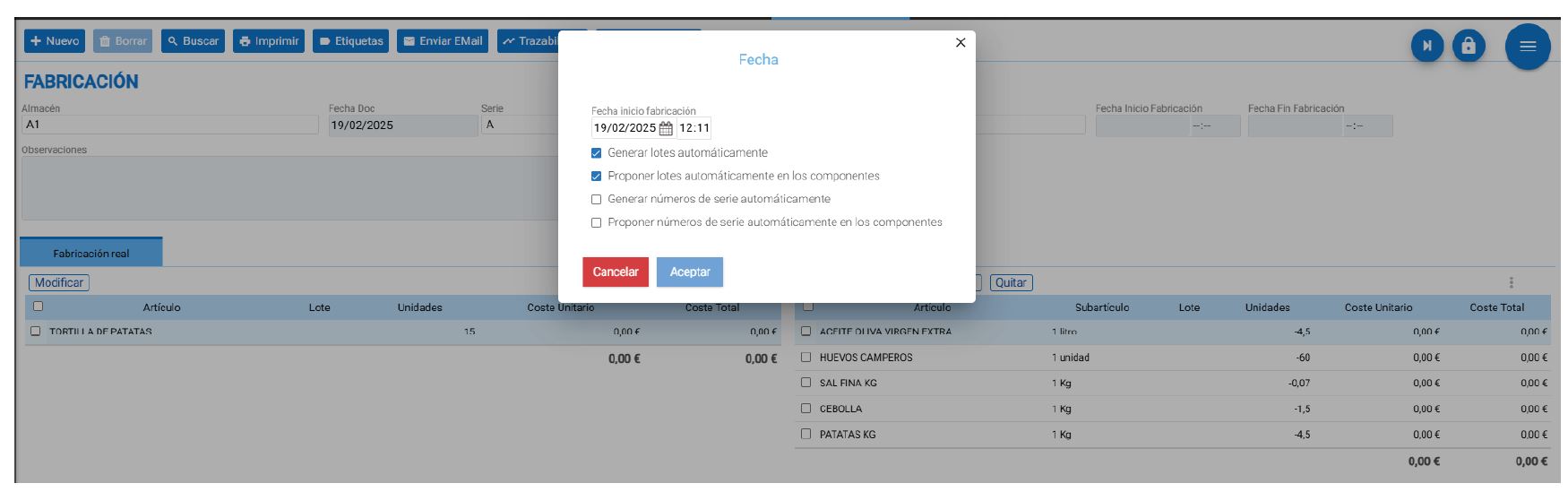
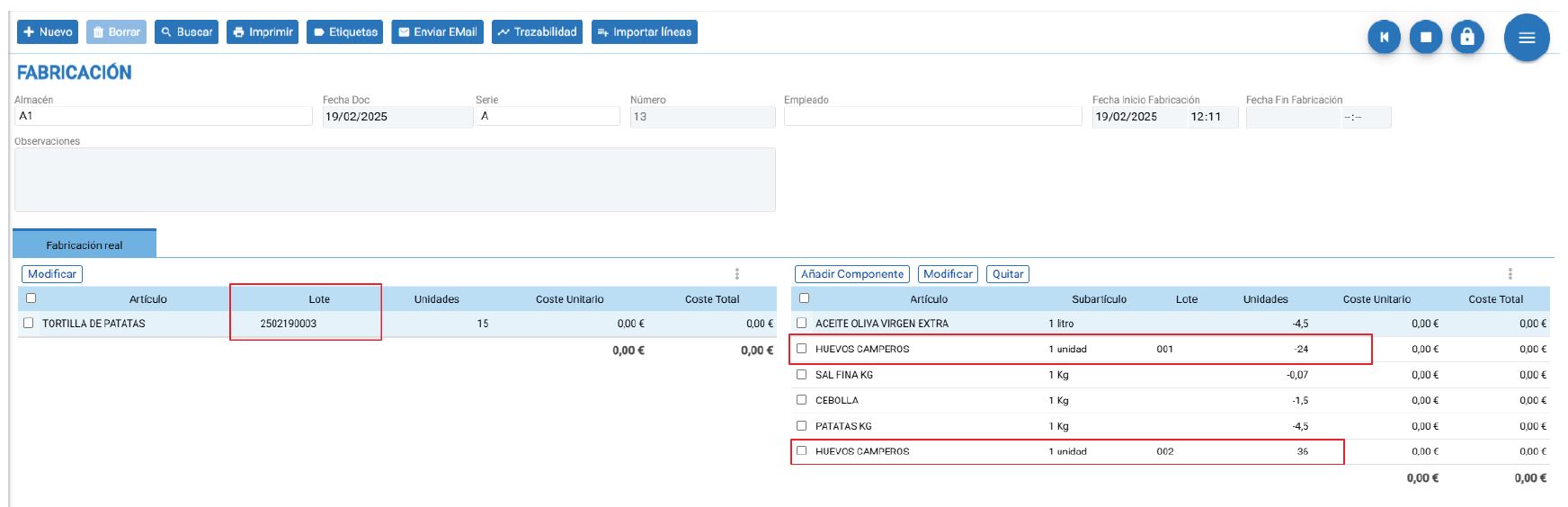
Using this option, we can observe how it assigns a batch to the potato omelette by generating the corresponding reference number, and if we check the components, we will be able to see the batches of the free-range eggs.
If we look closely, two appear. This is because lot 001 did not have sufficient stock, so the program automatically proposes the next lot according to its destocking method to ensure correct manufacturing.
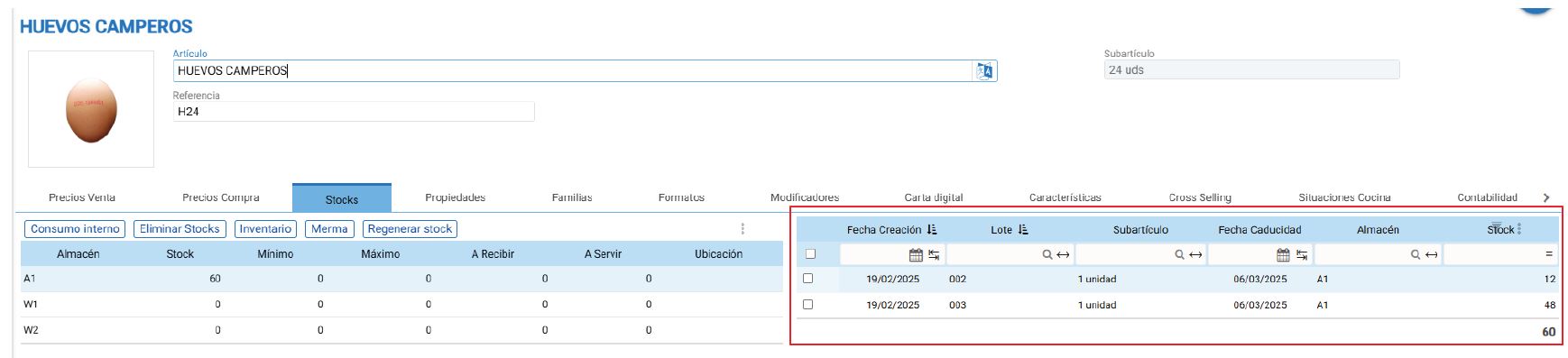
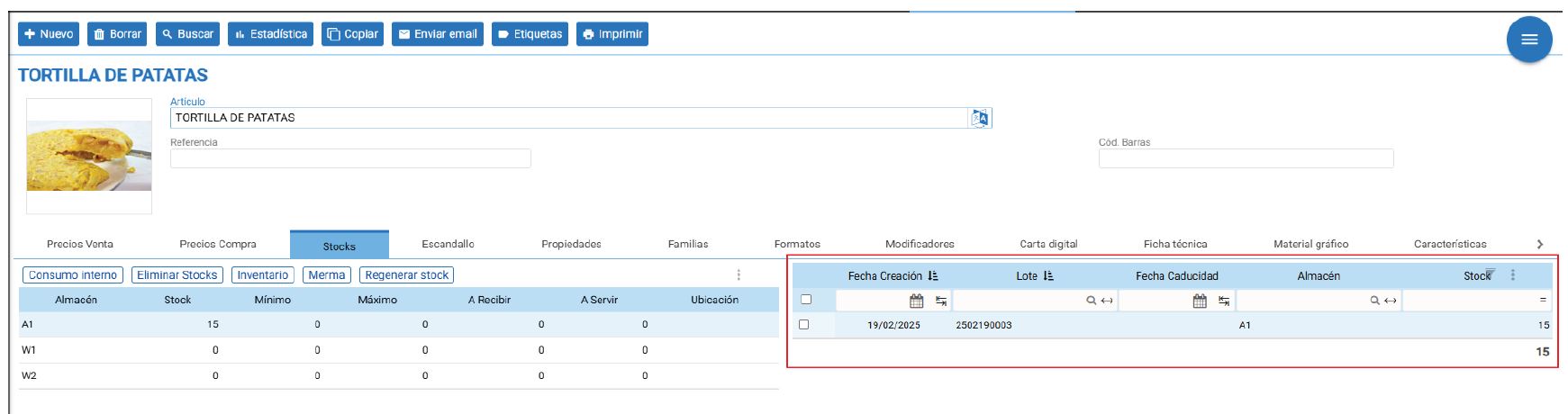
Finally, if we check our stock of both the potato omelette and the free-range eggs, we will see the movements generated by our production:
AI Assistant
Section summary
AI can generate inaccurate information; verify the results.