En esta sección
The sale with different payment methods
After completing a sale and pressing the Total button, the Total Screen opens, which allows payment using the payment methods available at the establishment.
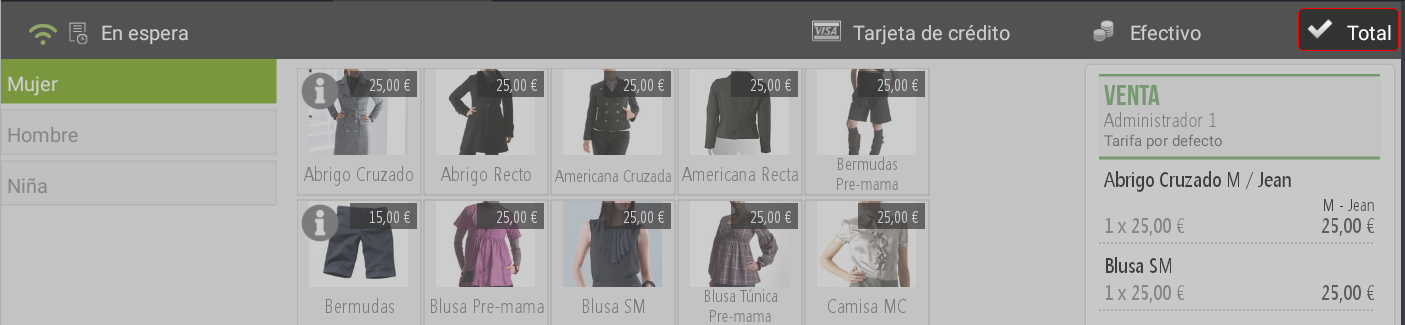
HioPOS automatically deploys the Available payment methods for the operation.
It is possible Complete the sale using various payment methods.
By default, the system suggests the payment method Cash. You must enter the amount to be paid using this method.
Next, the program will automatically add another line of Cash with the remaining amount to complete the ticket total. At this point, it will be necessary Select the payment method with which to cover that remaining amount.
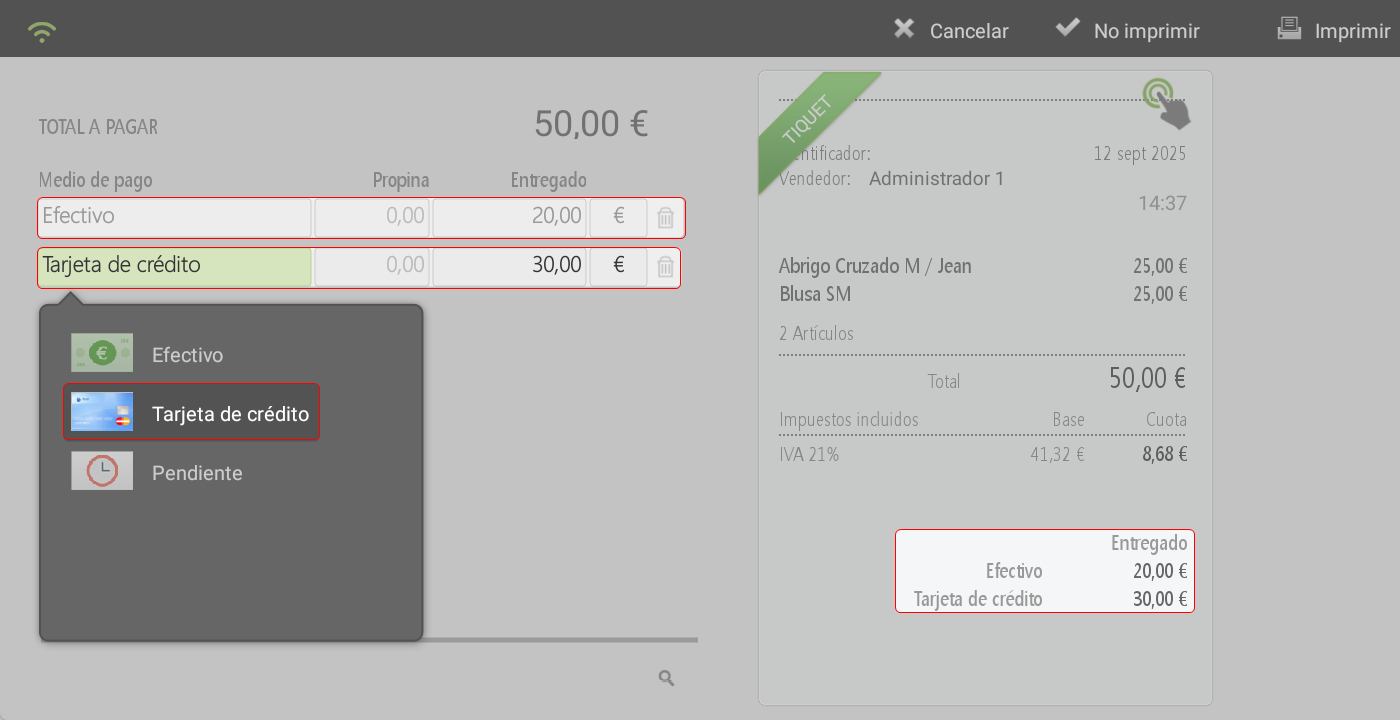
In the sales receipt All payment methods used will be reflected, along with the corresponding amounts for each.
Once the process is complete, the system will prompt you to choose between the options:
Print ticket
Do not print ticket
AI Assistant
Section summary
AI can generate inaccurate information; verify the results.